¶ Description
Dedup columns on a row.
¶ Parameters
¶ Parameters tab
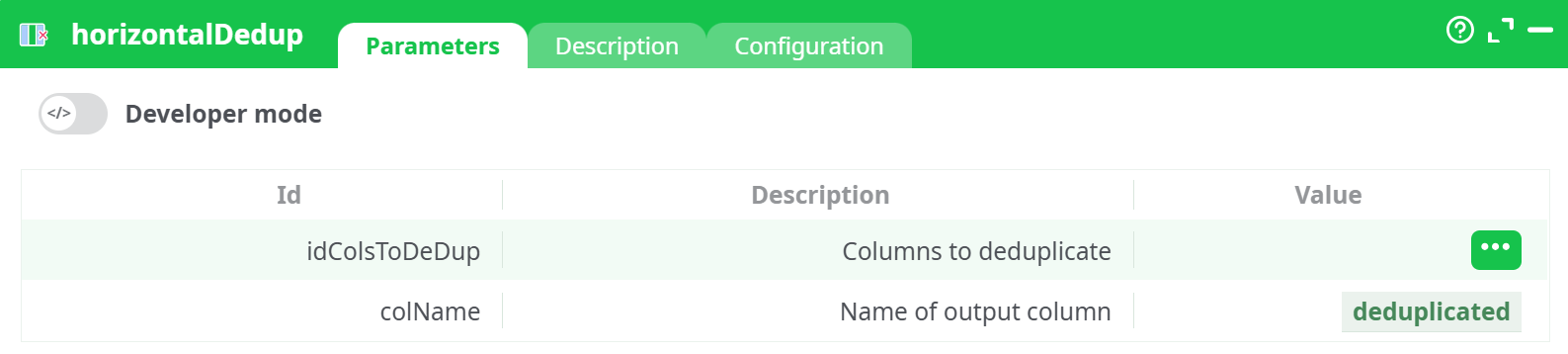
Parameters:
- Developer mode: activate/deactivate code tab.
- Columns to deduplicate These are the columns that will be scanned across each row. The order of columns is preserved, but repeated values are removed.
- Name of output column The newly created column will contain the deduplicated output. It is advisable to give it a meaningful name, like
unique_stepsorcleaned_events.
¶ Description tab
See dedicated page for more information.
¶ Code tab
horizontalDedup is a scripted action. Embedded code is accessible and customizable through this tab.
¶ Configuration tab
See dedicated page for more information.
¶ About
The horizontalDedup action is used to remove duplicate values across multiple columns in a single row. This operation is performed horizontally — meaning, across columns (not down rows) — to produce a deduplicated list of values per row.
This is particularly useful in scenarios where each row represents a sequence of process steps or observations that may contain repeated entries. For instance, in process mining, multiple event labels might repeat due to system logging behavior or user actions. By removing duplicates within the same row, you can obtain a cleaner and more concise representation of the data.
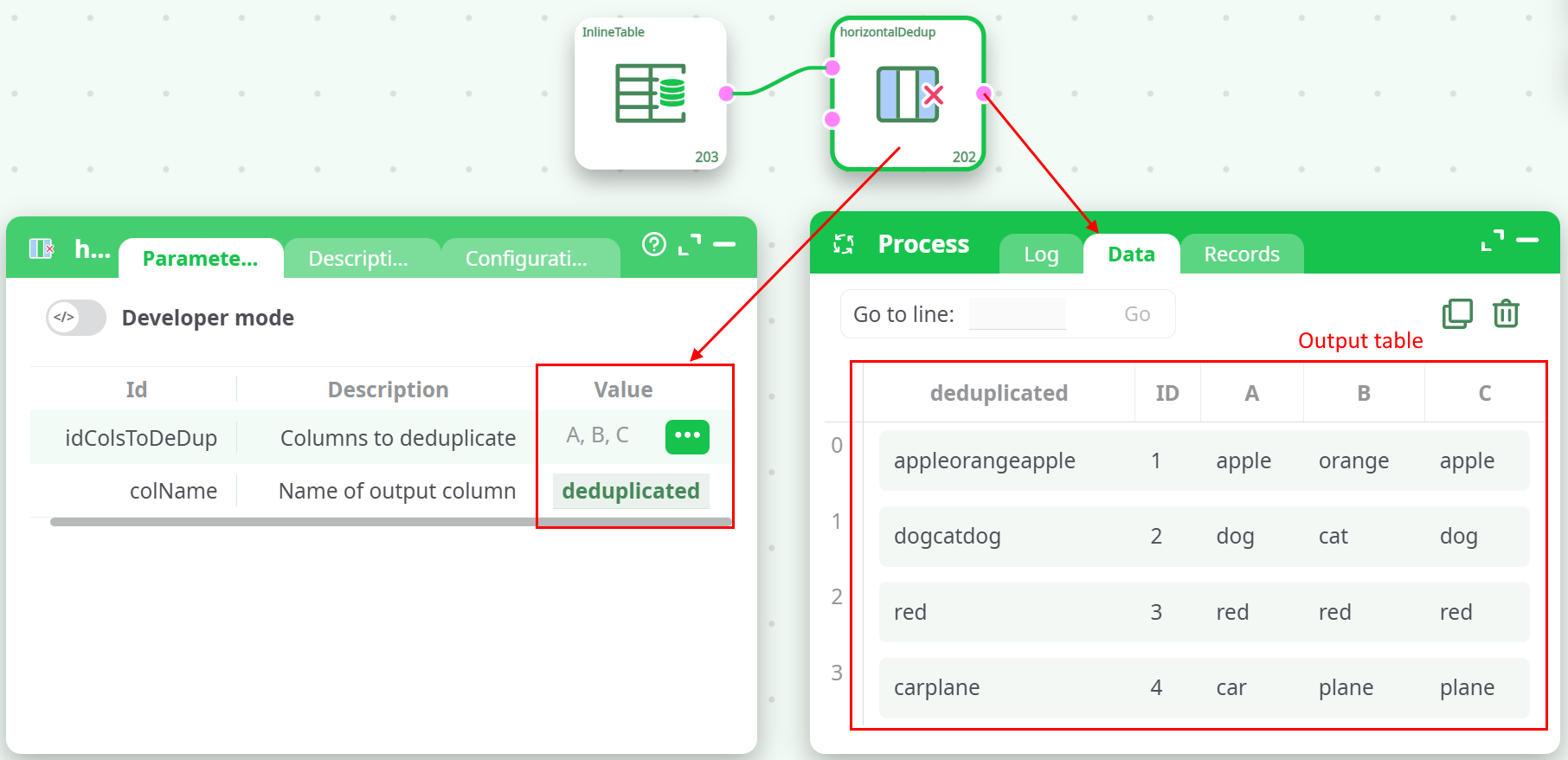
The result of the deduplication is output into a new column, which can then be used for further transformation, aggregation, or analysis.
🔍 This action does not change the original columns. It creates a new column containing the deduplicated, concatenated string of the specified columns.
¶ Example Input
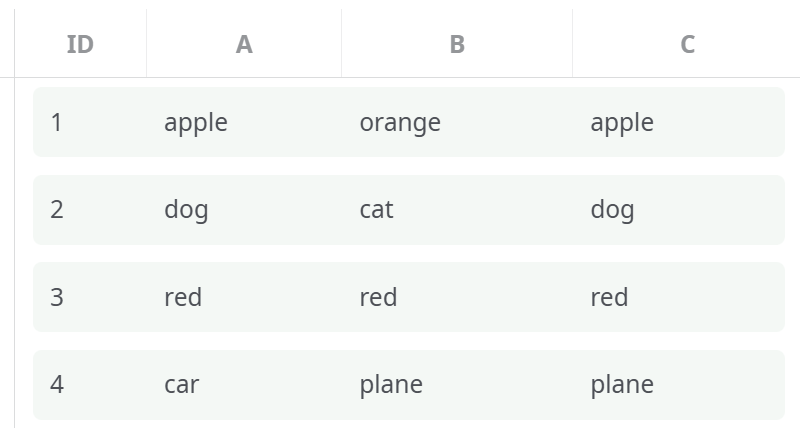
Inline table used as input:
¶ Configuration Example
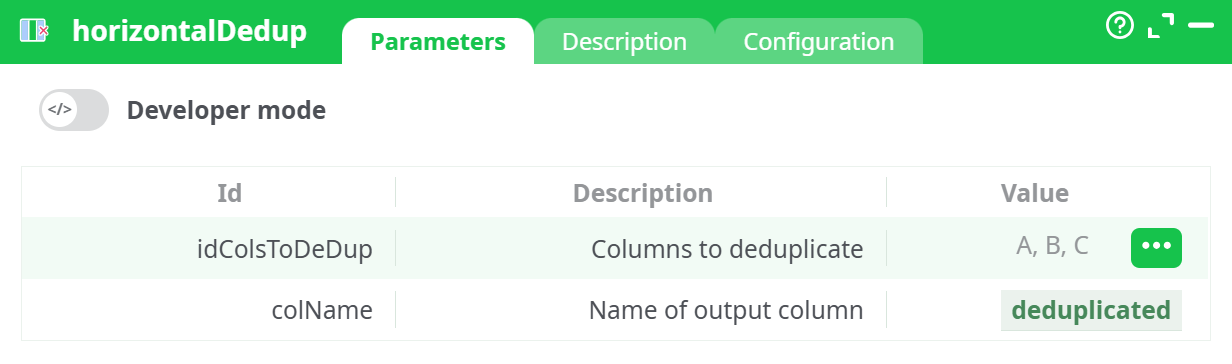
In the parameters panel:
idColsToDeDup:A, B, CcolName:deduplicated
¶ Output Example
¶ Use Cases
- Process Mining: Remove repeated steps in activity logs to better visualize process sequences.
- Survey Analysis: Consolidate participant responses stored across multiple columns.
- Data Cleanup: Eliminate intra-row redundancies before applying further transformations.
Notes
- Deduplication is case-sensitive. For example,
Doganddogare treated as distinct.- The deduplicated output is a concatenated string. If needed, follow this step with a
splitorparseoperation.- The order of values is preserved based on the original column order.
¶ Troubleshooting
- If the output appears incorrect, verify that the correct columns are selected under
idColsToDeDup. - Ensure that
colNameis a valid column name not already used in the dataset. - Watch for hidden whitespace or trailing characters in column values that may affect deduplication accuracy.