¶ Description
Format a number.
¶ Parameters
¶ Params tab
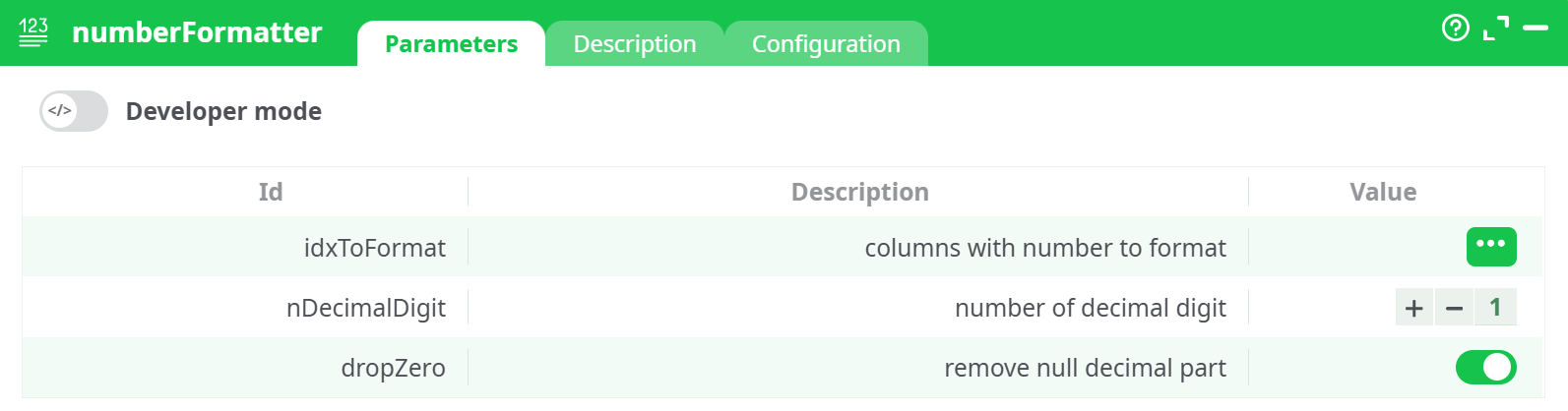
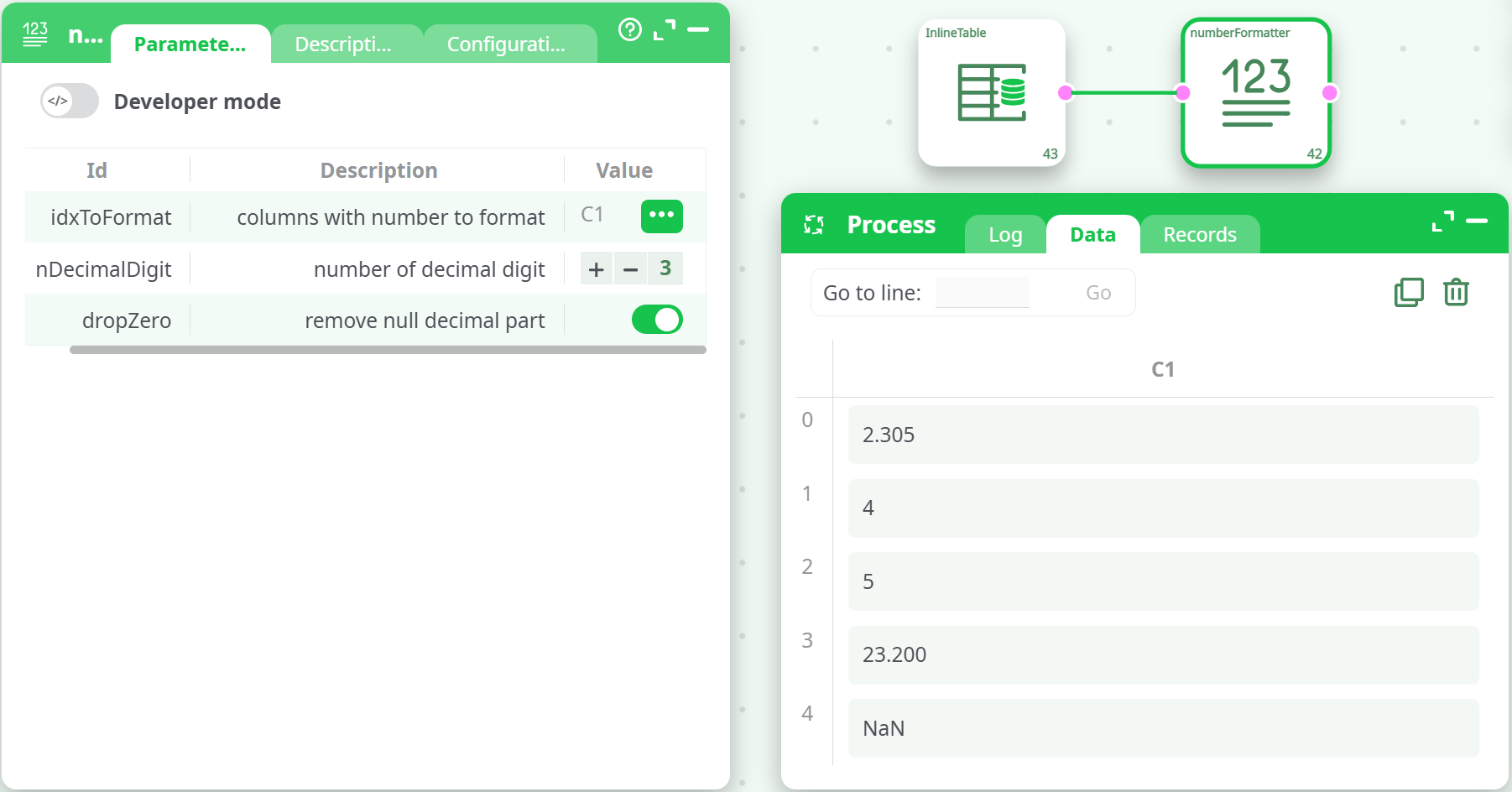
Parameters:
- columns with number to format
- number of decimal digit
- remove null decimal part
¶ Description tab
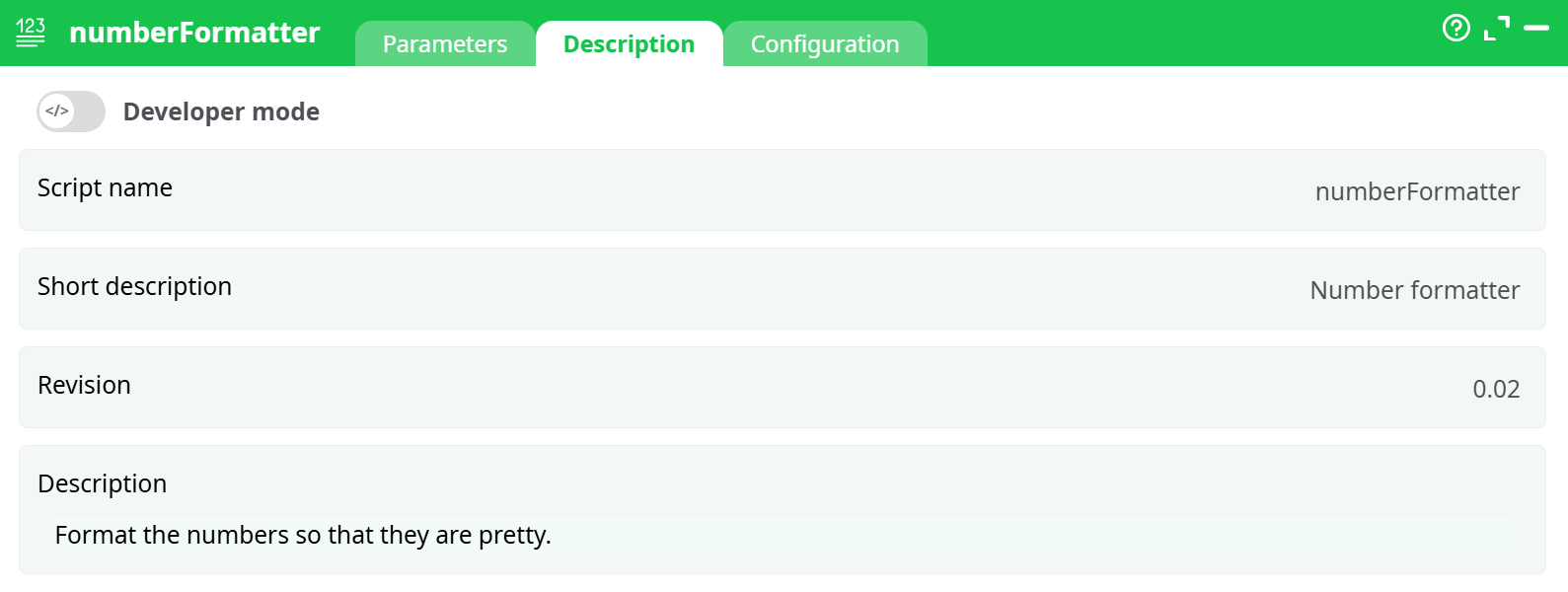
Parameters:
- Script name
- Short description
- Revision
- Description
¶ Configuration tab
See dedicated page for more information.
¶ About
The NumberFormatter action converts numeric values into string format using a standard notation with a specified number of decimal digits. It allows for cleaner and more readable numeric outputs, especially for reporting or exporting data.
⚠️ Performance Note:
This action is slower than the ChangeDataType action, which also offers a basic number-to-string conversion.
Use NumberFormatter only when you need more flexibility in formatting; otherwise, prefer ChangeDataType for better performance.
¶ Functionality
- Converts numbers to strings using standard decimal notation.
- Trims or pads values based on
nDecimalDigit. - Optionally removes trailing decimal zeros with
dropZero = true.
¶ Examples
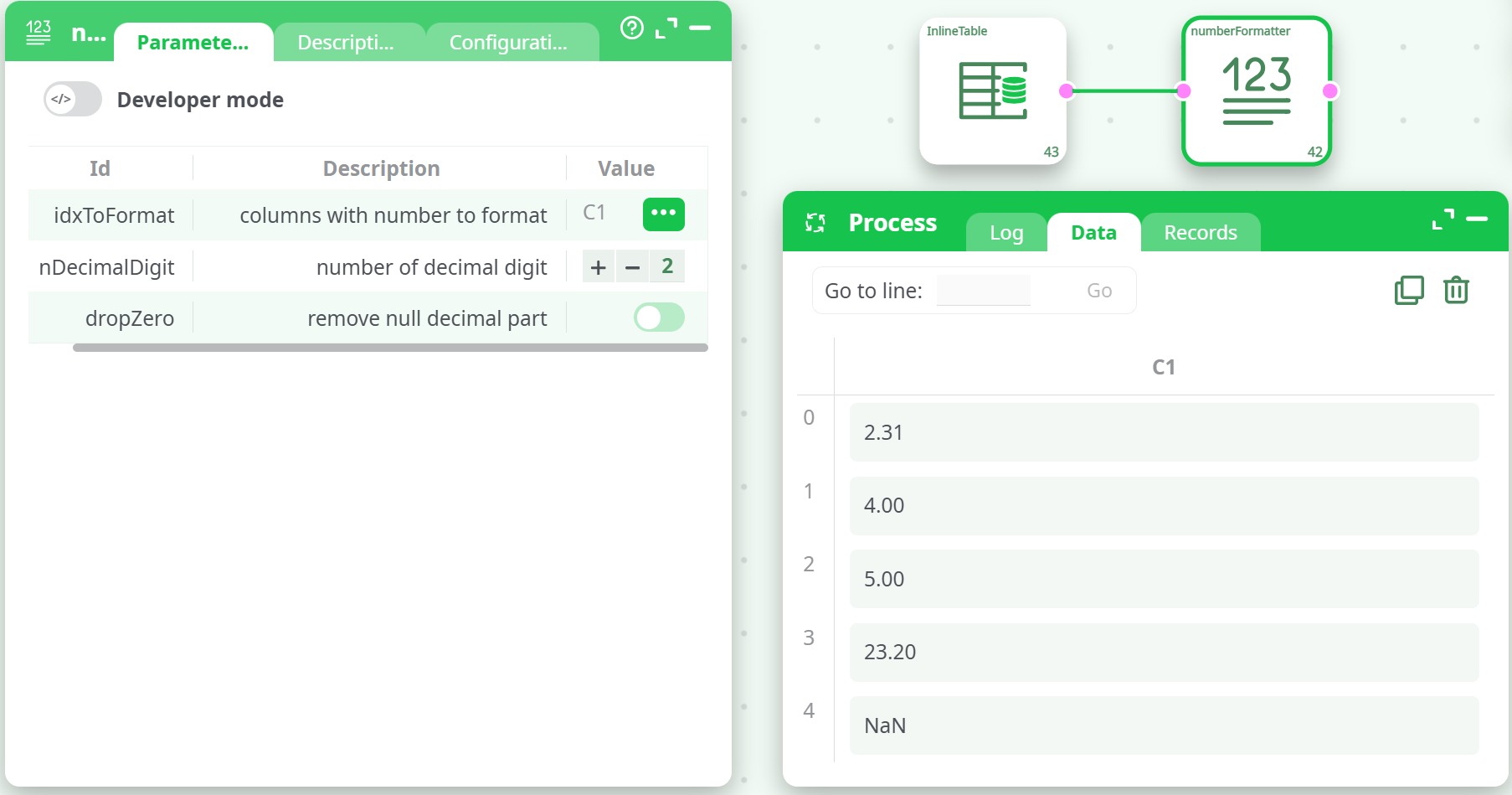
¶ Example 1: 2 Decimal Digits, Keep Trailing Zeros
Input (C1):
| C1 |
|---|
| 2.305 |
| 4.000 |
| 005 |
| 23.2 |
| (3) |
Output (C1):
¶ Example 2: 2 Decimal Digits, Drop Zeros
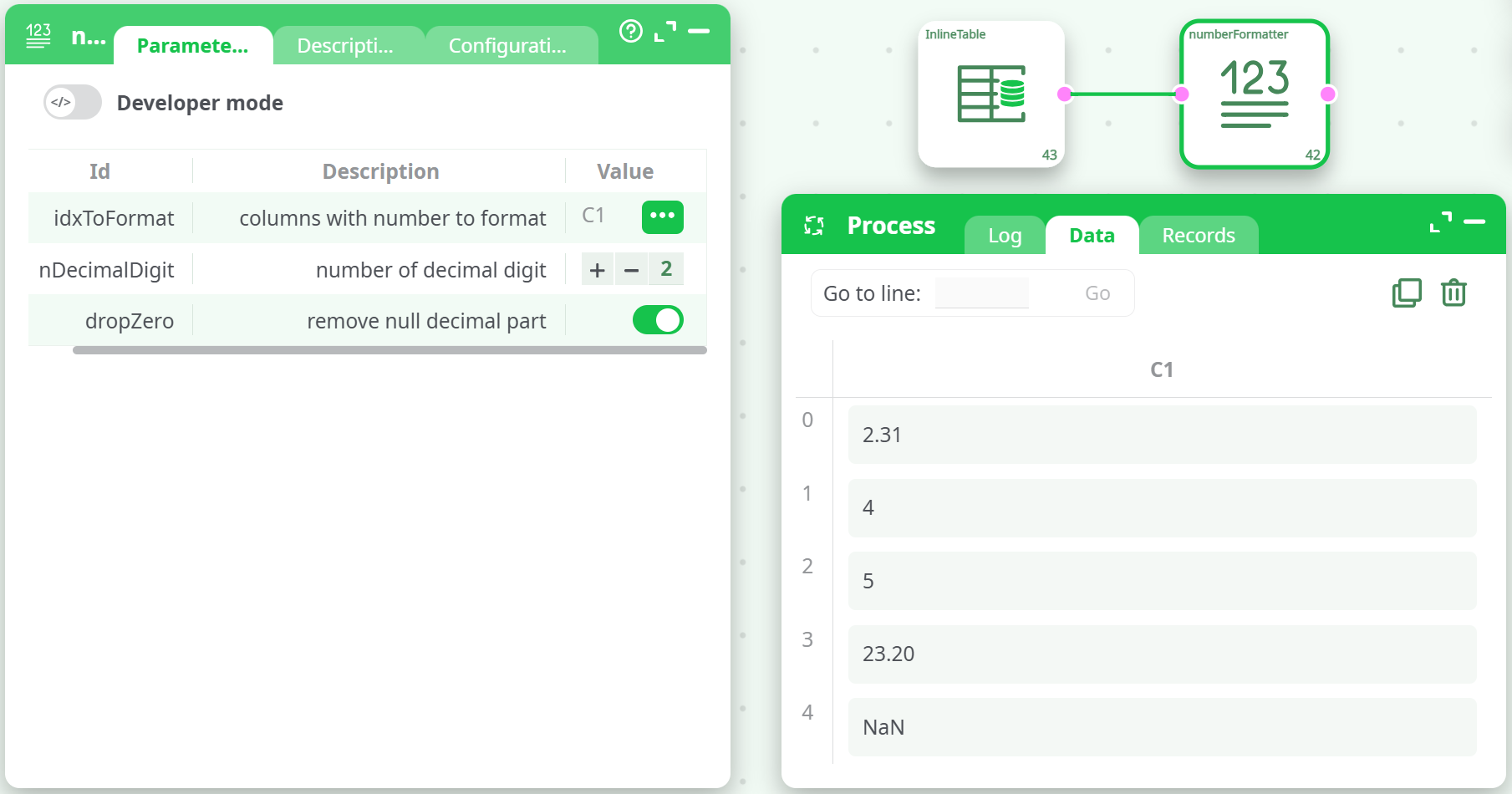
Settings:
nDecimalDigit: 2dropZero: true
Output:
¶ Example 3: 3 Decimal Digits, Drop Zeros
Settings:
nDecimalDigit: 3dropZero: true
Output:
NOTE
- This action is ideal when your numbers need visual clarity or consistent formatting.
- To preserve numeric types (for computation or filtering), avoid formatting — use formatting only before exporting or displaying.
- When speed matters and formatting is simple, use ChangeDataType instead.