¶ Description
Replacement by regex.
¶ Parameters
¶ Parameters tab
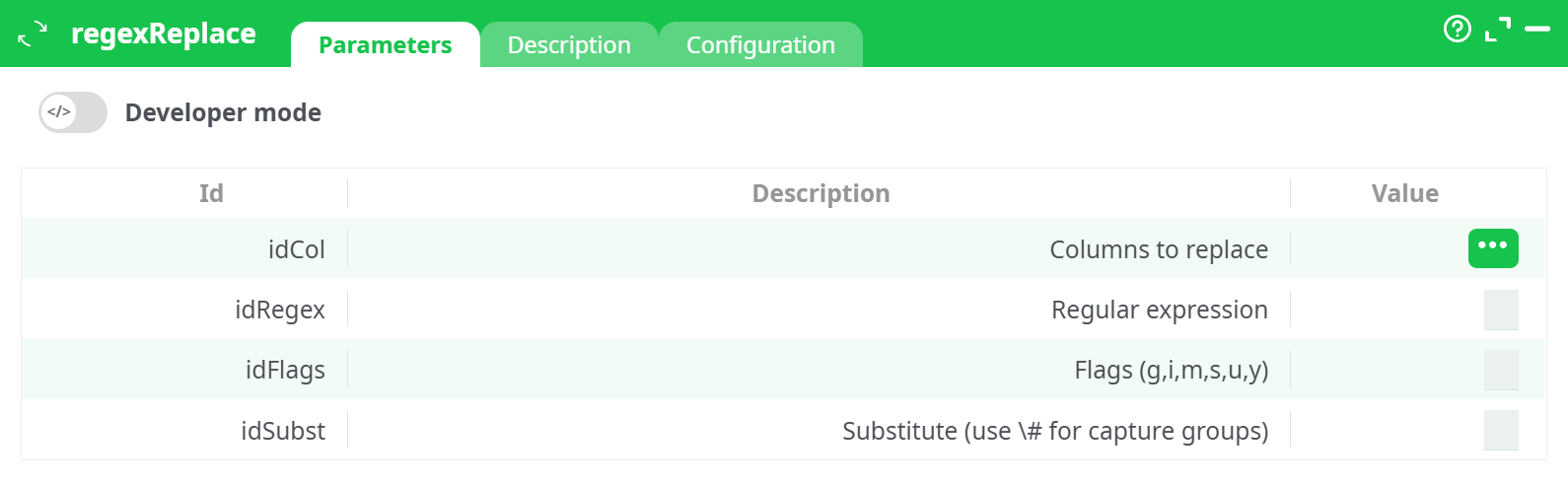
Parameters:
- Developer mode: activate/deactivate code tab.
- Columns to replace
- Regular expression
- Flags (g,i,m,s,u,y)
- Substitute (use # for capture groups)
¶ Dscription tab
See dedicated page for more information.
¶ Configuration tab
See dedicated page for more information.
¶ About
The regexReplace action replaces strings in a specified column using a regular expression pattern. It allows advanced text manipulation by applying regex search and replacement operations within the ETL pipeline.
¶ Common Use Cases:
- Extracting product numbers from product codes.
- Removing prefixes/suffixes from IDs.
- Normalizing dates or phone numbers.
- Masking or anonymizing sensitive data.
¶ Parameters
| Parameter | Description | Example |
|---|---|---|
| Columns to replace | Select the column(s) where the replacement will occur. | ProductCode |
| Regular expression | Regex pattern to search for in the column(s). | PROD-(\d+)-[A-Z]{2} |
| Flags | Optional regex flags (g, i, m, s, u, y). Leave empty if not needed. |
(empty in this case) |
| Substitute | Replacement string. Use \$1, \$2, etc., for regex capture groups. |
\$1 |
¶ Example Use Case
¶ Input Data:
| ID | ProductCode |
|---|---|
| 1 | PROD-1234-AB |
| 2 | PROD-5678-XY |
| 3 | PROD-9101-CD |
¶ Configuration:
- Columns to replace:
ProductCode - Regular expression:
PROD-(\d+)-[A-Z]{2} - Flags: (empty)
- Substitute:
\$1
This configuration extracts the numeric part of the ProductCode using the capture group (\d+).
¶ Output Data:
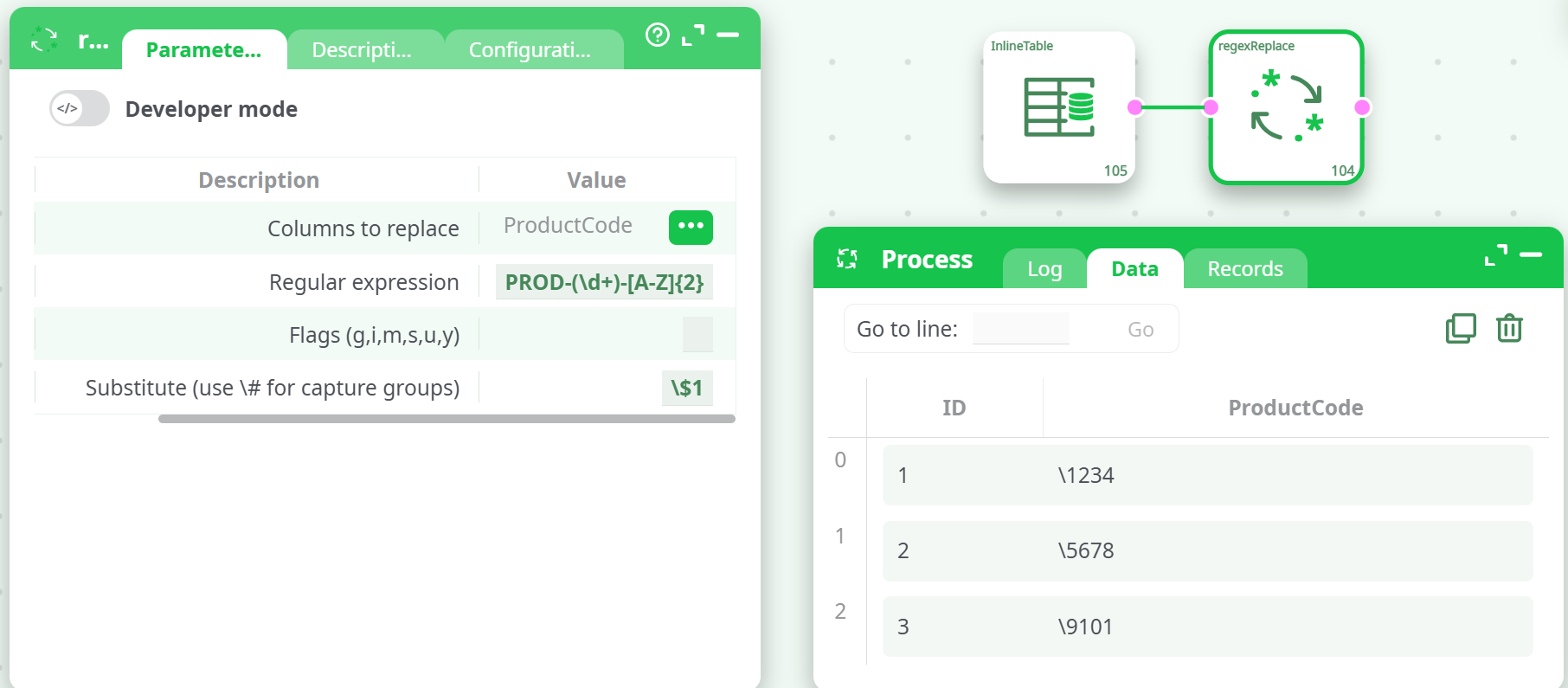
¶ Explanation:
- The regex pattern finds strings matching
PROD-followed by digits and two uppercase letters. - The capture group
(\d+)extracts the numeric part. \$1inserts the captured number into the result.- The substitution removes the prefix and suffix, keeping only the numeric code.
¶ Other Regex Examples (You Can Use):
| Regex Pattern | Purpose |
|---|---|
\d{4}-\d{2}-\d{2} |
Match date formats like YYYY-MM-DD. |
^[A-Z]{3}\d{2}$ |
Match strings like ABC12 (3 letters + 2 digits). |
(\w+)@(\w+)\.(\w+) |
Match basic email addresses. |
\s+ |
Match one or more whitespace characters. |
Notes
- Always use
\$notation for capture groups in the Substitute field.- Escaping matters:
\$1means "insert first captured group."- Useful for cleaning product codes, IDs, and similar patterns.