¶ Description
This action conditionally shifts the values of selected columns to the left or right.
¶ Parameters
¶ Parameters tab
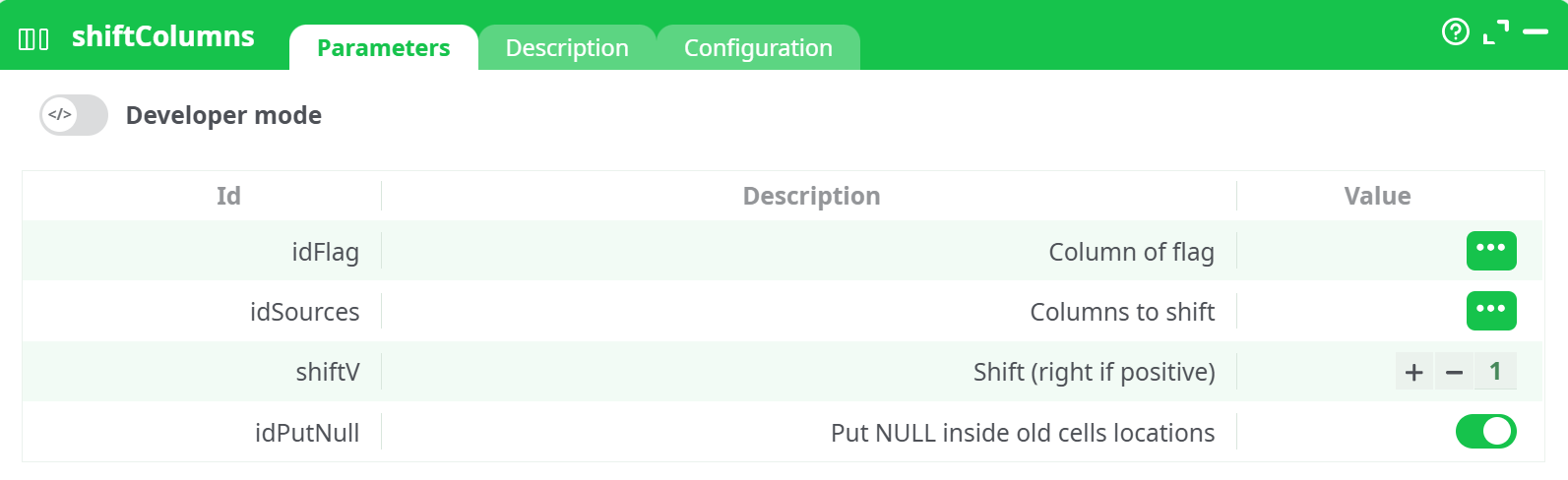
Parameters:
-
Column of flag (
idFlag)
Specifies the column that triggers the shift operation. When a condition is met in this column, the shift is applied. -
Columns to shift (
idSources)
A list of columns whose values should be shifted. -
Shift (right if positive) (
shiftV)
A positive number shifts values to the right; a negative number shifts them to the left. -
Put NULL inside old cells locations (
idPutNull)
When enabled, fills the original positions withNULLafter shifting. If disabled, the values are overwritten.
¶ Description tab
See dedicated page for more information.
¶ Configuration tab
See dedicated page for more information.
¶ About
This action conditionally shifts the values of selected columns to the left or right based on a flag column. It can be used for realigning data when certain conditions are met, such as merging, padding, or compressing column values.
Note: This action is useful when needing to re-align data columns conditionally based on flag logic or pattern shifts in data structures.
¶ Example
Input Table
| C1 | C2 | C3 | C4 |
|---|---|---|---|
| 1 | 2 | 3 | 4 |
¶ Example 1 — Shift 3 columns to the right by +1
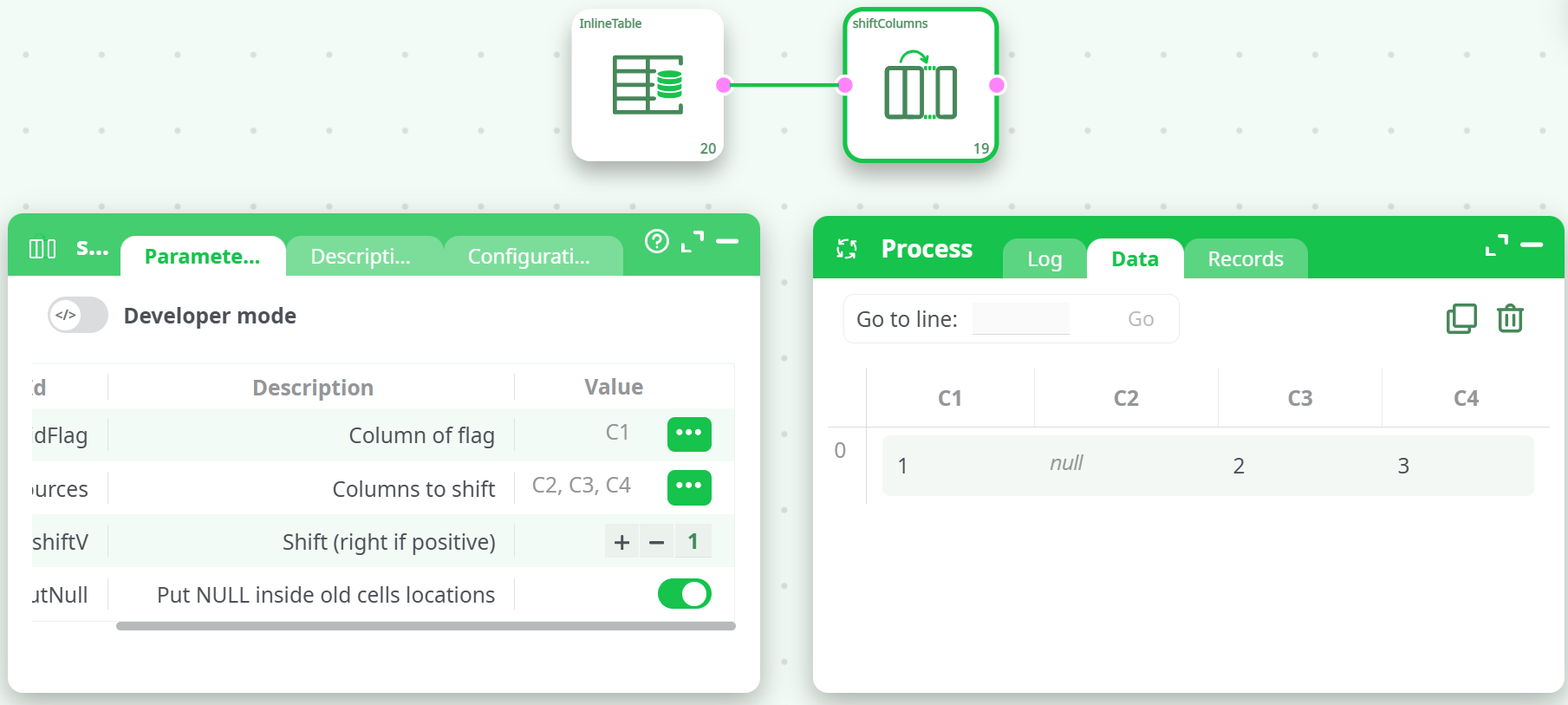
Parameters:
- idFlag = C1
- idSources = C2, C3, C4
- shiftV = +1
- idPutNull = true
Result:
Explanation:
Each selected column (C2, C3, C4) is shifted right by 1 position. Since the rightmost column has no space to move into, it's dropped, and null is inserted at the start.
¶ Example 2 — Shift 3 columns to the left by -1
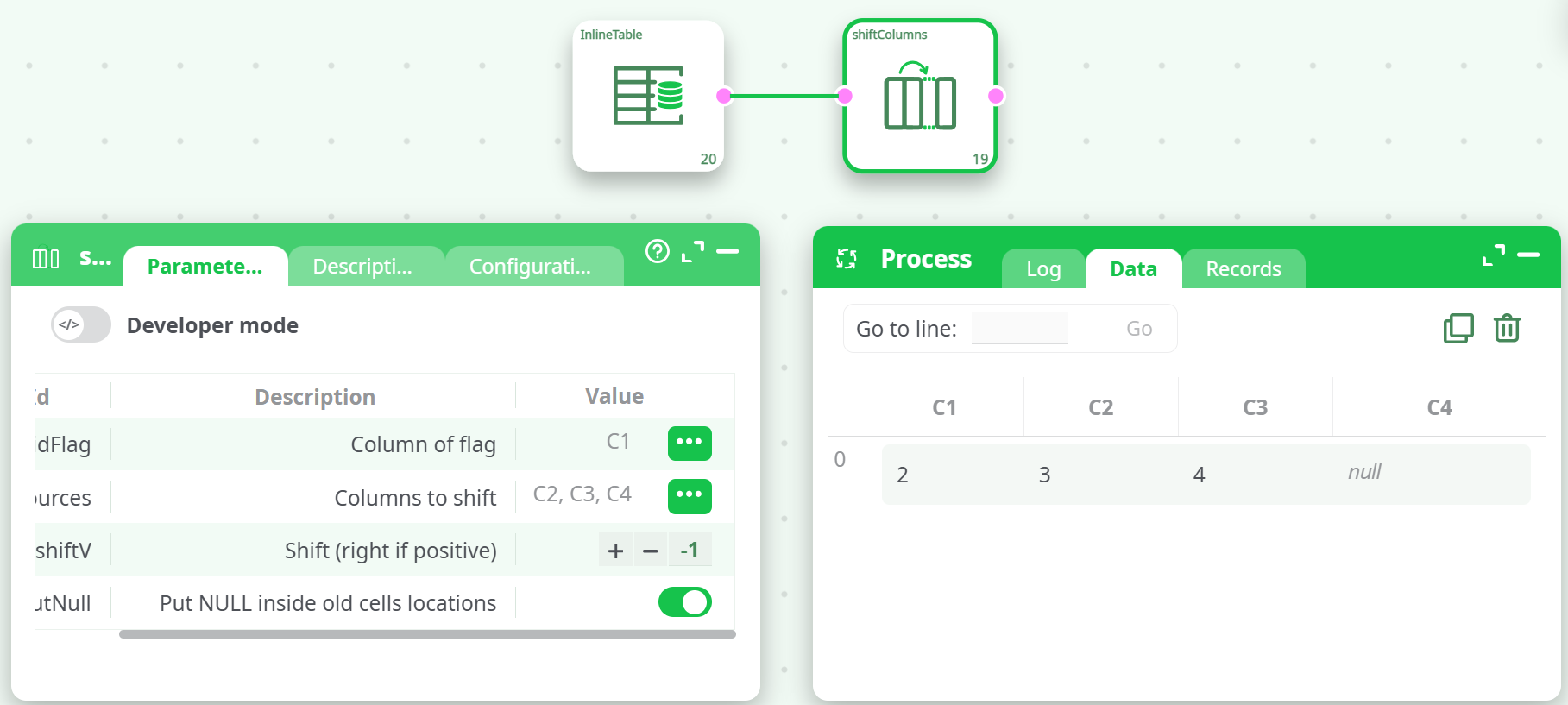
Parameters:
- idFlag = C1
- idSources = C2, C3, C4
- shiftV = -1
- idPutNull = true
Result:
Explanation:
Selected columns shift left. Last column receives null.
¶ Example 3 — Shift 1 column (C1) to the right by +1
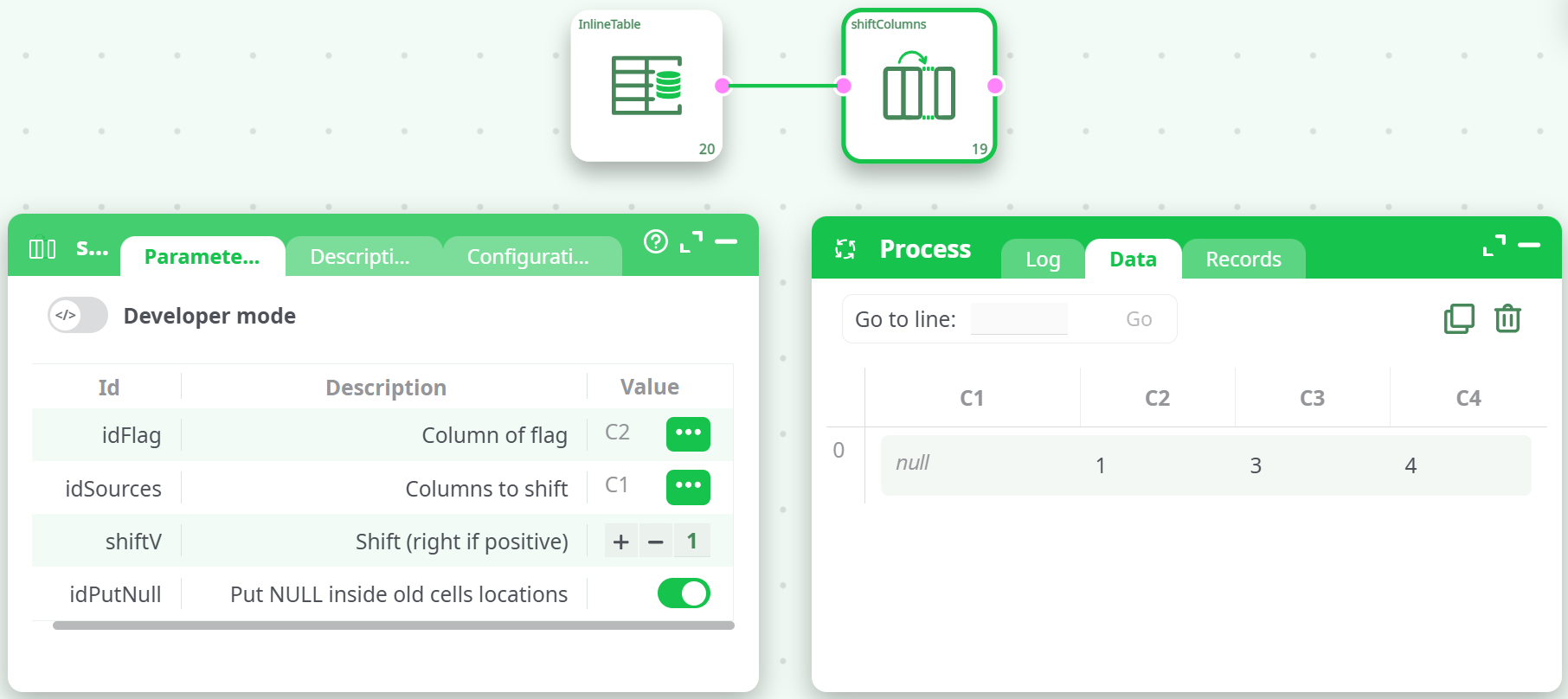
Parameters:
- idFlag = C2
- idSources = C1
- shiftV = +1
- idPutNull = true
Result:
Explanation:
Only column C1 shifts to C2. The previous C1 is set to null.
¶ Example 4 — Shift 2 columns (C3, C4) to the left by -1
Parameters:
- idFlag = C1
- idSources = C3, C4
- shiftV = -1
- idPutNull = true
Result:
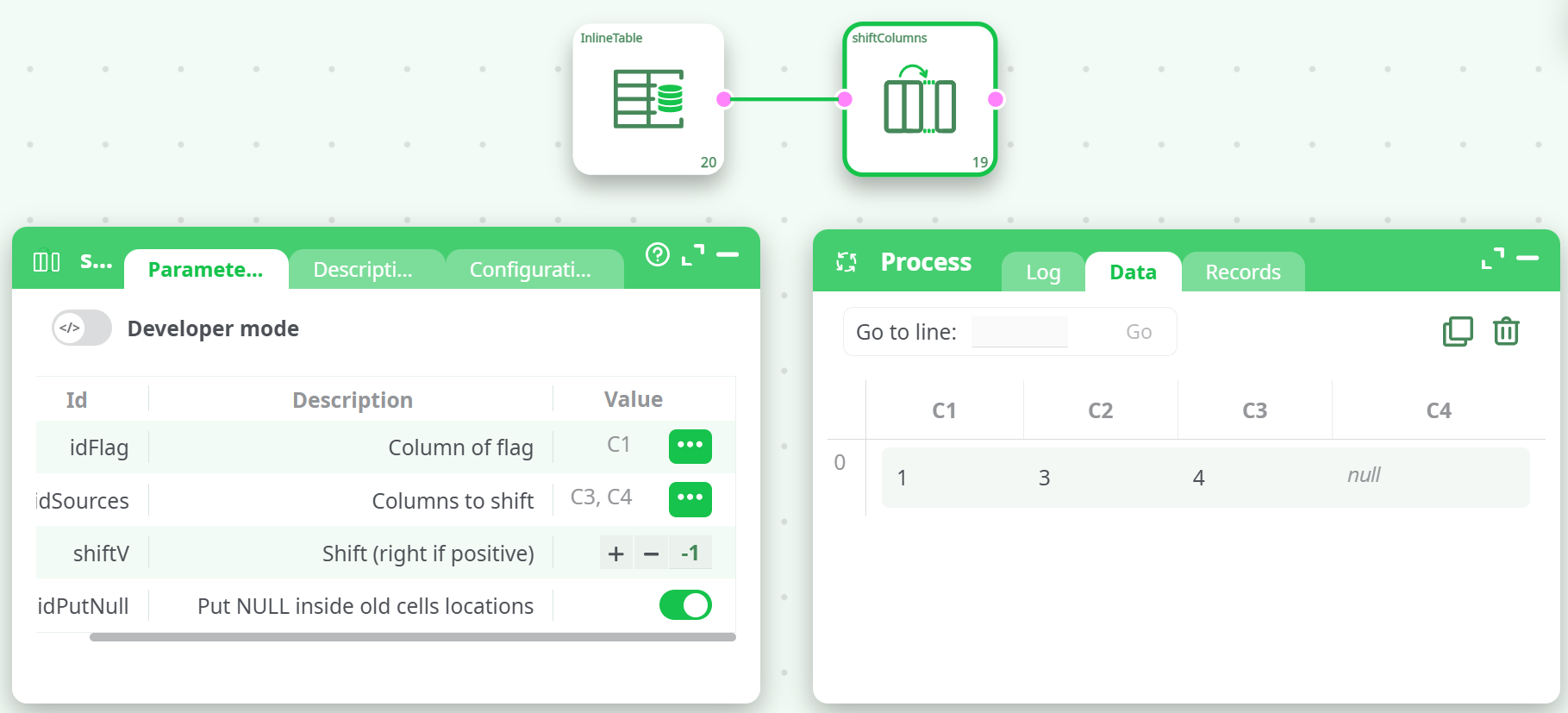
Explanation:
C3 shifts into C2, C4 into C3, and the last becomes null.
Note: The "Modality describing NULL value" was set to the literal string
nullin the input definition, which is used for display and comparison of missing values.