¶ Description
Simple operations on files.
¶ Parameters
¶ Parameters tab
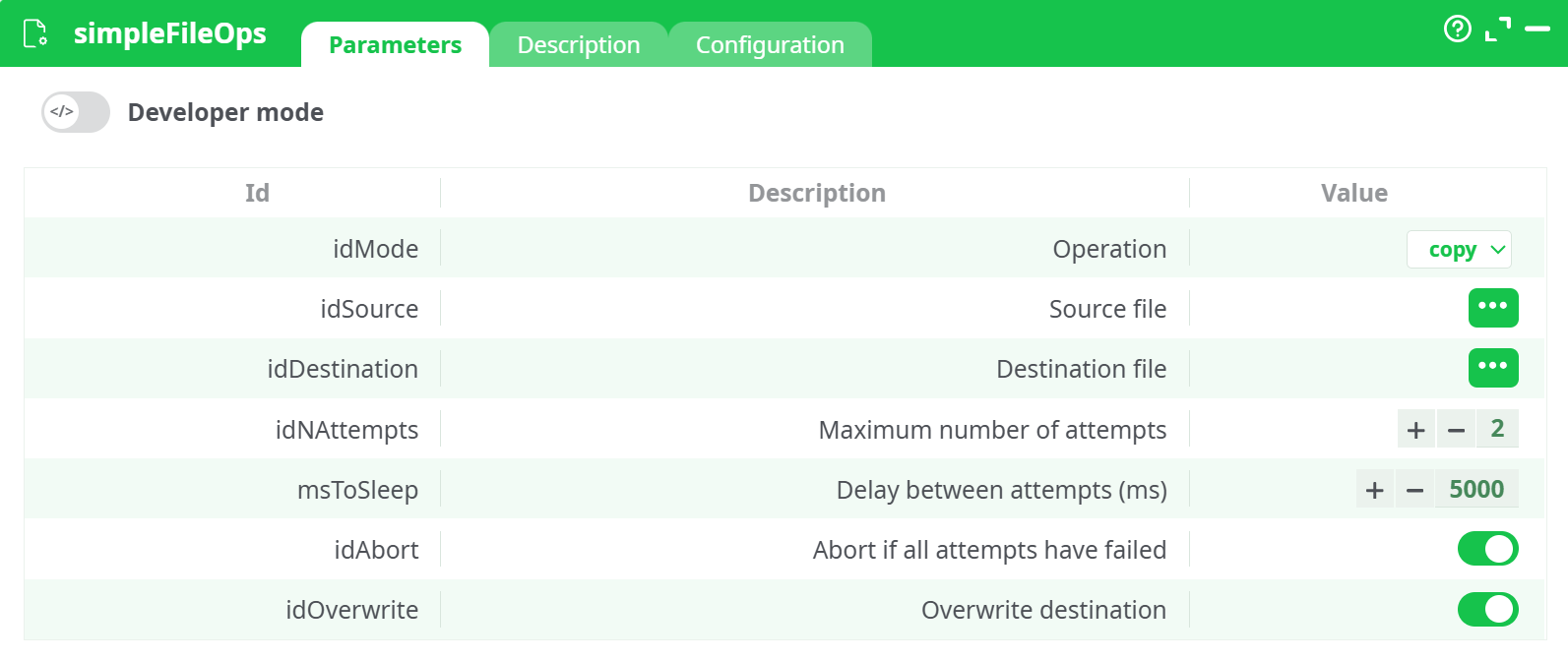
Parameters:
- Opération
- Source file
- Destination file
- Maximum number of attempts
- Delay between attempts (ms)
- Abort if all attempts have failed
¶ Description tab
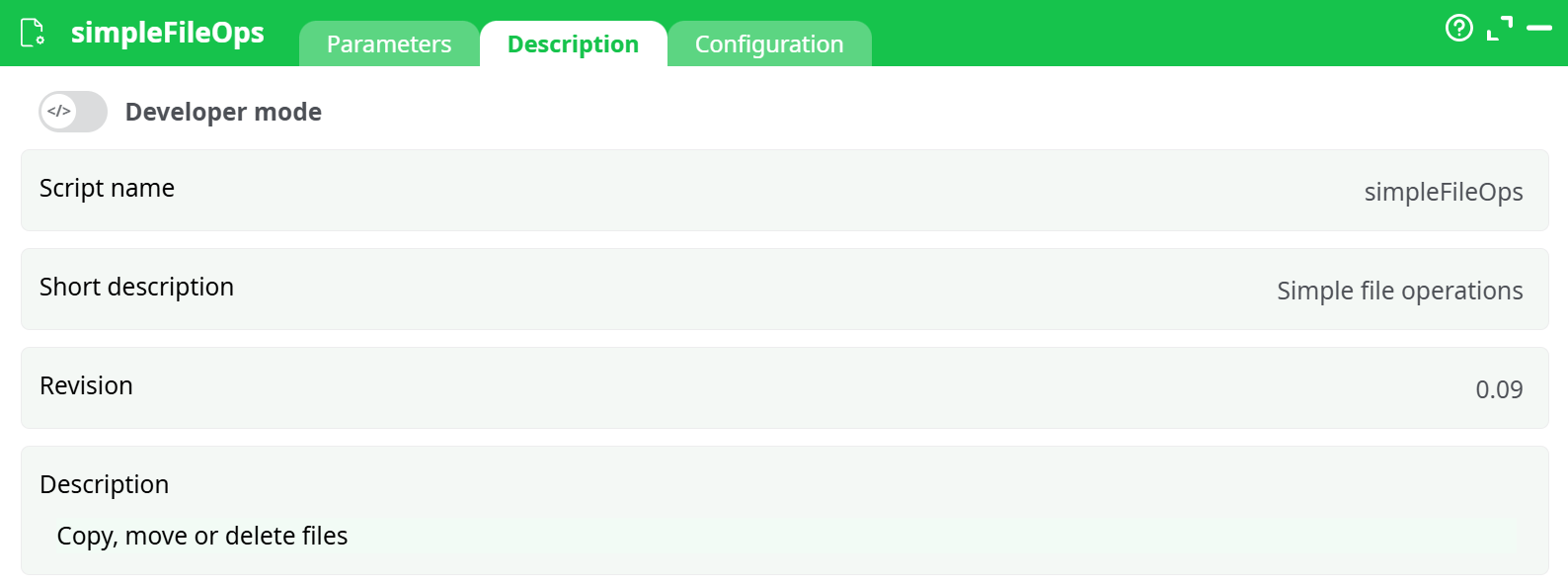
Parameters:
- Script name
- Short description
- Revision
- Description
¶ Configuration tab
See dedicated page for more information.
¶ About
The simpleFileOps action is a versatile file system utility in your ETL pipeline, allowing you to copy, move (rename), delete, or create directories on the file system. This action is typically used to manipulate files or folders either before or after data processing steps—ensuring required files are moved, cleaned, or prepared accordingly.
With robust retry options, error handling mechanisms, and overwrite control, this action plays a crucial role in automating filesystem interactions, improving operational reliability, and reducing the need for manual file management.
¶ Operations
¶ 1. Copy
Copies a file from the source to the destination. Ideal for creating backups or duplicating results.
¶ 2. Move (or Rename)
Moves the file from source to destination. If the destination path only changes the filename, it's effectively a rename.
¶ 3. Delete
Removes the file specified in Source file. Destination file is ignored in this mode.
¶ 4. Create dir
Creates a directory at the specified path. Works for both single-level and nested directories. If the folder already exists, behavior is determined by overwrite settings.
¶ Example Pipeline Setup
¶ Input (InlineTable)
C1
Files/shared/Documentation_test/sample_email.txt
¶ Example Operation
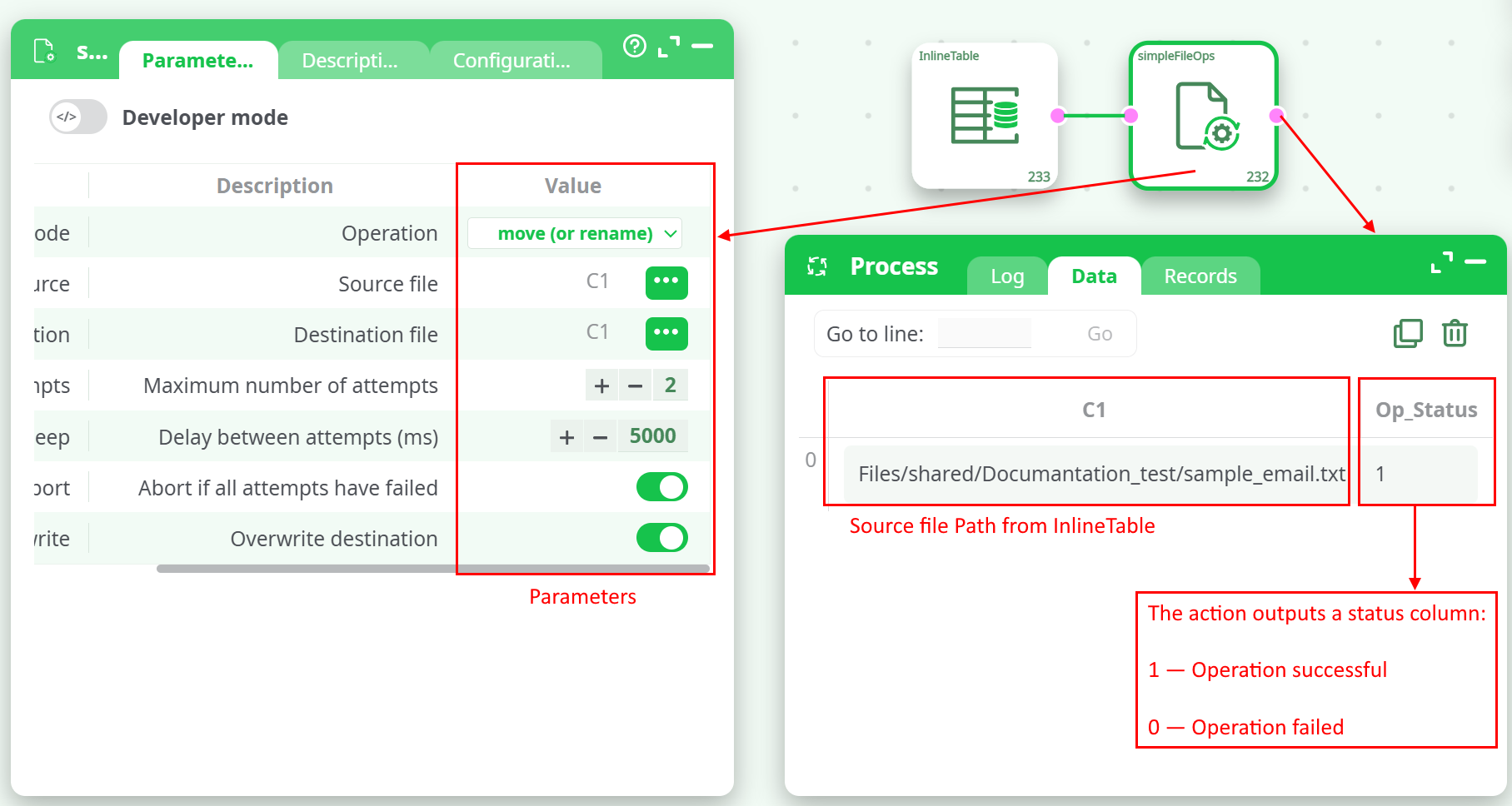
Notes:
- The retry mechanism makes this action resilient to transient errors like file locks or access conflicts.
- The overwrite toggle should be used with caution in production environments to prevent accidental data loss.
- Use column references (C1, C2, etc.) to dynamically assign paths from previous steps.
- The action outputs a status column (e.g., Op_Status) with values like:
- 1 — Operation successful
- 0 — Operation failed
¶ Use Cases
- Cleanup of temporary files post-processing
- Archiving raw input files after import
- Moving logs or reports to a structured output directory
- Deleting old generated artifacts before re-running transformations
- Creating destination folders dynamically based on date, user, or business rule
¶ Summary
The simpleFileOps action simplifies and secures file handling in your pipeline. It provides all the essential operations—copy, move, delete, and create—backed with retry logic, abort control, and overwrite safety. It is highly recommended for file-level automation workflows where robust control is necessary.