¶ Decription
Split columns into several fields.
¶ Parameters
¶ Parameters tab
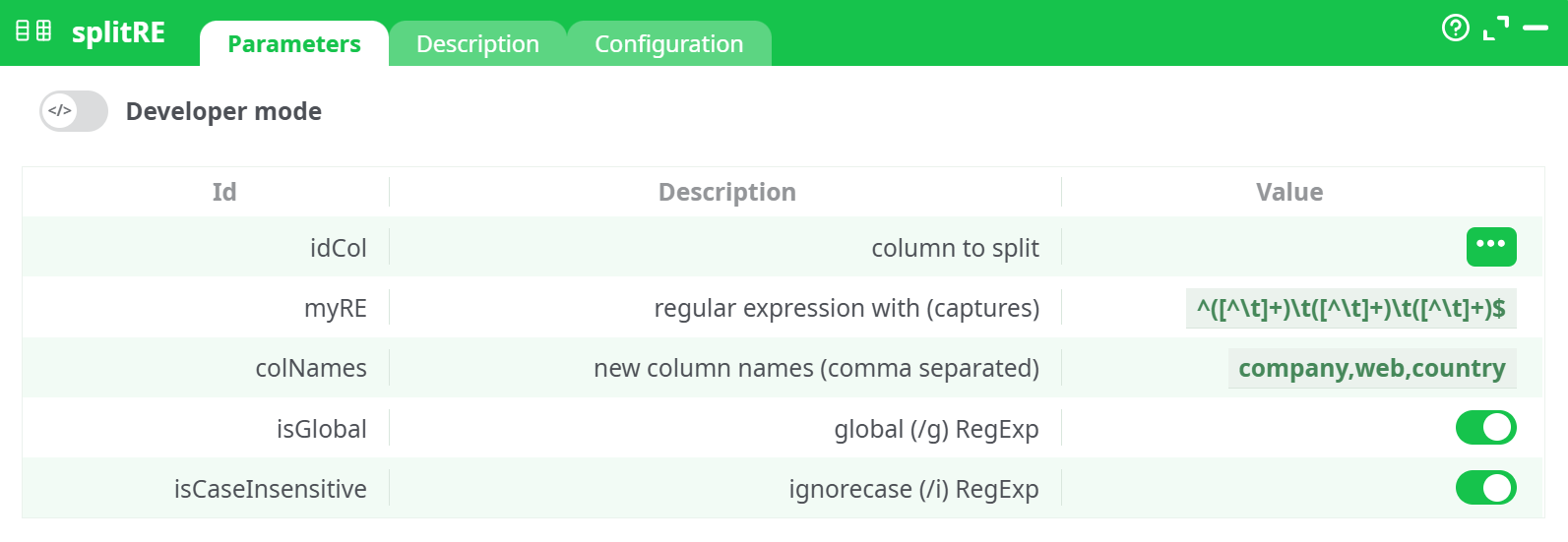
Parameters:
- Column to split (
idCol): The column that contains the raw string data to be split. - Regular Expression (
myRE): A regular expression with capturing groups to extract each desired field. Example:^([^\t]+)\t([^\t]+)\t([^\t]+)$ - Column Names (
colNames): Comma-separated list of names to assign to each output column. These match the capturing groups. Example:company,web,country - Global (
isGlobal): When enabled, applies the regex globally across rows. - Ignore Case (
isCaseInsensitive): When enabled, the matching is case-insensitive.
¶ Description tab
See dedicated page for more information.
¶ Code tab
splitRE is a scripted action. Embedded code is accessible and customizable through this tab.
¶ Configuration tab
See dedicated page for more information.
¶ About
The splitRE (Split by Regular Expression) action is a powerful text-processing utility that allows you to extract multiple fields from a single column based on a regular expression containing capturing groups. It is especially useful when dealing with semi-structured data stored in a single string field that needs to be normalized into multiple columns.
The action operates by matching patterns in the input column using a defined regular expression. Each capturing group within the expression is assigned to a new output column as specified in the parameters.
This is a highly flexible and efficient way to parse structured strings—such as company info, web domains, and countries—into separate, usable columns.
¶ Use Case
Imagine you receive a dataset where each row contains a string like:
"Google www.google.com USA"
Instead of manually splitting or parsing these strings, splitRE automates this by:
- Identifying each part of the string using a regular expression.
- Mapping each capture group to a named column.
- Generating clean and structured output columns like
company,web, andcountry.
¶ Input Example
This action expects an input column with raw strings following a specific structure. For example:
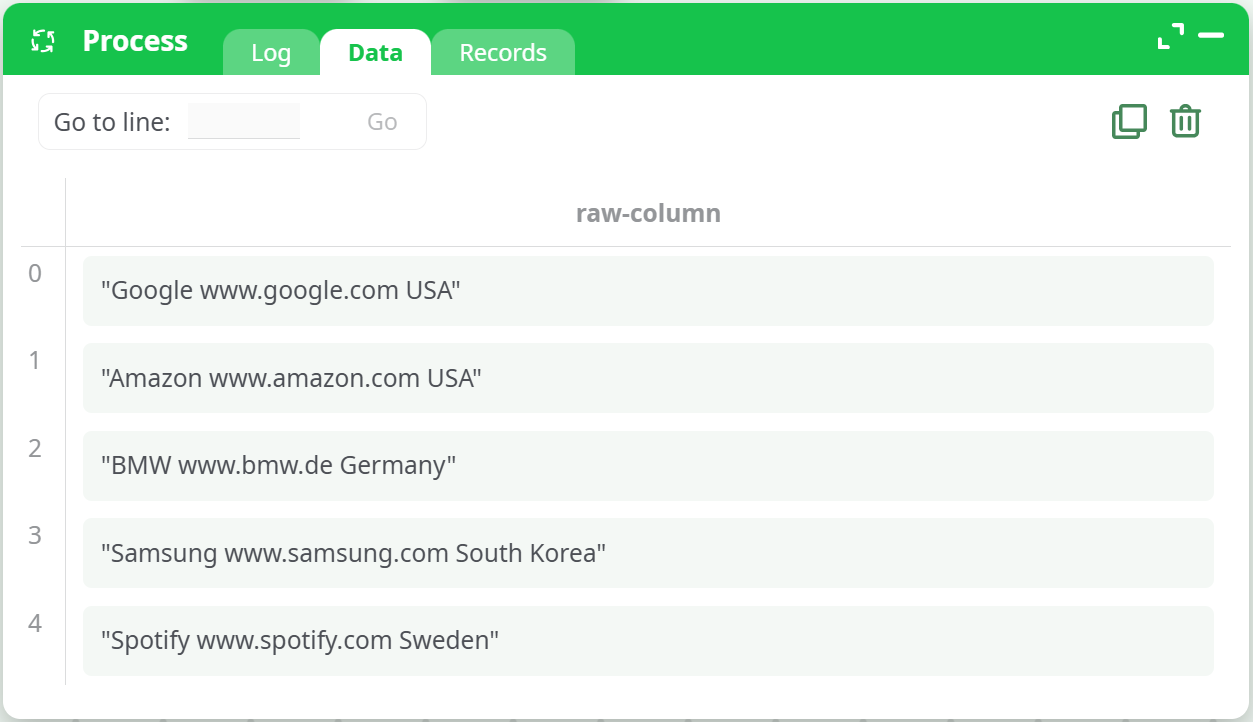
You should ensure these strings are tab-separated if using \t as the delimiter in the regular expression.
¶ Output
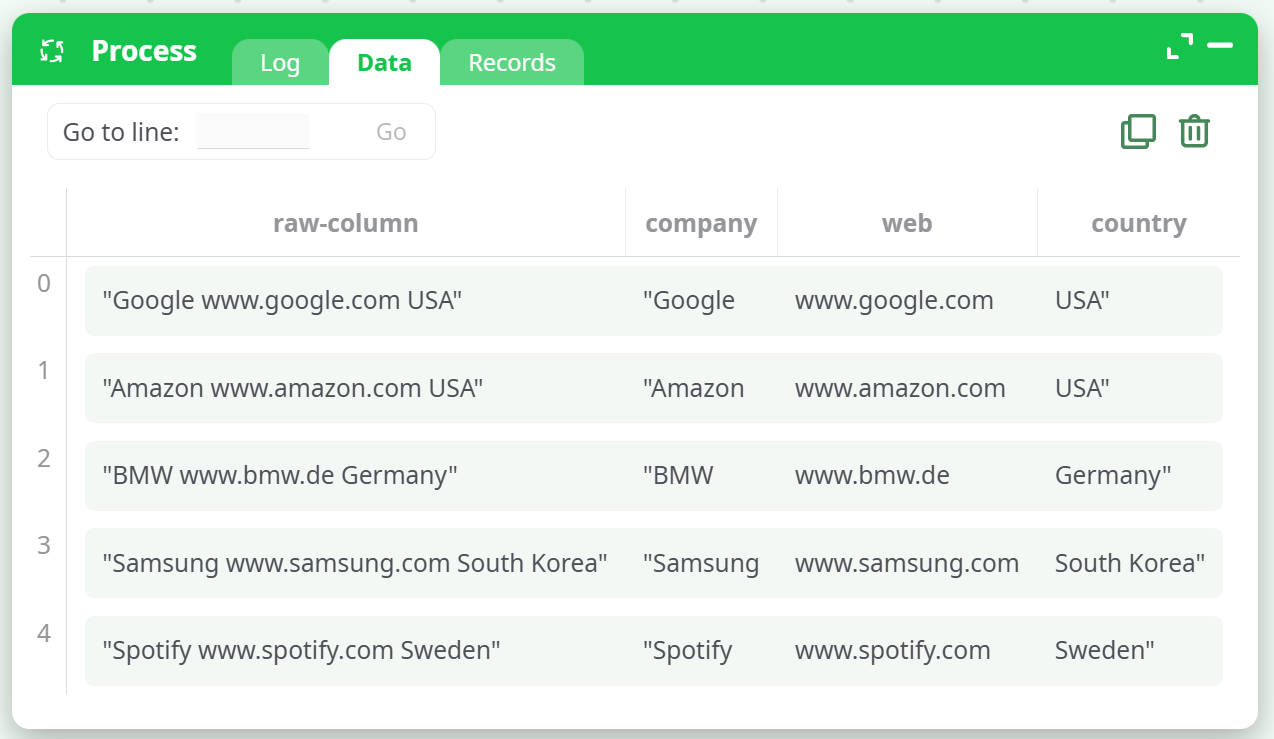
After processing, the action will generate new columns as defined:
company: Extracted from the first capture groupweb: Extracted from the second capture groupcountry: Extracted from the third capture group
The resulting structured output looks like:
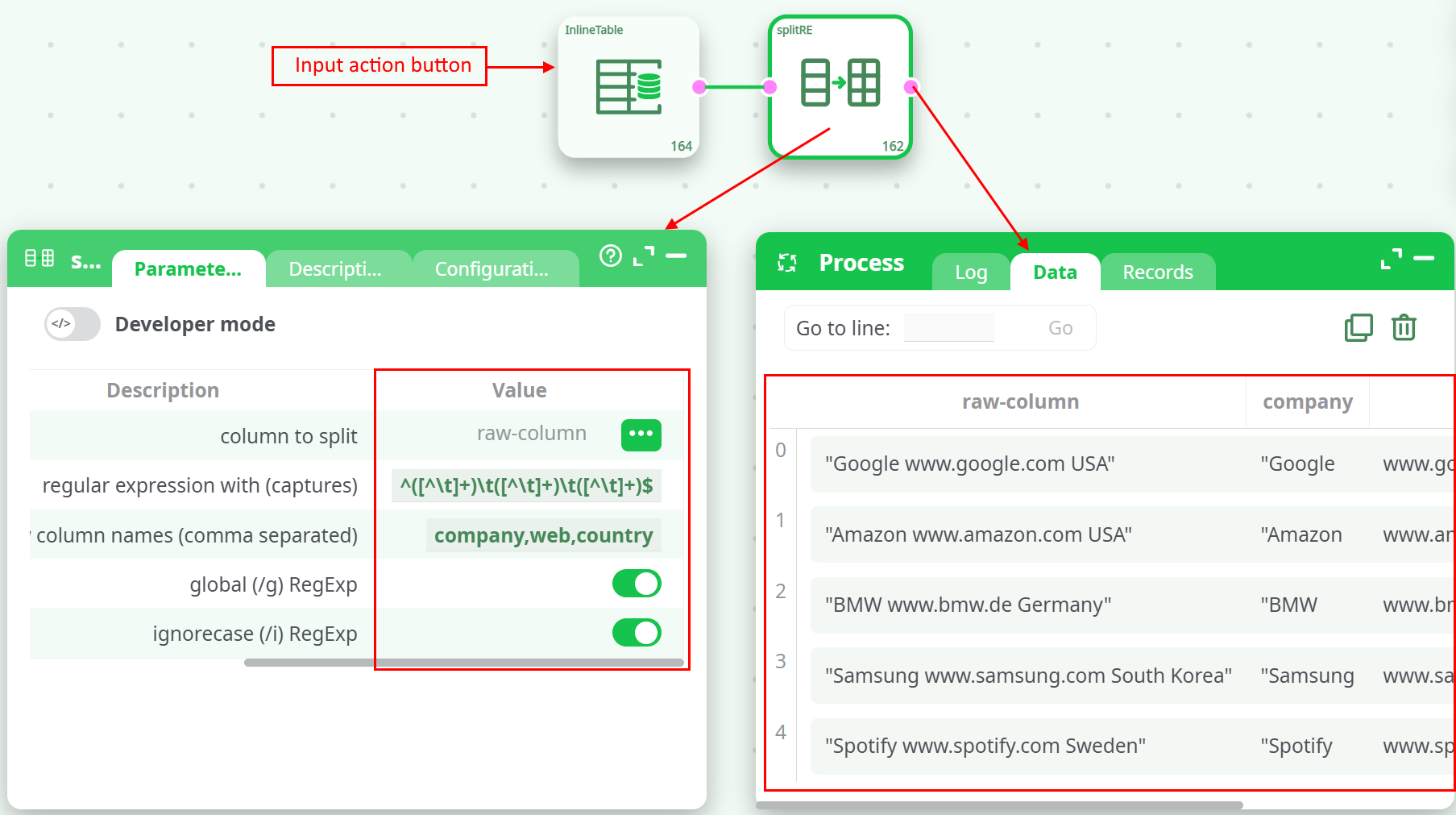
Screenshot Placeholder - Parameter Configuration
¶ Summary
The splitRE action is ideal for transforming semi-structured text into a structured tabular format using regular expressions. It offers precise control via regex, making it suitable for advanced parsing needs in data integration and preprocessing tasks. Use this action when you need to extract multiple values from a single column efficiently and reliably.