¶ Description
Transpose the whole input table.
¶ Parameters
¶ Parameters tab
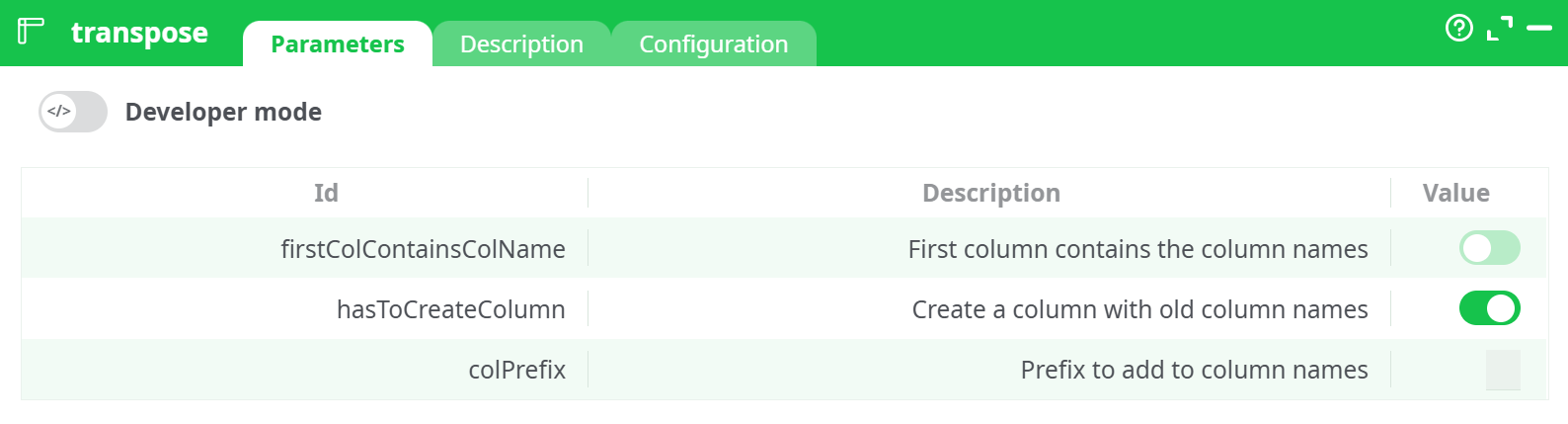
Parameters:
-
firstColContainsColName
Type: Boolean
Description: Indicates whether the first column of the input data contains actual column names.
When enabled (true): The first column's values will be used as the new column headers.
When disabled (false): Default names like C1, C2, etc., will be used. -
hasToCreateColumn
Type: Boolean
Description: When checked, creates a new column in the output that stores the old column names.
Useful for: Retaining a reference to original structure. -
colPrefix
Type: String
Description: A custom prefix to apply to newly generated column names after the transpose.
¶ Description tab
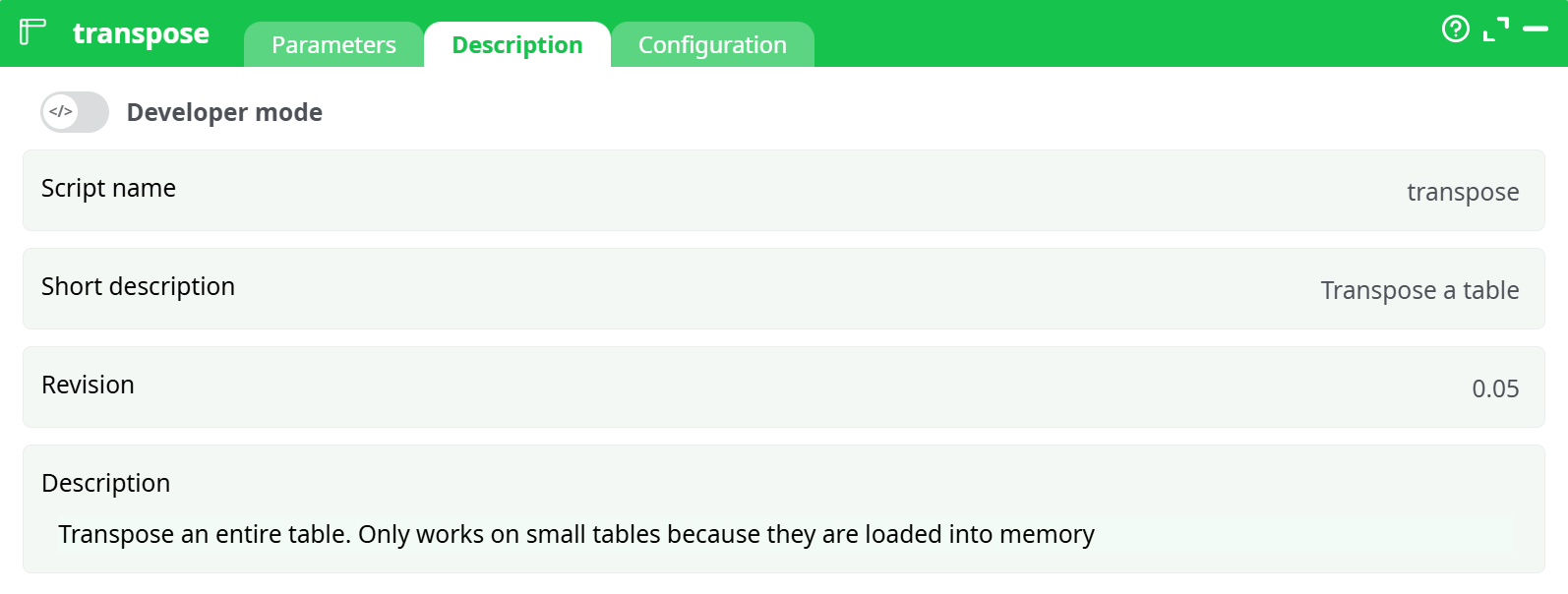
Parameters:
- Script name:
transpose - Short description: Transpose a table
- Revision:
- Description:
Transposes the entire input table. Only suitable for small tables as the entire dataset is loaded into RAM during processing.
¶ Configuration tab
See dedicated page for more information.
¶ About
The transpose action transforms an entire input table by switching its rows and columns. This operation is particularly useful when pivoting data for better visualization, comparison, or integration into downstream processes. It is designed for small tables that can be fully loaded into memory.
¶ Example:
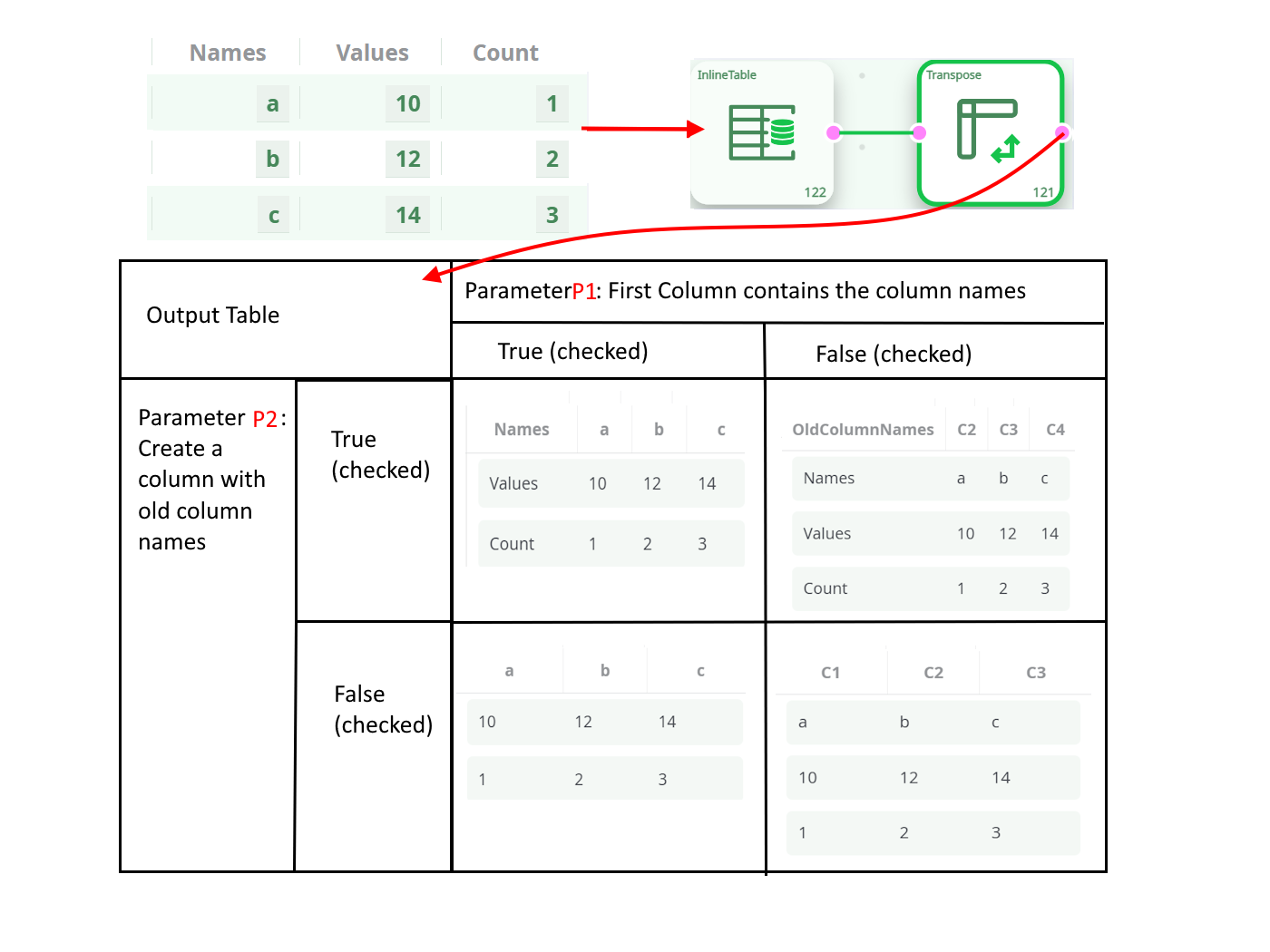
This action only works on small input tables because it requires loading into the RAM memory the whole table.
- Notes
- The action loads the full table into memory and is not optimized for large datasets.
- Input format must be consistent (e.g., same number of columns per row).
- Commonly used in data reshaping tasks or to pivot tabular structures for analysi