¶ Description
Update DSN connection strings inside xlsx files.
¶ Parameters
¶ Parameters tab
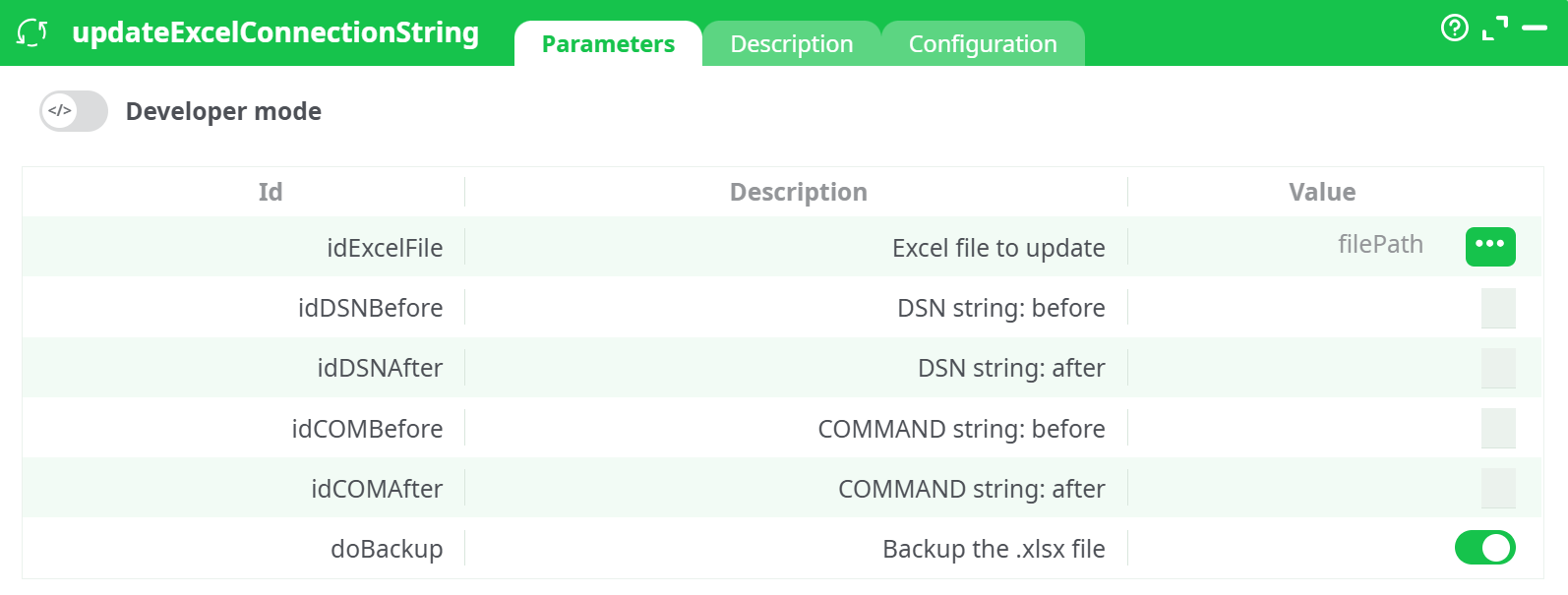
Parameters:
- Developer mode: activate/deactivate code tab.
- Excel file to update
- DSN string: before
- DSN string: after
- COMMAND string: before
- COMMAND string: after
- Backup the .xlsx file
¶ Description tab
See dedicated page for more information.
¶ Code tab
updateExcelConnectionString is a scripted action. Embedded code is accessible and customizable through this tab.
¶ Configuration tab
See dedicated page for more information.
¶ About
The updateExcelConnectionString action updates DSN strings and SQL command strings within .xlsx (Excel) files. This is particularly useful when migrating Excel files across environments (e.g., dev → prod), or when batch-modifying database connections without manually opening each file.
Note: At least one of the
DSNorCOMMANDstring pairs must be filled to trigger an update.
¶ Example Input
Prepare an .xlsx file containing an embedded connection string like MyOldDSN.
¶ Inline Table Input
C1
assets/example_with_dsn.xlsx
¶ Parameters
- idExcelFile: C1
- idDSNBefore: MyOldDSN
- idDSNAfter: MyNewDSN
- doBackup: true
¶ Output
The action updates the specified .xlsx file and generates an output table with a status flag:
| C1 | _statusExcelUpdated |
|---|---|
| assets/example_with_dsn.xlsx | 1 |
- Notes:
- Only .xlsx files are supported.
- If both idDSNBefore and idCOMBefore are left empty, no changes will be made.
- This action uses text-based find & replace inside the Excel connection XML.
- The input file must have a valid embedded data connection for the update to succeed.
¶ Use Cases
- Updating data source connections in Excel reports.
- Migrating Excel dashboards across environments.
- Batch editing SQL queries embedded in .xlsx connection strings.