¶ Description
Make a zip archive of files.
¶ Parameters
¶ Parameters tab
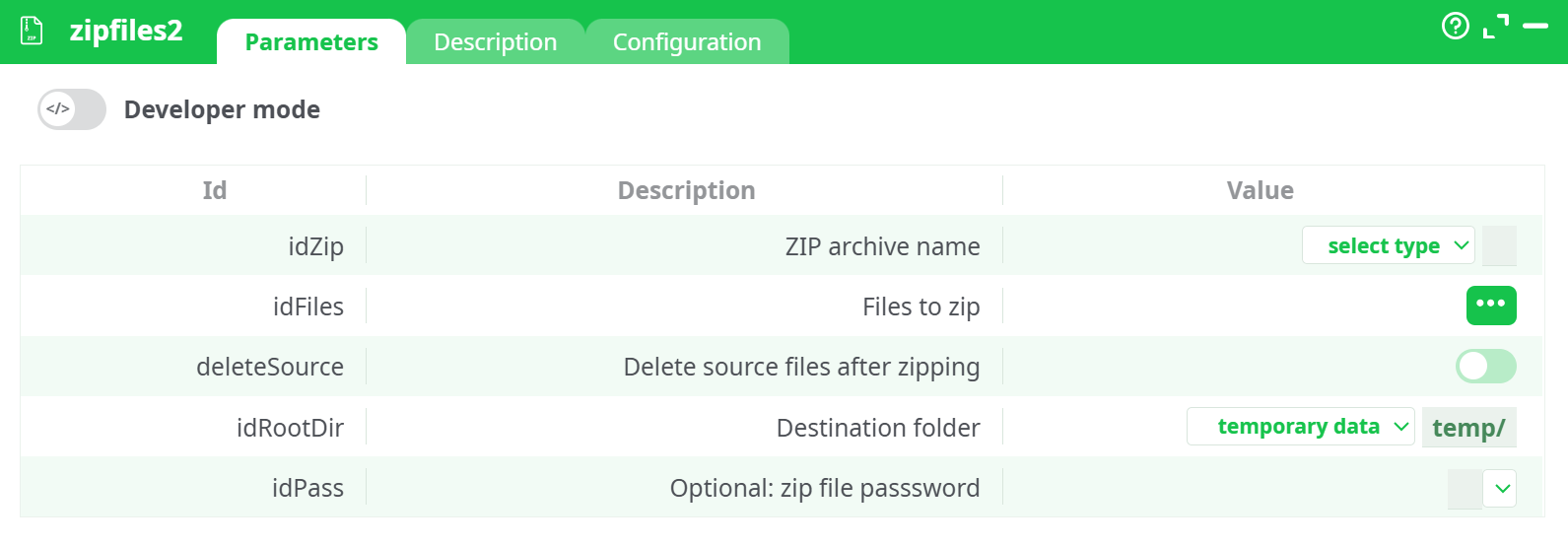
Parameters:
- Developer mode: activate/deactivate code tab.
- ZIP archive name
- Files to zip
- Delete source files after zipping
- Root directory of zip file
¶ Description tab
See dedicated page for more information.
¶ Code tab
zipfiles2 is a scripted action. Embedded code is accessible and customizable through this tab.
¶ Configuration tab
See dedicated page for more information.
¶ About
zipfiles2 compresses one or more files into a single .zip archive.
It takes file paths from the upstream table, optionally sets a password, and writes the archive to the pipeline’s Records storage so you can download it from the run panel or pass it downstream.
¶ Input
-
Upstream table with file paths
- One column containing absolute or runtime-relative paths to files that exist on the ETL runner (e.g.,
sources/@shared/test.csv). - Provide one row per file you want included in the archive.
- One column containing absolute or runtime-relative paths to files that exist on the ETL runner (e.g.,
-
(Optional) Password if you want the archive to be password-protected.
Accepted formats:
- File paths: POSIX/Windows style supported by the runner.
- Any file type can be zipped (
.csv,.json,.png, etc.).
¶ Output
- A ZIP archive written to the pipeline’s Records area at the path you specify (e.g.,
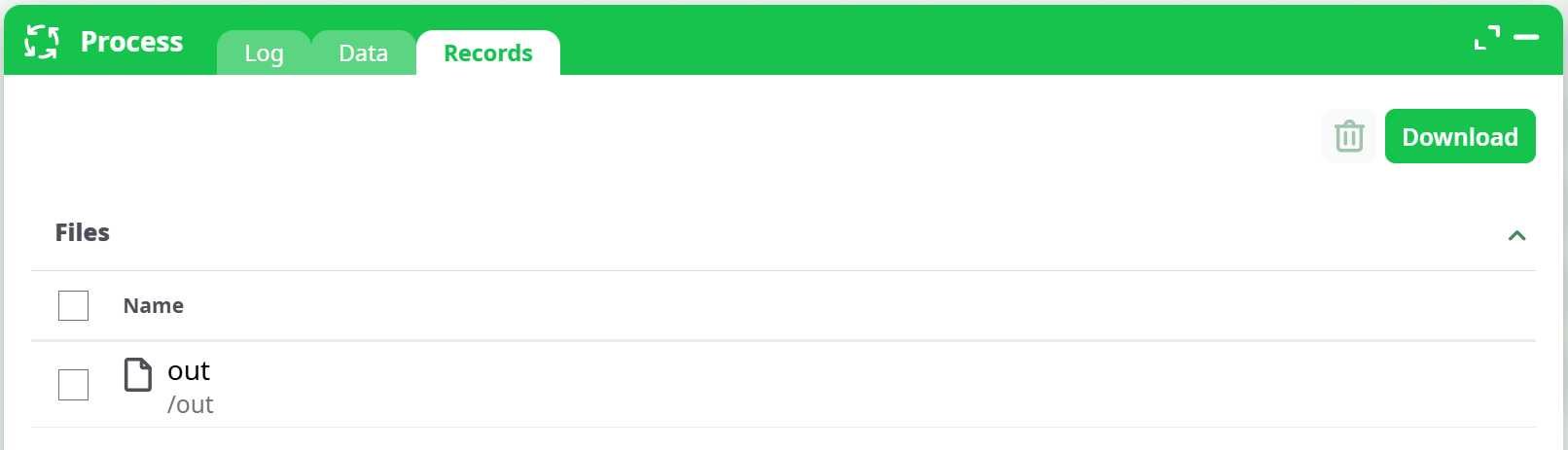
records/out.ziporrecords/out/out.zip). - The ZIP is available in Process → Records to download or feed to the next action.
Where to find it:
- Run panel → Records tab → locate the output folder/file.
¶ How to Run
-
Prepare the list of files
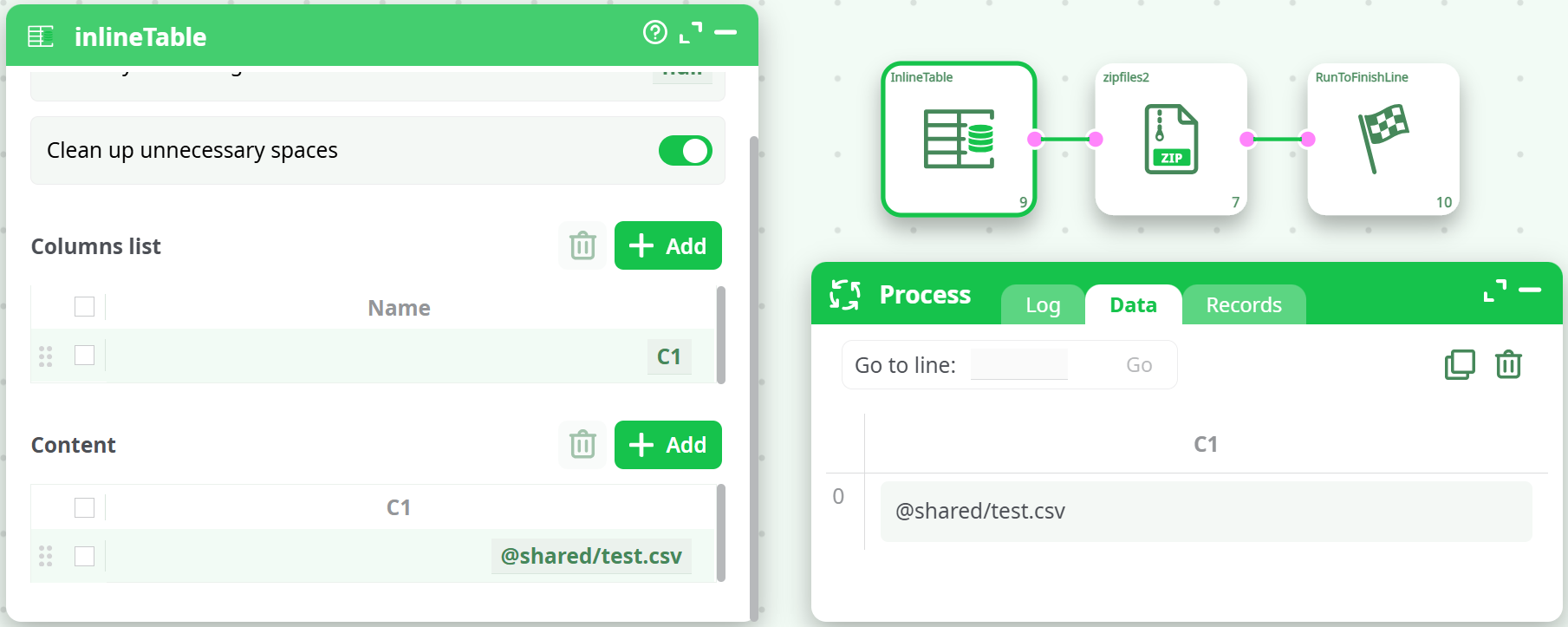
Create an InlineTable (or any node) with a column of file paths, one per row.
-
Add and connect the action
Wire InlineTable → zipfiles2 → RunToFinishLine. -
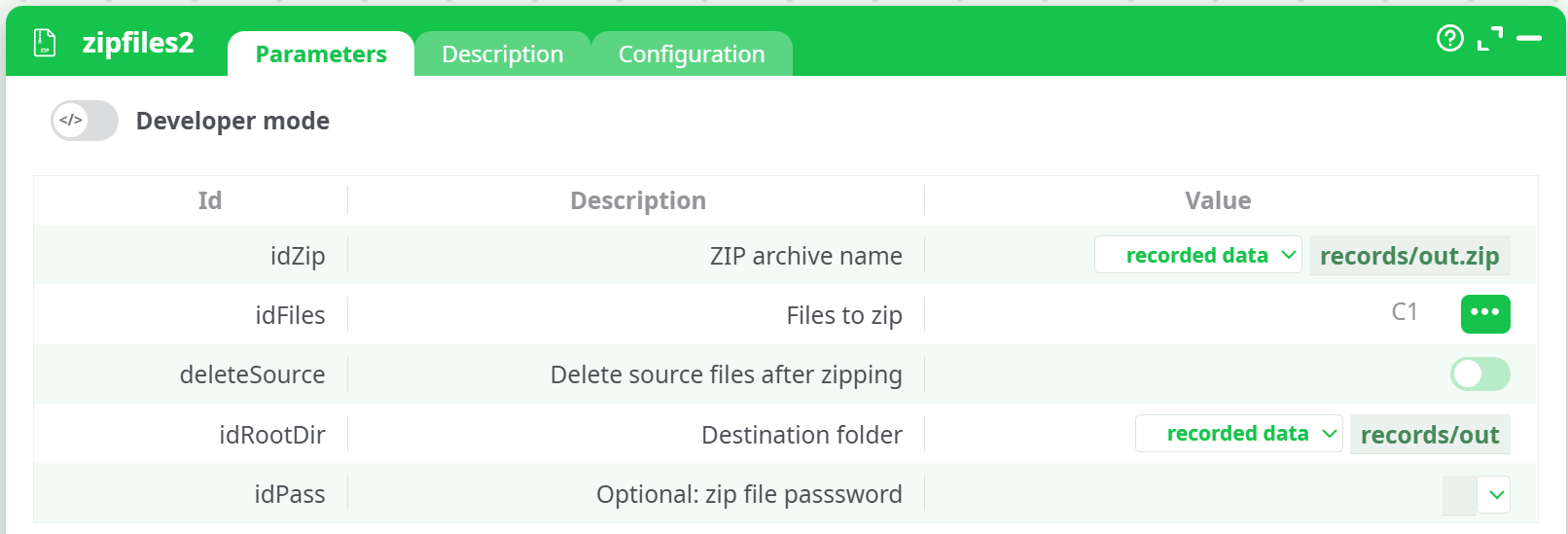
Configure parameters
- idZip →
records/out.zip - idFiles → select your file-path column (e.g.,
C1) - deleteSource → off (recommended for testing)
- idRootDir →
records/out - idPass → (optional)
- idZip →
-
Run the pipeline
After success, open Process → Records. You’ll see the destination folder (e.g.,/out) and the archive inside.
Screenshot placeholders:
¶ Example
Upstream input (InlineTable)
| C1 |
|---|
sources/@shared/test.csv |
sources/@shared/readme.txt |
Parameters (key fields)
idZip:records/out.zipidFiles:C1deleteSource:falseidRootDir:records/outidPass: (blank)
Expected result
-
A file
out.zipunder Records → /out containing:test.csvreadme.txt
¶ Use Cases
- Package multiple outputs (reports, charts, logs) into a single artifact for download or email.
- Prepare an upload to cloud storage or an API that expects a ZIP bundle.
- Archive intermediate results before cleanup (optionally enable deleteSource to move rather than copy).
¶ Notes & Tips
- All paths in the selected column must exist at runtime; missing files will cause the action to error or skip (depending on platform behavior).
- Leave deleteSource off until you’ve validated the ZIP.
- If you set a password, store it via your platform’s secret mechanism to avoid exposing it in logs.
- To create folder structure inside the ZIP, control the paths in the
idFilescolumn (e.g., list files from a structured directory).
¶ Troubleshooting
¶ Exit code 12 / “Error ZIP” / Archive not created
Cause: No files matched.
Fix: Ensure idRootDir points to the correct base and the values in idFiles are relative.
- Wrong:
sources/@shared/test.csvwithidRootDir = @shared - Right:
test.csvwithidRootDir = @shared
¶ “No such file or directory”
Cause: The input file does not exist at runtime or path uses wrong subfolder.
Fix: Verify upstream nodes produced the files and that names are exact (case-sensitive on some systems).
¶ “Permission denied” when writing ZIP
Cause: Destination folder not writable or missing.
Fix: Point idZip to recorded data or another writable area. Create subfolders beforehand if required by your environment.
¶ Empty ZIP
Cause: The zip utility ran but inputs were filtered out or table was empty.
Fix: Check the Data preview of the idFiles column and confirm non-empty rows.