¶ Description
Download files from a container in an Azure Blob Storage.
¶ Parameters
¶ Parameters tab
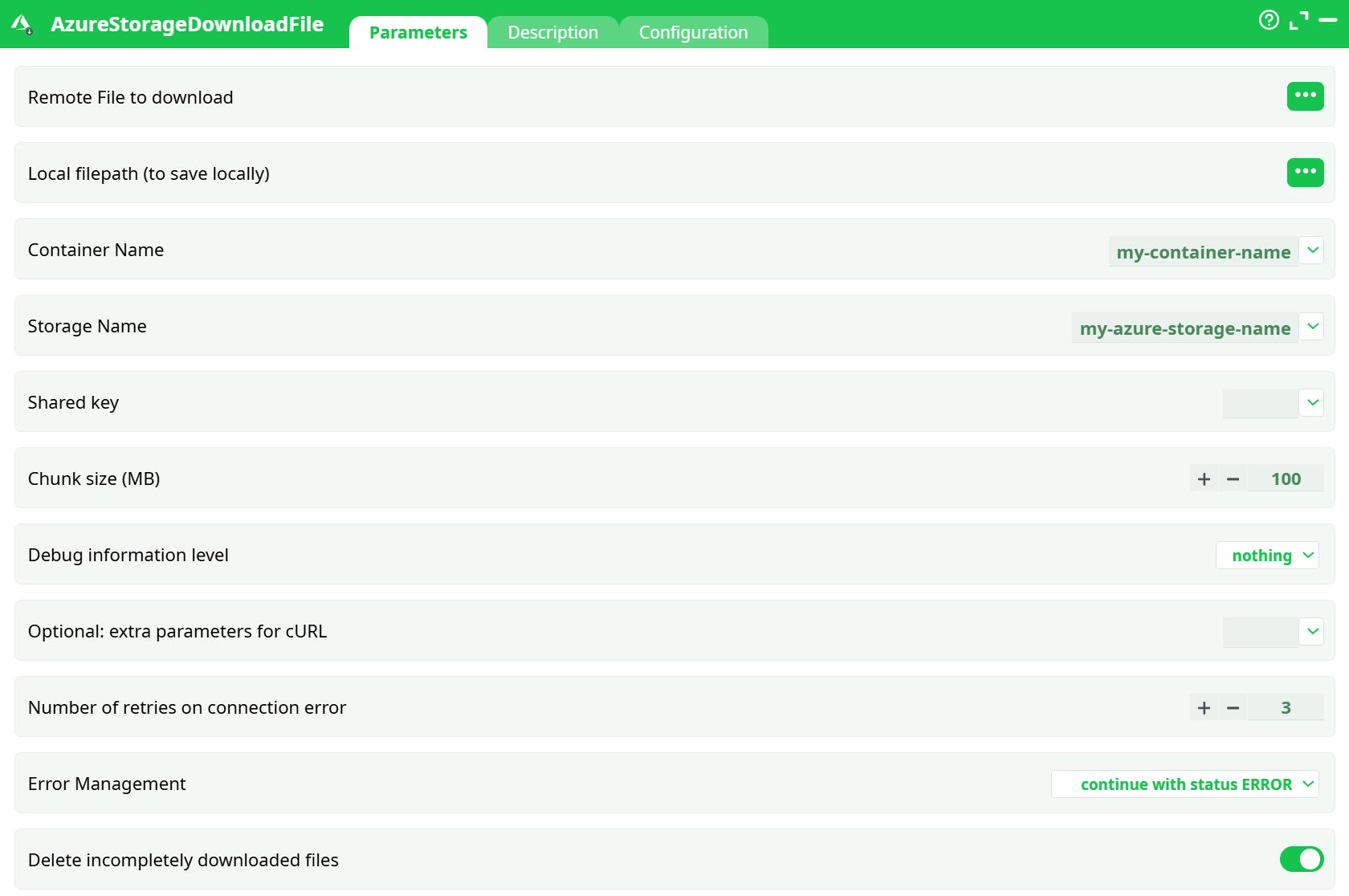
Parameters:
- Remote File to download
- Local filepath (to save locally)
- Container Name
- Storage Name
- Shared key
- Chunk size(MB)
- Debug information level
- Optional: extra parameters for cURL
- Retries on connection error
- Error Management
- Delete incompletely downloaded files
¶ Description tab
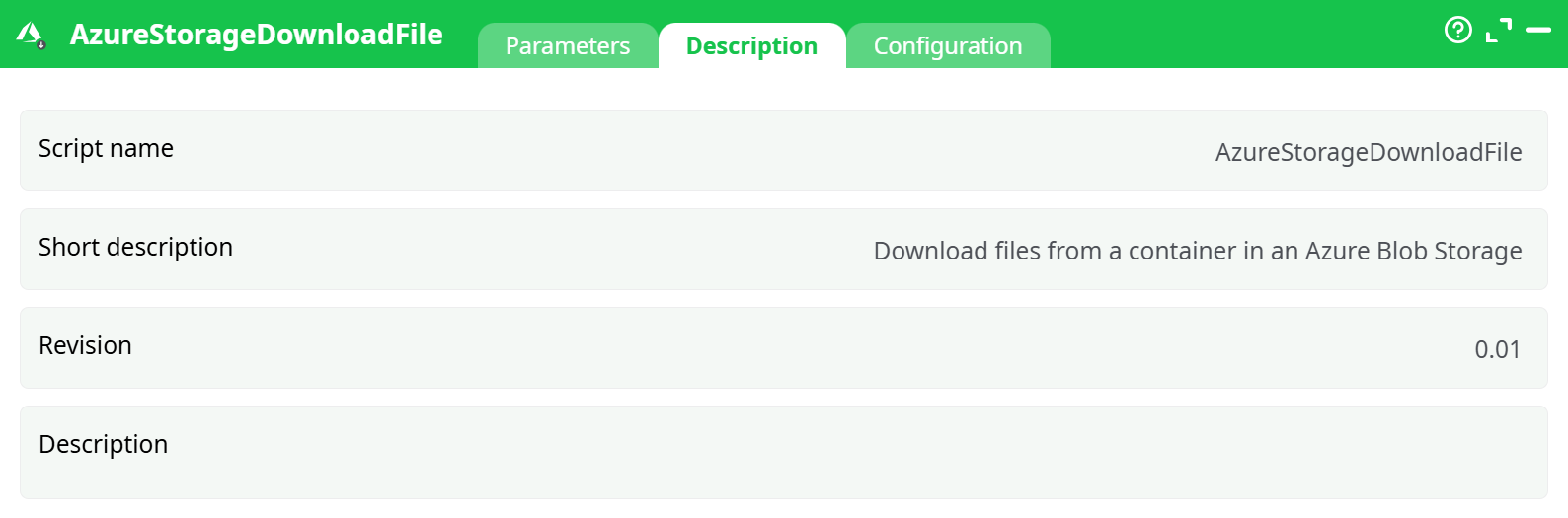
Parameters:
- Script name
- Short description
- Revision
- Decription
¶ Configuration tab
See dedicated page for more information.
¶ About
AzureStorageDownloadFile downloads a blob from an Azure Blob Storage container to a local file path inside the ETL workspace (e.g., records/customer_1.json).
It authenticates with the Storage account shared key and transfers the blob in configurable chunks for reliability.
Prerequisite: For detailed instructions on how to configure the Azure service, see: AzureServiceConfiguration
¶ What it outputs
-
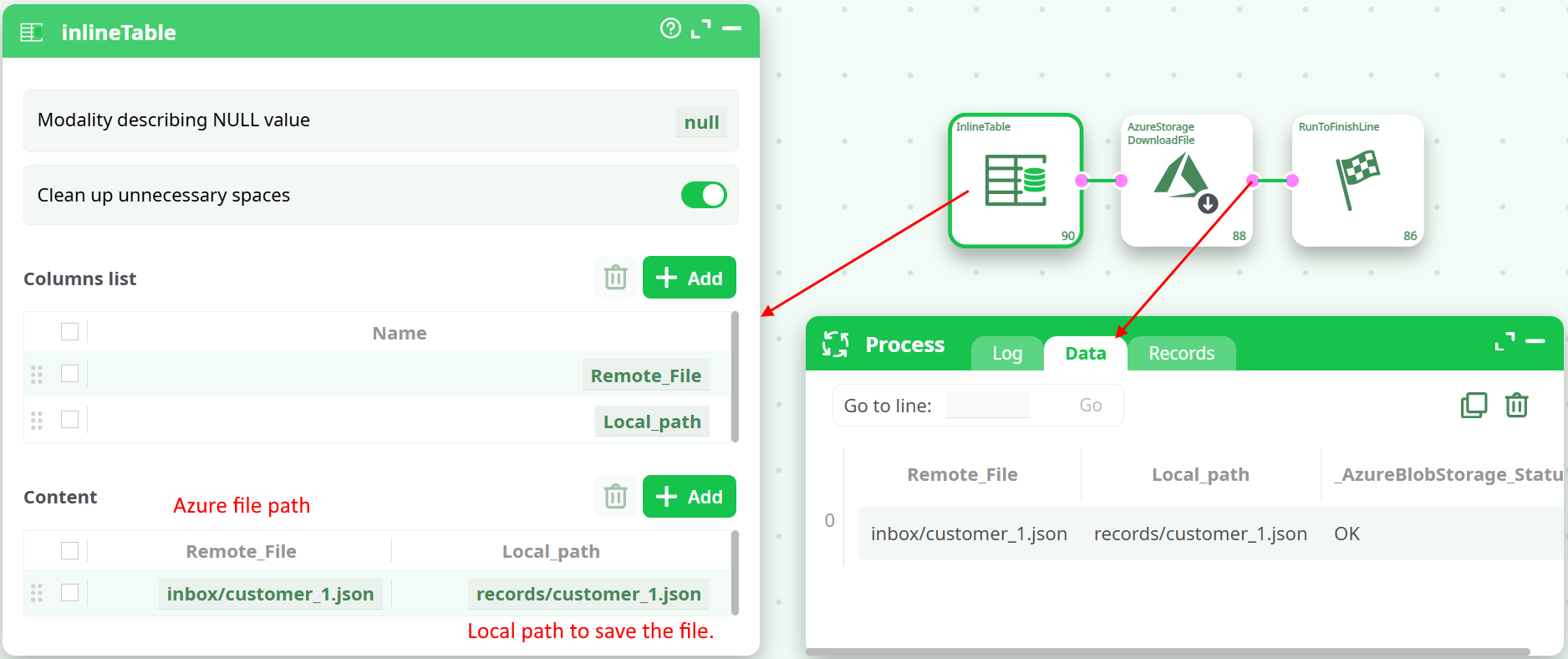
Data grid with one row per attempted download, including:
Remote_File– the blob you requested (e.g.,inbox/customer_1.json)Local_path– the local file written (e.g.,records/customer_1.json)_AzureBlobStorage_Status–OKor an error description
-
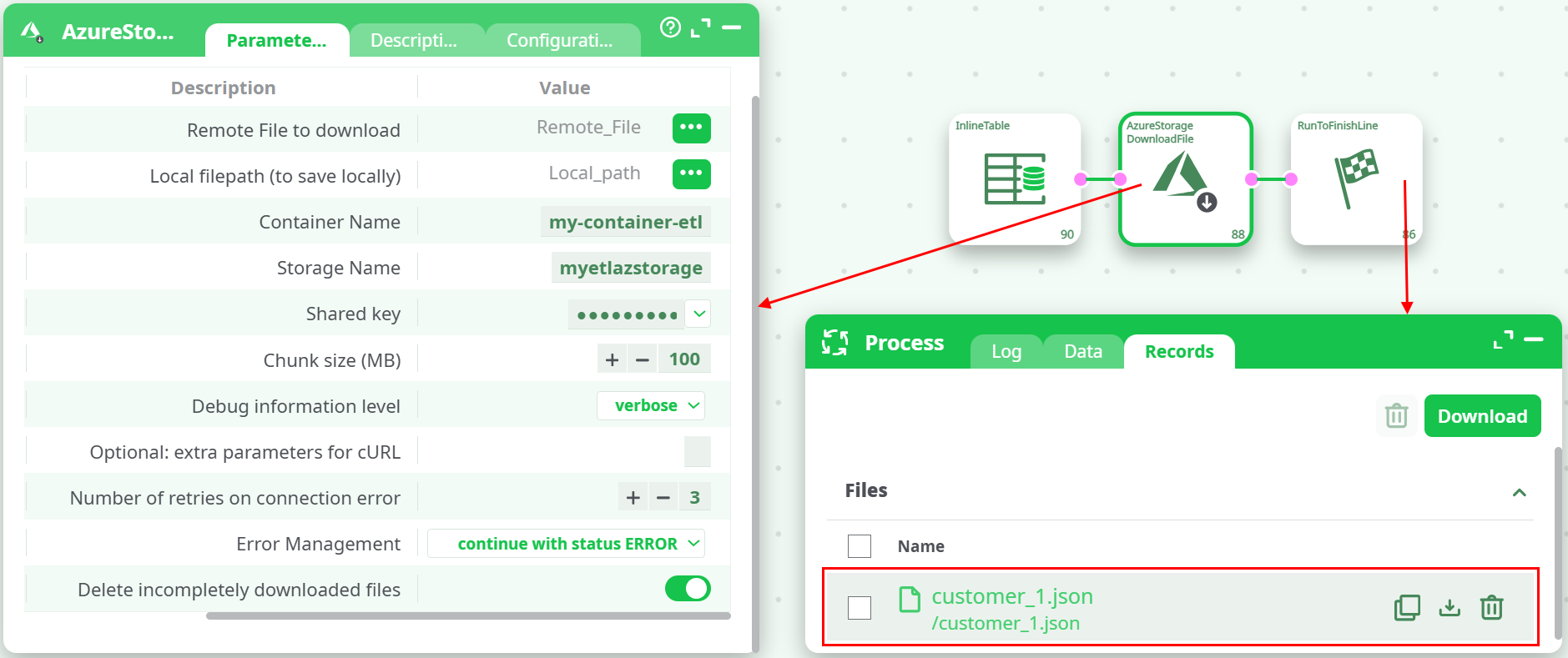
Records panel – the downloaded file is listed so you can preview or download it from the UI.
¶ Quick start (minimal pipeline)
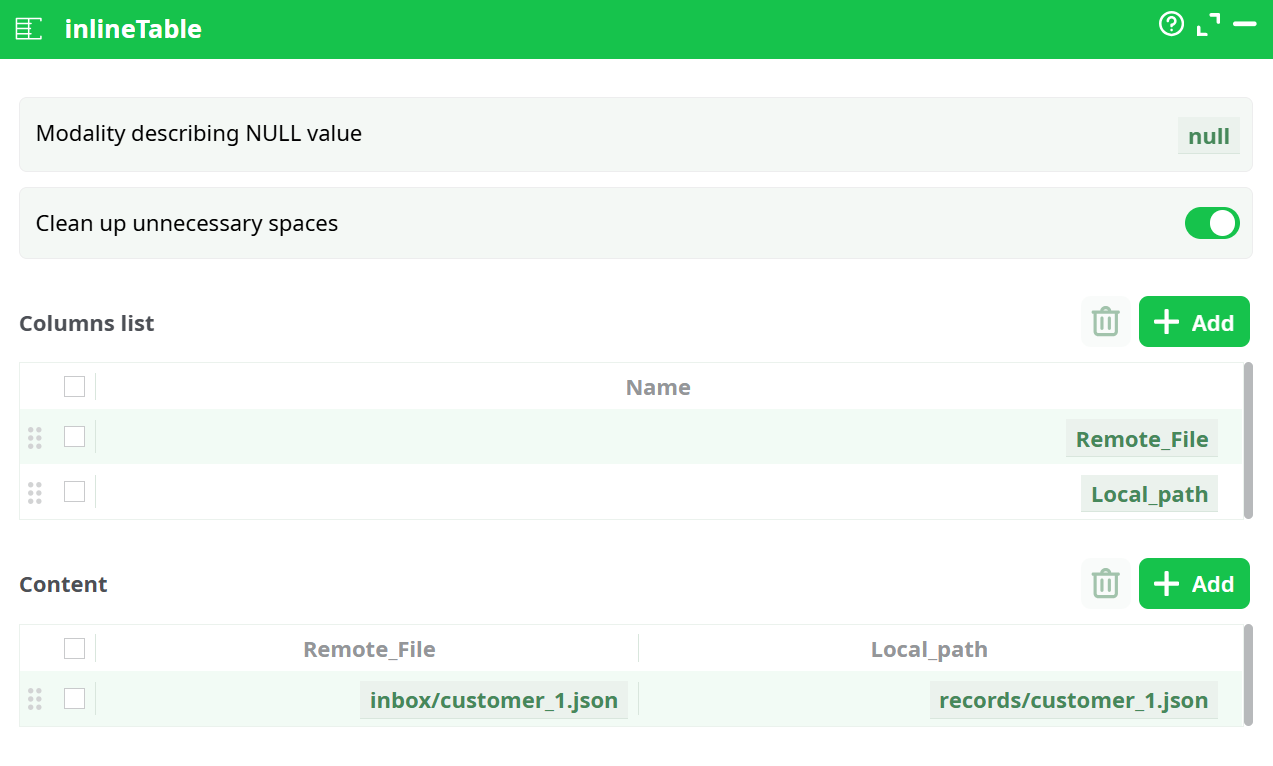
Use an InlineTable to provide one or more file pairs (Remote_File, Local_path), then map those columns in the download action.
- InlineTable
Create two columns and one row:
Remote_File=inbox/customer_1.jsonLocal_path=records/customer_1.json
- AzureStorageDownloadFile
Map:
- idFile →
Remote_File(column selector) - idlocalFile →
Local_path(column selector) - containerName →
my-container-etl - storageName →
myetlazstorage - key → paste the storage Access key (Key1/Key2)
- Tune
chunkSz,nRetryas needed
- Run
You should see in Data:Status = OKand in Records:customer_1.json.
¶ Tips & best practices
- Remote path must match the blob name exactly (including “folders” like
inbox/). Azure is case-sensitive on blob names. - Chunk size: start with 100 MB. For very large files or network limits, try
32–64 MB. If you hit throttling (429), reducechunkSzand increasenRetry. - Key rotation: store Key1 in ETL and keep Key2 for safe rotation. When rotating, update the action with the new key.
- Security: the action uses the Shared Key (Authorization:
SharedKey <account>:<signature>). Treat it like a password. Prefer private containers. - Paths: always use forward slashes in
idFile(e.g.,logs/2025/08/app.log).
¶ Troubleshooting
| Symptom / Log fragment | Likely cause | How to fix |
|---|---|---|
AuthenticationFailed — Make sure the value of Authorization header is formed correctly including the signature. |
Wrong storageName or key; copied the display name instead of the account name; missing/extra spaces; wrong container/account pairing. | Recopy Storage account name (exact) and Access key from Storage account → Security + networking → Access keys. |
404 ResourceNotFound or BlobNotFound |
idFile doesn’t match the blob’s full name or case. |
Verify blob path in the Azure portal (Containers blade). Use the exact virtual path, e.g., inbox/customer_1.json. |
LeaseAlreadyPresent / 409 conflict |
Blob is leased/locked. | Break/release the lease or download a snapshot/copy. |
| Very slow download | Chunk too small; network throttling. | Increase chunkSz (e.g., 64–128 MB). Ensure the ETL runner has outbound bandwidth; consider running closer to the storage region. |
| Partial file left after error | Interrupted transfer with cleanup disabled. | Enable idDelete so partial files are removed on failure. |
¶ Example: download multiple files
Provide several rows in InlineTable (or any upstream table) and map the same two columns:
| Remote_File | Local_path |
|---|---|
inbox/customer_1.json |
records/customer_1.json |
inbox/customer_2.json |
records/customer_2.json |
The action will process each row and populate _AzureBlobStorage_Status per file.