¶ Description
List containers in an Azure Blob Storage.
¶ Parameters
¶ Parameters tab
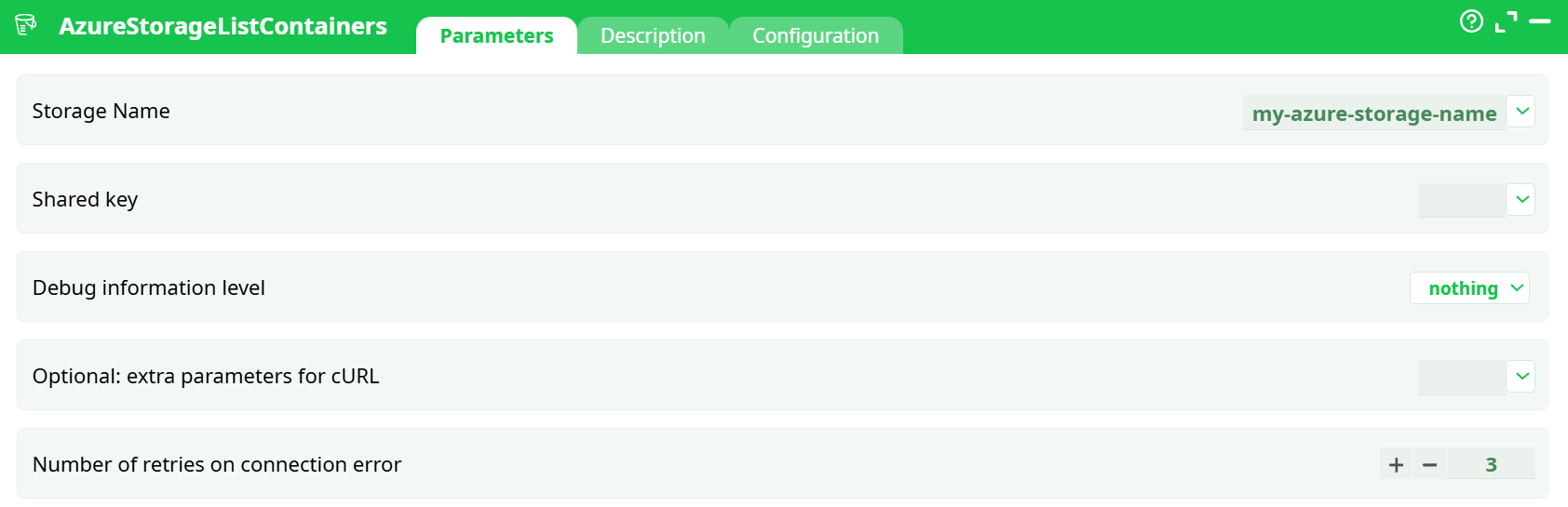
Parameters:
- Storage Name
- Shared key
- Debug information level
- Optional: extra parameters for cURL
- Retries on connection error
¶ Description tab
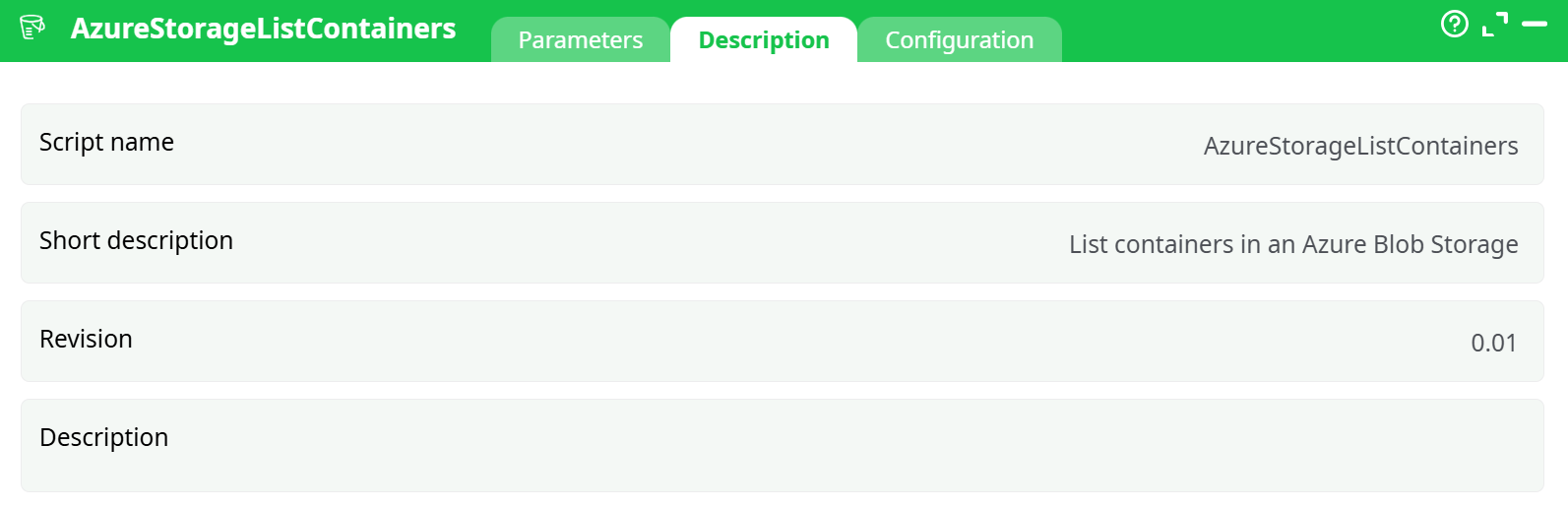
Parameters:
- Script name
- Short description
- Revision
- Decription
¶ Configuration tab
See dedicated page for more information.
¶ About
AzureStorageListContainers lists all containers in a specified Azure Blob Storage account. It authenticates with the Storage account name and Access key, then returns metadata for each container (name, last modified time, lease state, immutability/legal hold flags, etc.).
Used to discover container names for downstream actions such as List Files, Download, Upload, and Delete File.
- For detailed instructions on how to configure the Azure service, see: AzureServiceConfiguration
¶ Prerequisites
- Azure Storage one-time setup completed (obtain Storage account name and Access key).
See AzureServiceConfiguration - Network egress allowed to
https://<storage-account>.blob.core.windows.net. - Clock roughly in sync (±5 min) to avoid date header signature issues.
- Permissions: the Access key must allow List at the account level.
¶ Input Requirements
This action has no tabular input. It operates with parameters only.
¶ Parameters
| Name | Type | Required | Default | Description |
|---|---|---|---|---|
storageName |
string | ✓ | — | Azure Storage account name (e.g., myetlazstorage). Do not include .blob.core.windows.net. |
key |
secret | ✓ | — | Access key for the storage account (Base64). Redact in screenshots/logs. |
idDebug |
enum (nothing | basic | verbose) |
✕ | verbose |
Controls log verbosity. verbose shows the raw HTTP request/response headers. |
idOptional |
string | ✕ | (empty) | Extra cURL parameters if needed (rare). Leave empty unless instructed by support. |
nRetry |
integer | ✕ | 3 |
Automatic retries on transient connection errors (HTTP 5xx / timeouts). |
¶ Output
A table with one row per container.
| Column | Type | Description |
|---|---|---|
Name |
string | Container name (e.g., my-container-etl). |
Last-Modified |
datetime (GMT) | Last modification timestamp returned by Azure. |
Etag |
string | Entity tag for the container. |
LeaseStatus |
string | locked or unlocked. |
LeaseState |
string | available, leased, expired, etc. |
HasImmutabilityPolicy |
boolean | true if an immutability policy is set. |
HasLegalHold |
boolean | true if a legal hold is applied. |
¶ Example Workflow
-
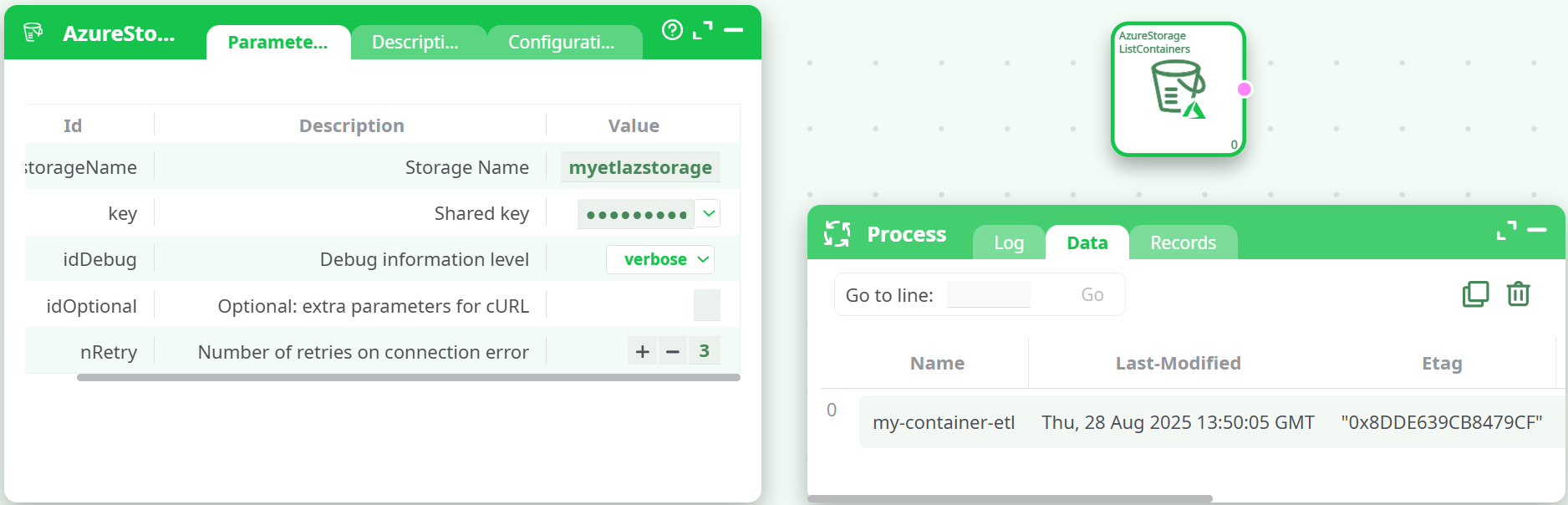
Add the action: drag AzureStorageListContainers to the canvas.
-
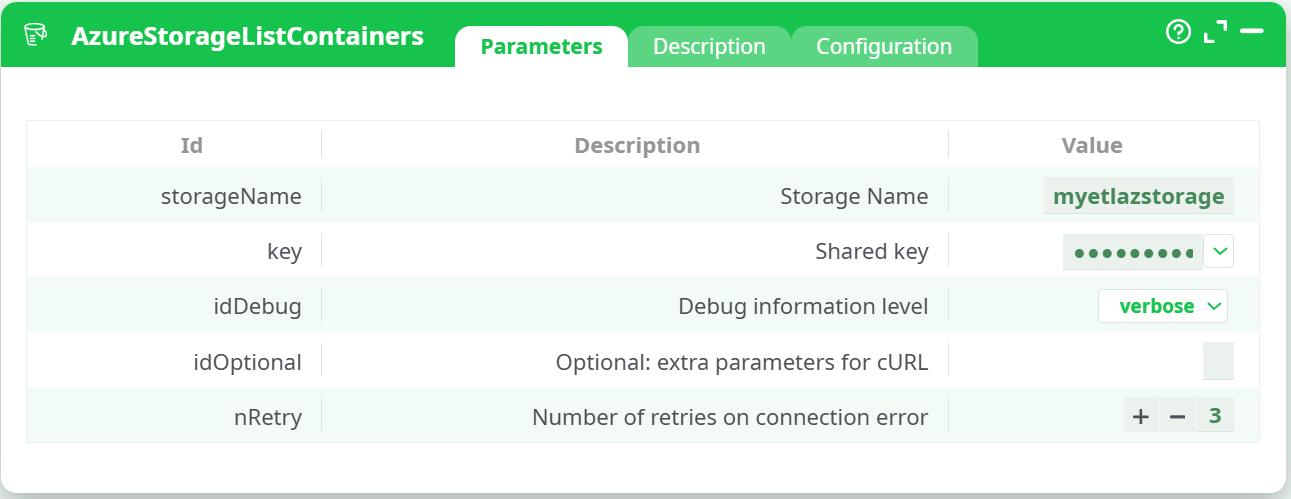
Open Parameters and fill exactly:
- Storage Name:
myetlazstorage - Shared key: paste the Access key
- Debug information level:
verbose - Optional: extra parameters for cURL: (leave empty)
- Number of retries on connection error:
3
- Storage Name:
-
Run → Run to this pin (create a cache).
-
View output → open Data tab and verify the container list.
-
Validate (recommended):
- At least one expected container appears (e.g.,
my-container-etl). - Timestamps/ETag present;
LeaseStateand flags look correct.
- At least one expected container appears (e.g.,
-
Use the results:
- Copy the container name(s) to downstream Azure actions (e.g., List Files, Download File, Upload File).
¶ Troubleshooting
-
401/403 AuthenticationFailed
- Wrong
storageNameorkey. Re-copy the Access key from Azure Portal (Storage account → Security + networking → Access keys). - Key rotated? Update the parameter to the current key (Key1/Key2).
- Wrong
-
404 ResourceNotFound
- Check the account name—do not include
.blob.core.windows.net. - Ensure the storage account actually exists in the selected subscription.
- Check the account name—do not include
-
400 InvalidResourceName / MalformedHeader
- Hidden spaces/newlines in
storageNameorkey. Paste as plain text; remove trailing whitespace.
- Hidden spaces/newlines in
-
Network/Firewall
- Allow outbound HTTPS to
*.blob.core.windows.net(port 443). Corporate proxies may require configuration.
- Allow outbound HTTPS to
-
Clock skew (Signature mismatch)
- Ensure the machine time is synced (NTP). Azure validates the
x-ms-dateheader.
- Ensure the machine time is synced (NTP). Azure validates the
-
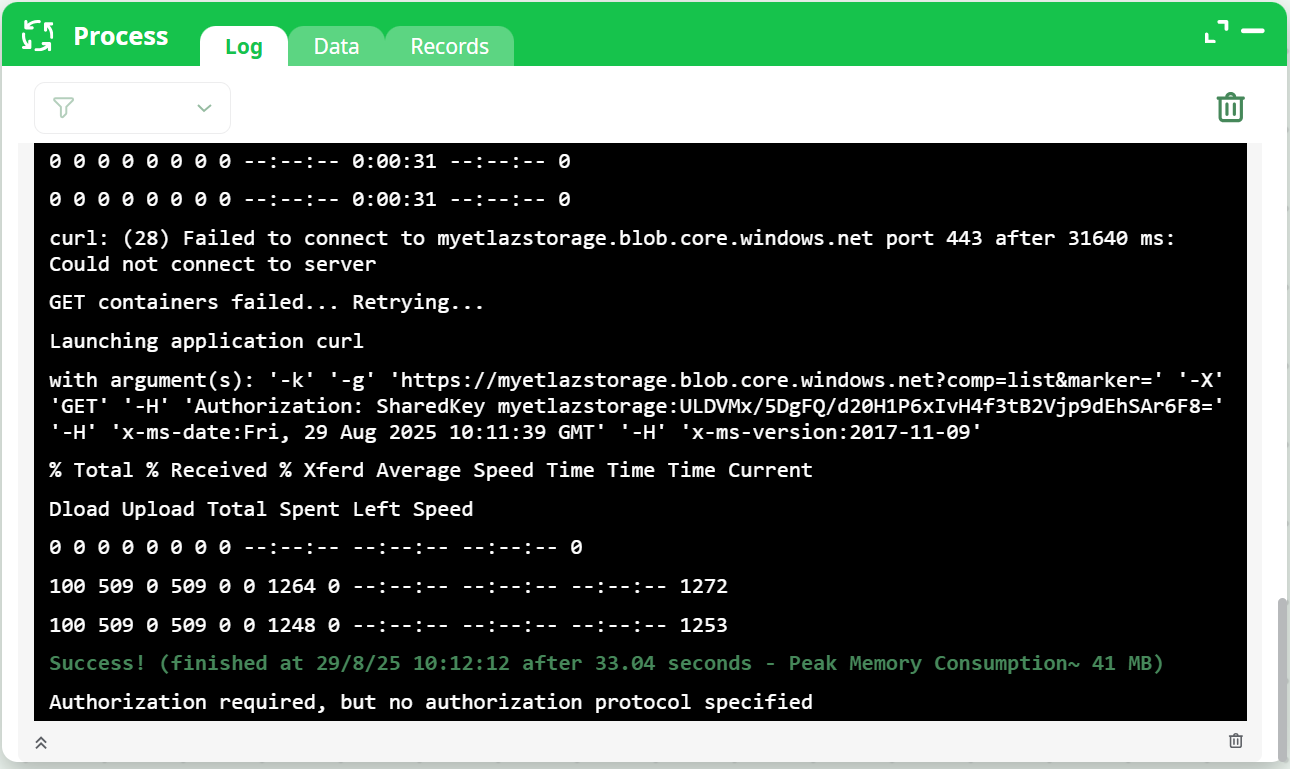
Informational message after success
- If you see “Authorization required, but no authorization protocol specified” after a
200 OKand a green Success! line, it’s benign output from the viewer. If rows are present in Data, the run succeeded.
- If you see “Authorization required, but no authorization protocol specified” after a
¶ Use Cases
- Inventory & discovery: enumerate containers to drive parameterization of later pipeline steps.
- Compliance checks: verify
HasImmutabilityPolicy/HasLegalHoldacross containers. - Ops dashboards: surface
Last-Modifiedto detect stale containers. - Bootstrap: first step before AzureStorageListFile / Upload/Download/Delete actions.
¶ Screenshots

Next: Use any returned Name (e.g., my-container-etl) with your documented actions:
- AzureStorageListFile
- AzureStorageDownloadFile, AzureStorageUploadFile, AzureStorageDeleteFile