¶ Description
Download files from a container in an Azure Blob Storage.
¶ Parameters
¶ Parameters tab
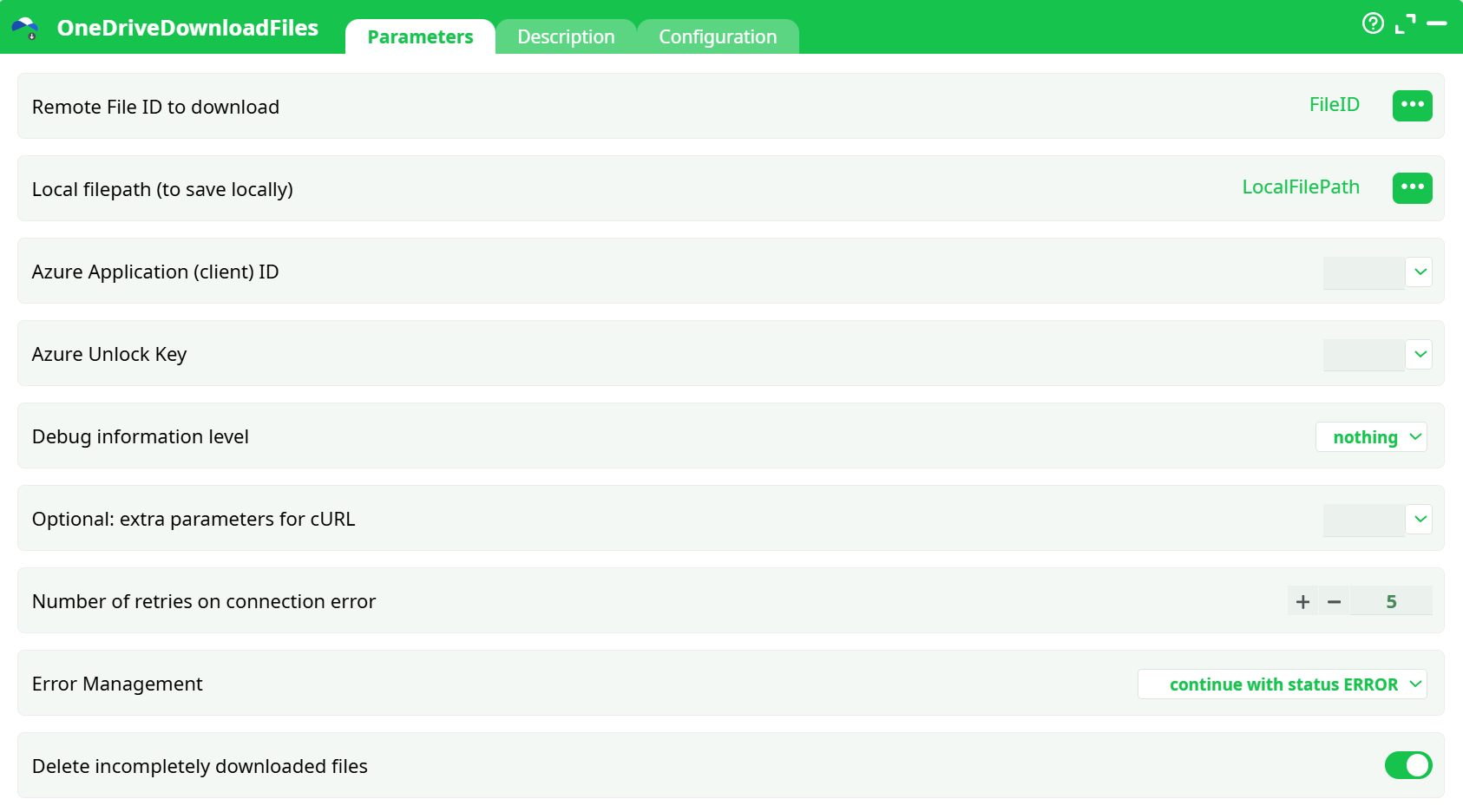
Parameters:
- Remote File ID to download
- Local filepath (to save locally)
- Azure Application (client) ID
- Azure Unlock Key
- Debug information level
- Optional: extra parameters for cURL
- Number of retries on connection error
- Error Management
- Delete incompletely downloaded files
¶ Description tab
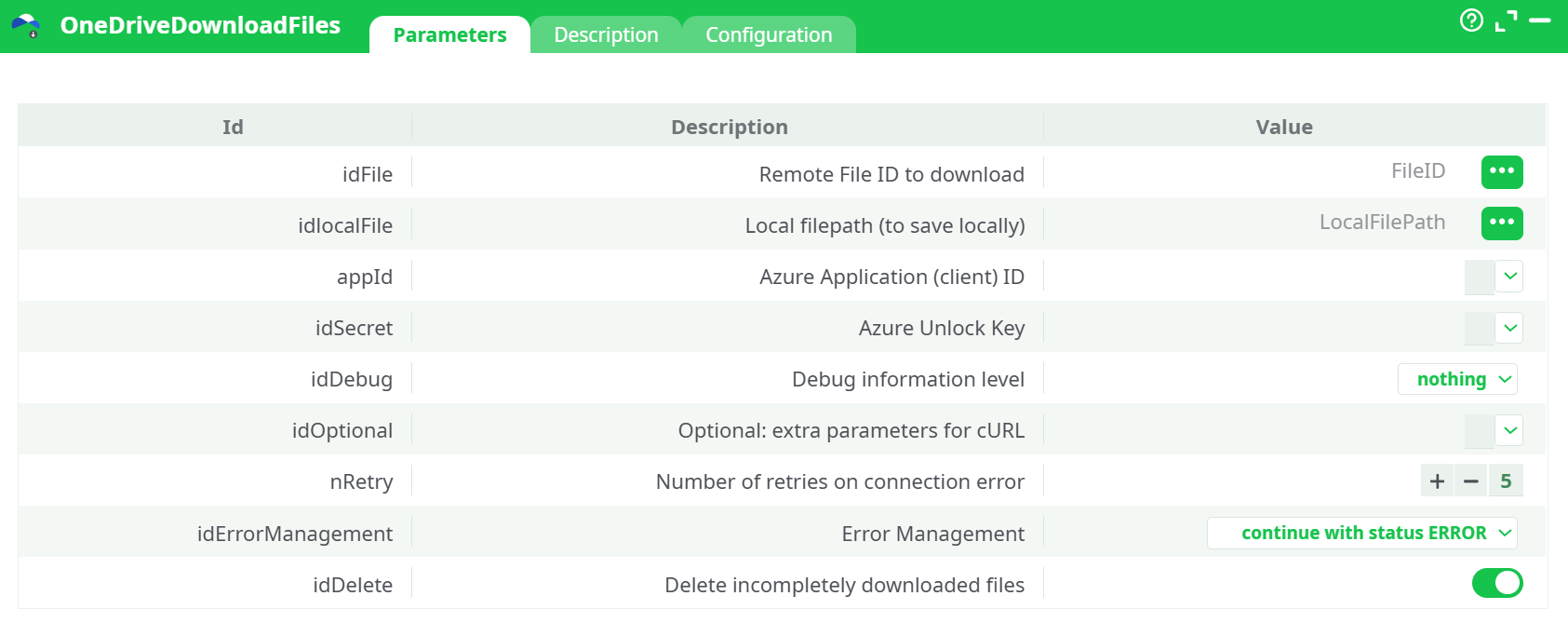
Parameters:
- Script name
- Short description
- Revision
- Decription
¶ Configuration tab
See dedicated page for more information.
¶ About
OneDriveDownloadFiles pulls a single file from Microsoft 365 OneDrive/SharePoint (Graph API) and saves it to a local path.
It authenticates with application permissions (client-credentials flow) using:
- your Azure Application (client) ID, and
- an Azure Unlock Key (a short token generated once by the Azure Unlock action).
This action is typically used after you’ve discovered the file’s driveItem id with OneDriveListFiles. It’s robust to flaky networks (automatic retries) and can emit detailed cURL traces for troubleshooting.
¶ Prerequisites
You only need to set this up once per tenant. If you’ve already done it for OneDriveUploadFiles, you’re set—the same app/permissions are reused.
If not, you can find the step-by-step Azure setup in the OneDriveUploadFiles documentation (app registration, required Graph permissions, and admin consent).
You will need:
- Azure Application (client) ID (from App registrations → Overview).
- Azure Unlock Key (create it with the Azure Unlock action; this is not the Client Secret).
- A file ID to download (use OneDriveListFiles to obtain it).
- A writable local folder path.
- For detailed instructions on how to configure the Azure service, see: AzureServiceConfiguration
¶ Where the results appear
- Downloaded file: saved to the Local file path you provide.
- Log: progress, HTTP details (more if debug is basic/verbose).
- Records (when available): the remote
fileId, size, etag, and the finallocalFilePath. - Data: not used for this action.
¶ Quick start
-
Run OneDriveListFiles to get the target file’s
id. -
Drop OneDriveDownloadFiles into your flow.
-
Fill:
- Remote File ID = the
idfrom step 1 - Local file path = e.g.
records/report_Q3.xlsx - Azure Application (client) ID = your app ID
- Azure Unlock Key = select the saved unlock key
- Remote File ID = the
-
(Optional) set Debug =
verbosefor first run. -
Run. The file is saved to the path you chose.
¶ Parameters
¶ Required
-
Remote File ID to download
The OneDrive/SharePoint driveItemid(not the filename and not the path).
Tip: get this from OneDriveListFiles output. -
Local filepath (to save locally)
Full or relative path where the file will be written (e.g.,records/out/invoice.pdf).
Make sure the directory exists and is writable. -
Azure Application (client) ID
GUID of your app registration. -
Azure Unlock Key
Select the saved Unlock Key produced by the Azure Unlock action.
Do not paste the Azure Client Secret here—they are different things.
¶ Optional / control
-
Debug information level
nothing(default) |basic|verbose
Higher levels print cURL traces and HTTP headers—useful during setup. -
Extra parameters for cURL
Free-text advanced flags (e.g.,--proxy http://proxy:8080or--max-time 120).
Leave empty unless you know you need it. -
Number of retries on connection error
Default 5. Increase on unstable links. -
Error Management
continue with status ERROR(default): pipeline continues, this action’s status is ERROR.abort pipeline execution with error: stops the pipeline immediately on failure.
Choose abort for strict production chains; keep continue when you want later steps (e.g., cleanup) to run.
-
Delete incompletely downloaded files
When ON, partial files are removed after a failed download (recommended).
Turn OFF only if you want to inspect partial files for debugging.
¶ Typical mistakes & how to fix them
-
Using the Client Secret instead of the Unlock Key
The field expects the Azure Unlock Key created by the Azure Unlock action.
Fix: run Azure Unlock once and select that key here. -
Supplying a filename/path instead of a file
id
Remote File ID to downloadmust be a driveItem ID.
Fix: use OneDriveListFiles to fetch theidfor the item you want. -
Missing Graph permissions / no admin consent
Symptoms: 401/403 or “authorization required” messages.
Fix: ensure the app has at leastFiles.Read.All(orFiles.ReadWrite.All) and Grant admin consent. See OneDriveUploadFiles documentation for the exact list. -
Wrong tenant or app
The app must exist in the same tenant as the files you are accessing. -
Local path invalid or not writable
Ensure the destination directory exists and you have write permissions. -
Corporate proxy in the way
Add--proxy http://host:portin idOptional.