¶ Description
List files in a compressed archive.
¶ Parameters
¶ Parameters tab
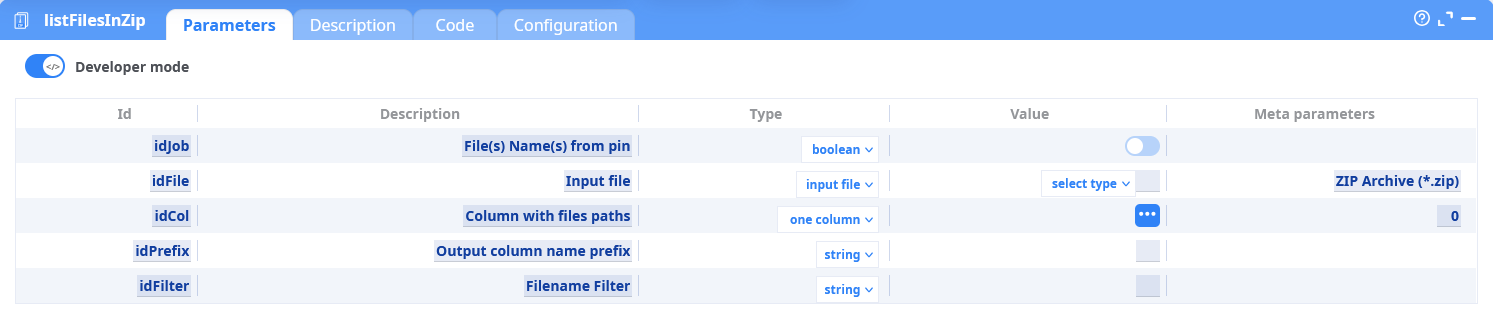
Parameters:
- Developer mode
- File(s) Name(s) from pin
- Input file
- Column with files paths
- Output column name prefix
- Filename Filter
¶ Description tab
See dedicated page for more information.
¶ Code tab
listFilesInArchive is a scripted action. Embedded code is accessible and customizable through this tab.
¶ Configuration tab
See dedicated page for more information.
¶ About
The listFilesInArchive action extracts a list of filenames contained within one or more archives. This action is particularly useful in workflows that require inspection or processing of files within compressed ZIP or RAR archives, without extracting them.
The list can be filtered using usual wildcards. This output can then be used for filtering, routing, or further ETL processing downstream.
Use this when:
- You need to preview the structure of archives before decompression.
- You want to verify the contents of multiple archives in a batch.
- You're building an automation flow that depends on file presence inside archives.
- You want to generate and manipulate the list of files in a ZIP or a RAR archive that shall be processed by a readXXX action downstream.
Supports multiple archives input via an input pin.
Optional filtering and output column prefixing available.
¶ How It Works
- Reads the archive(s) specified in the input table.
- Iterates over the contents of each archive.
- Extracts a list of contained files.
- Outputs a structured table listing each file found, with optional filtering and prefixed columns.
¶ Example Pipeline

¶ Step-by-Step:
-
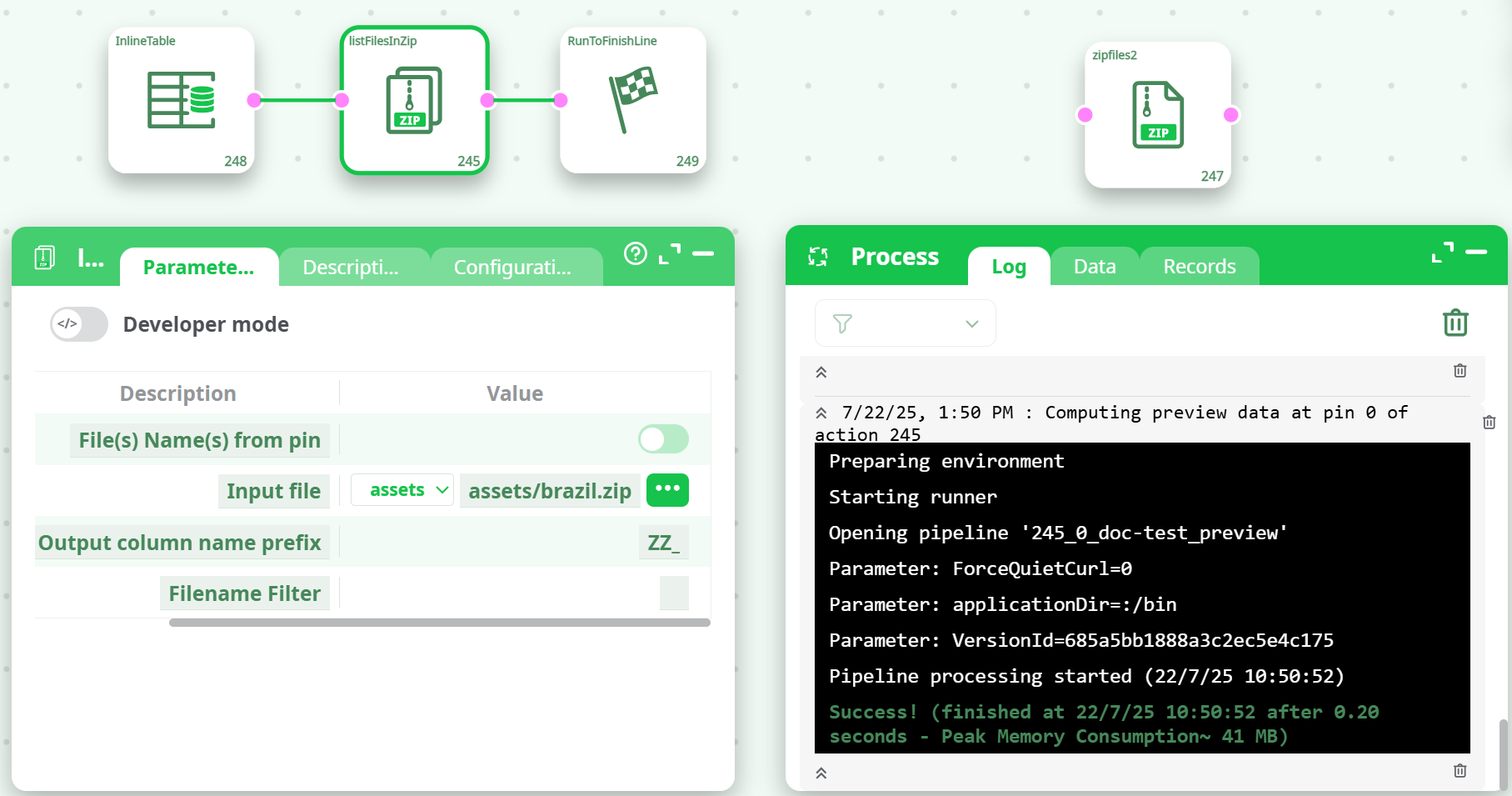
Create an
InlineTablewith one column (e.g.,C1) containing ZIP archive paths:C1 %assets%/brazil.zip -
Connect the
InlineTableto thelistFilesInArchiveaction. -
Set parameters:
File(s) Name(s) from pin= enabled (true)Input file=C1Output column name prefix=ZZ_Filename Filter= (leave empty or use*.csv,*.txt, etc. if needed)
-
Run the pipeline.
¶ Use Cases
- Extract file lists from archives before processing.
- Generate audit trails or logs of compressed content.
- Build dynamic pipelines that branch depending on archive content.
- Validate the existence or structure of archive file payloads.
Notes:
- The action does not extract the archive content (use unpackArchive to do so).
- Wildcards (.csv, report_.pdf, etc.) are supported in the filename filter.
- Prefixing output columns helps avoid column name collisions in downstream actions.
¶ Summary
The listFilesInArchive action enables a lightweight, fast, and flexible way to explore compressed archives content inside an ETL workflow. It offers an essential step in automating archive inspection and is ideal for batch file validation, ingestion planning, or integration with other extraction or processing steps.