¶ Description
Reads a (compressed) JSON file.
¶ Parameters
¶ Standard Tab
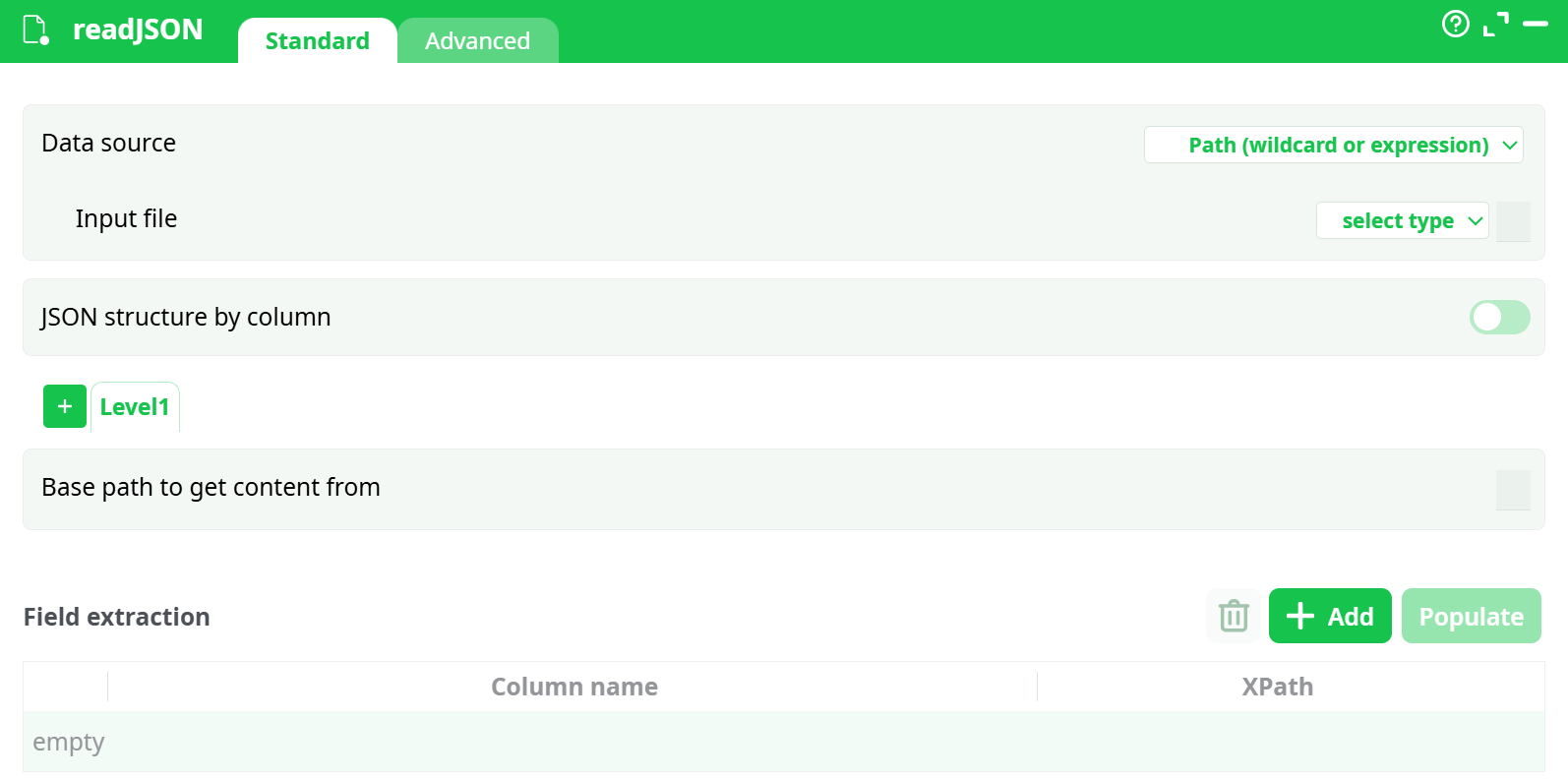
Parameters:
- Data source
- Input file
- JSON structure by column
- Iterat each subtag in
- Base path to get content from
- Field extraction
¶ Advanced Tab
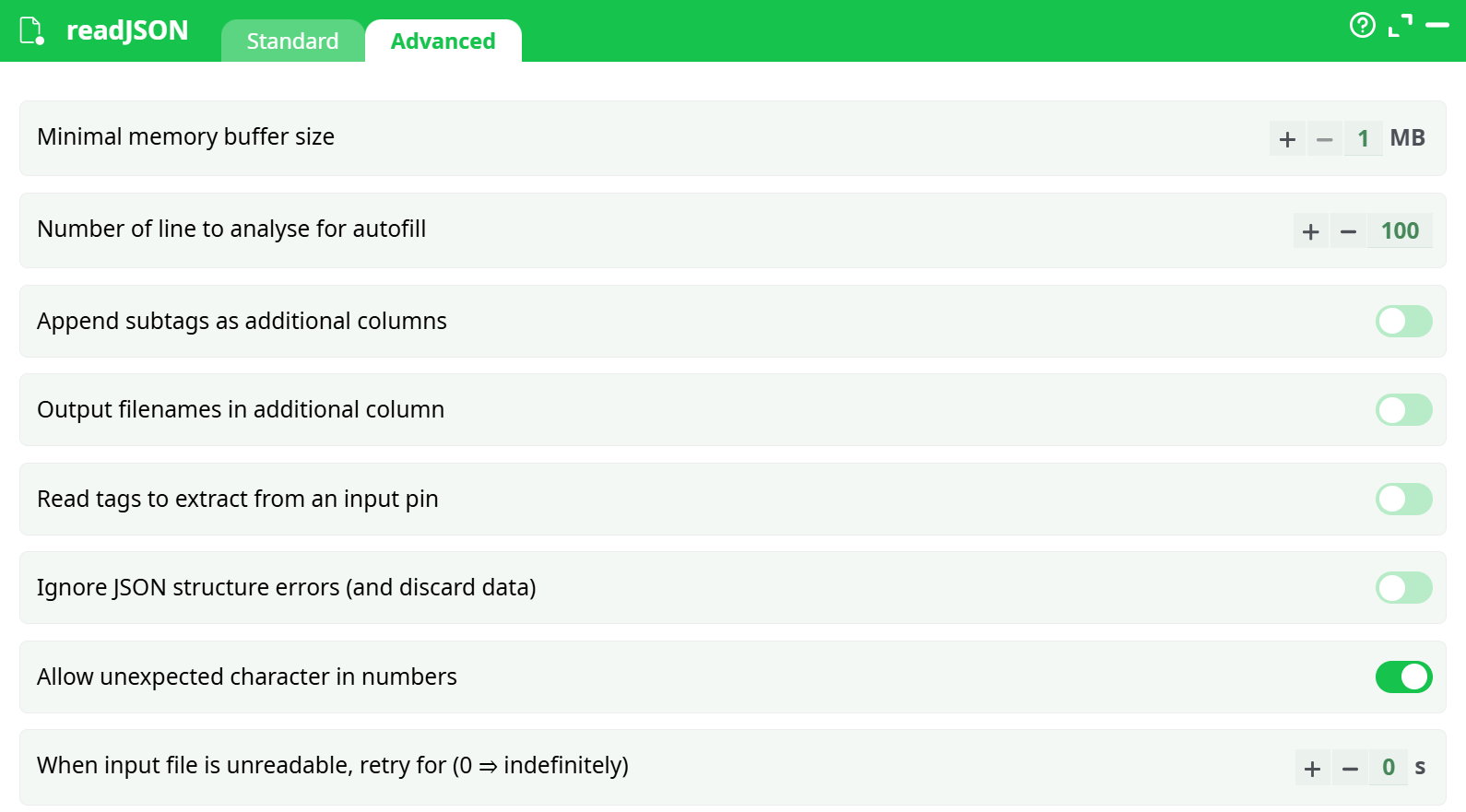
Parameters:
- Minimal memory buffer size
- Number of line to analyse for autofill
- Add subtags in additional column
- Output filenames in additional column
- Read tags to extract from input pin
- Ignore JSON structure errors (remove datas)
- Allow unexpected character in numbers
- When unreadable files, retry for (0 to indefinitely)
¶ About
NOTE :
You can drag&drop a .JSON file from your local machine into an ETL-Pipeline-Window: This will directly create the corresponding readJSON action inside the ETL Pipeline.
The JSON reader included inside ETL is stream-oriented. This means that ETL reads the JSON file “chunk-by-chunk” (when all data from one chunk has been extracted, ETL loads the next chunk). This is in contrast to most other JSON parsers, which require loading the entire JSON file into memory before starting data extraction. As a result, unlike other JSON extraction engines:
- There are no limits to the size of the JSON file that ETL can read and parse.
- With ETL, data extraction from JSON requires only a small (and constant) amount of RAM.
- With ETL, data extraction from JSON is very fast.
If the extension of the JSON file is RAR, ZIP, GZ, or LZO, ETL will transparently decompress the JSON file in RAM. ETL chooses the (de)compression method based on the filename extension. When working with compressed formats, ETL does not decompress files on the hard drive. Instead, it decompresses data “on-the-fly” directly in RAM, which reduces:
- the load on the hard drive
- the disk space needed to perform analysis
For typical “real world” JSON files, the compression ratio is around 90%. Therefore, it is highly recommended to compress all your JSON files.
Let’s assume that we have the following JSON file:
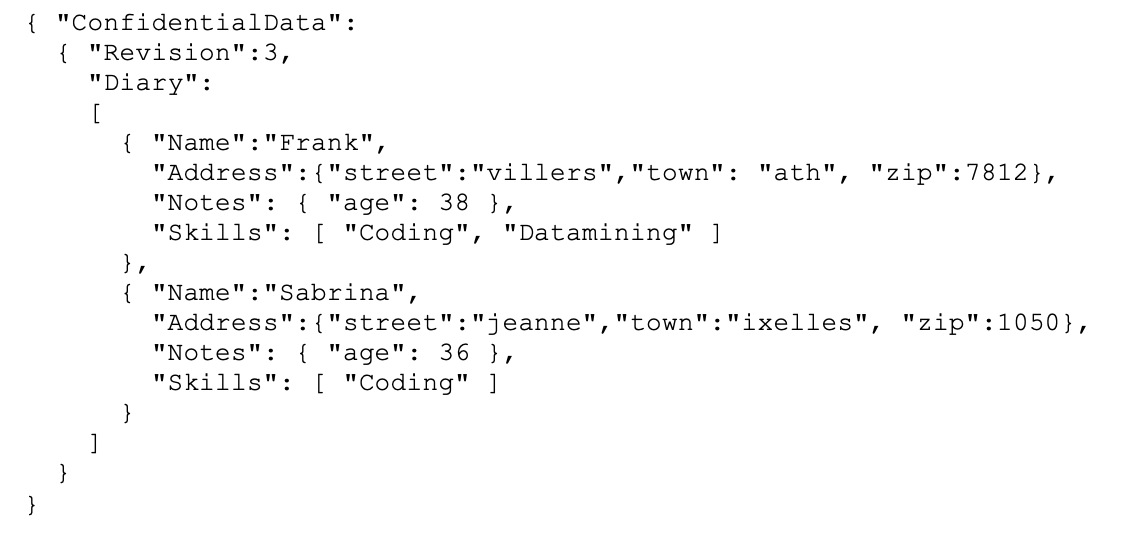
We want to extract the name and age of each of your contact. We’ll use the following settings:
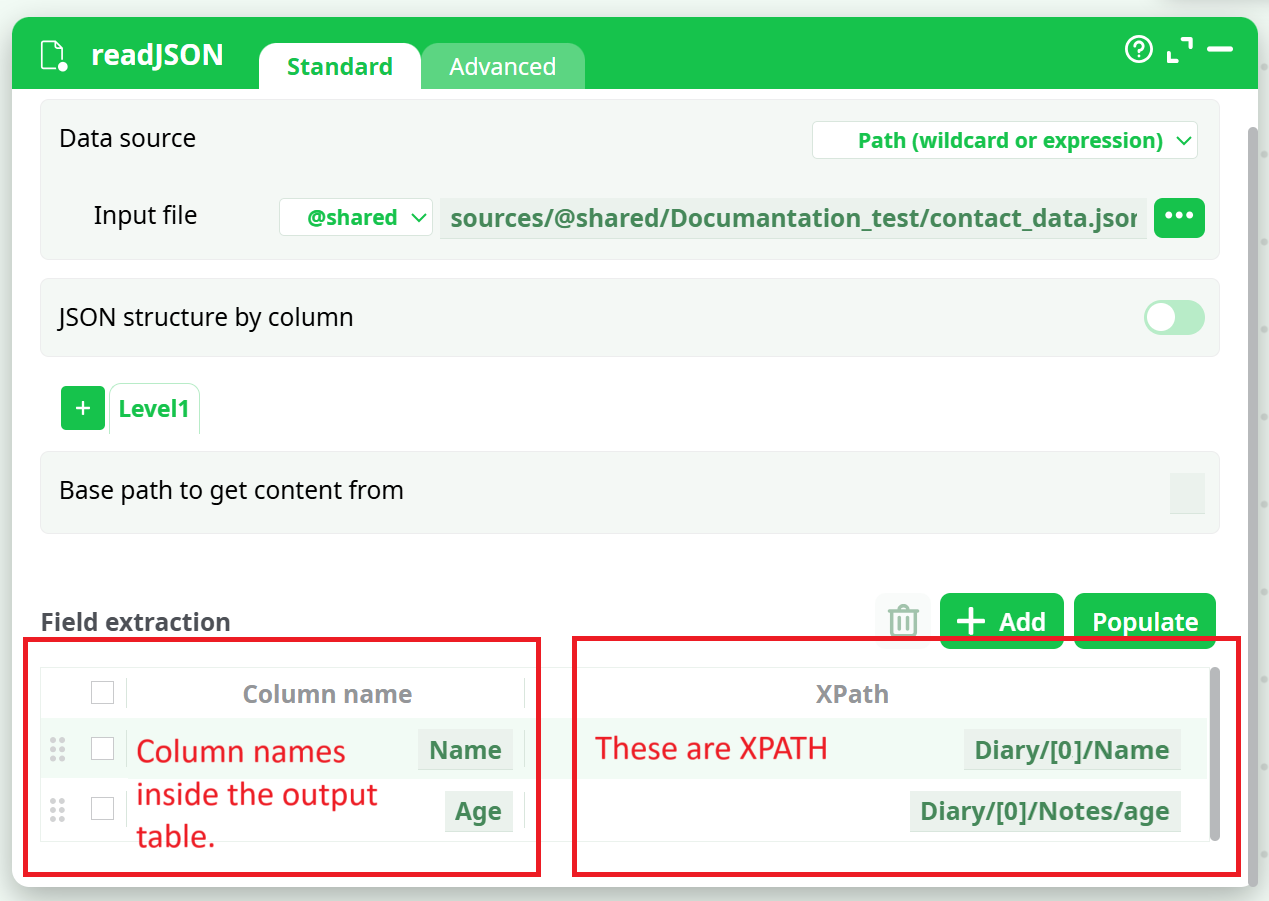
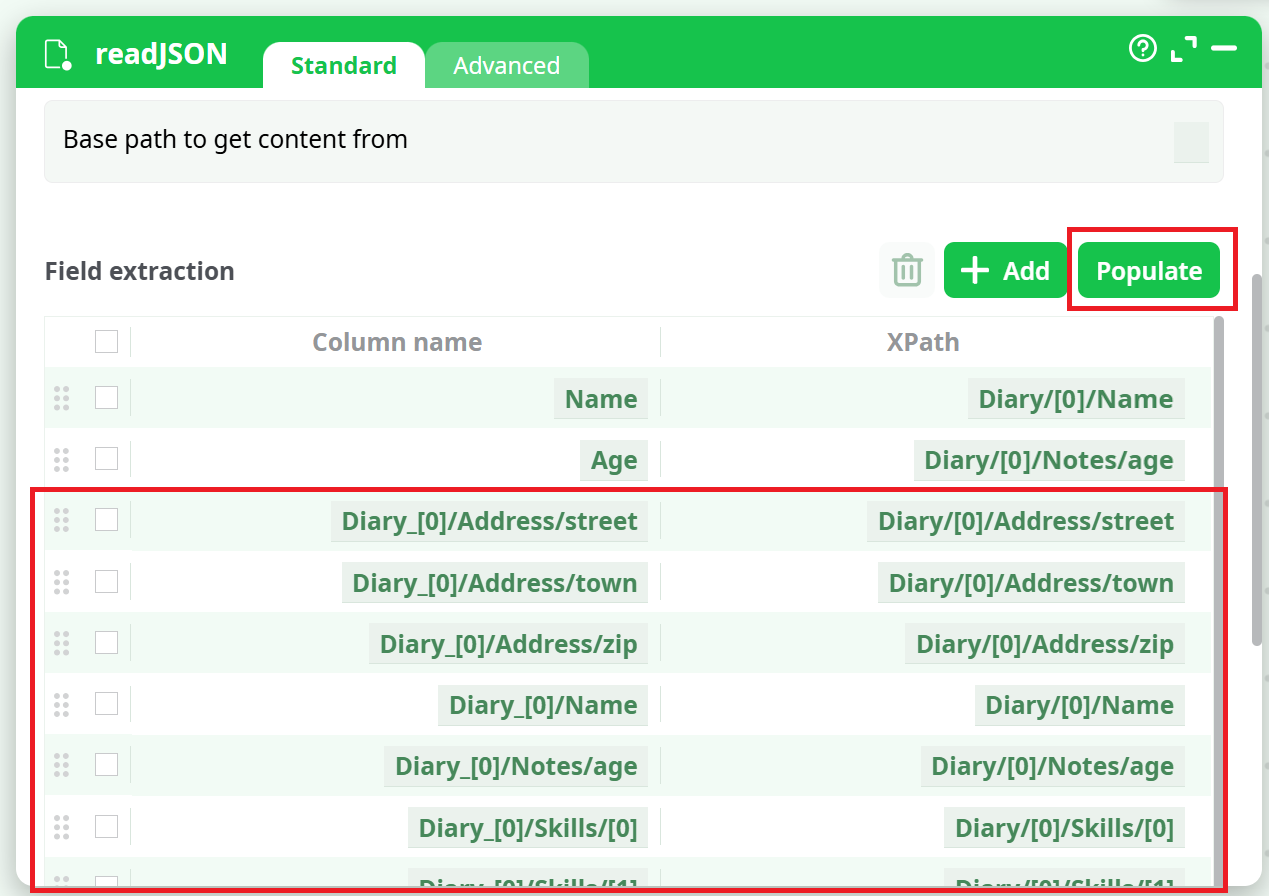
Manually writing all the required XPATHs can sometimes be difficult. That’s why ETL provides an "Populate" button. After entering the "Iterate on all subtags located at" parameter, you can click the "Populate" button. ETL will analyze the first 100 entries in the data (referred to as the "Diary").
You can change this number using the "Number of line to analyse for autofill" parameter inside the "Advanced Parameters" tab. ETL will extract all the different XPATHs corresponding to the data contained within those first 100 entries.
For the example above, ETL will detect the following XPATHs:
For detailed information about XPath syntax, functions, and best practices, see: XPath