¶ Description
Upload files to a container in an Azure Blob Storage
¶ Parameters
¶ Parameters tab
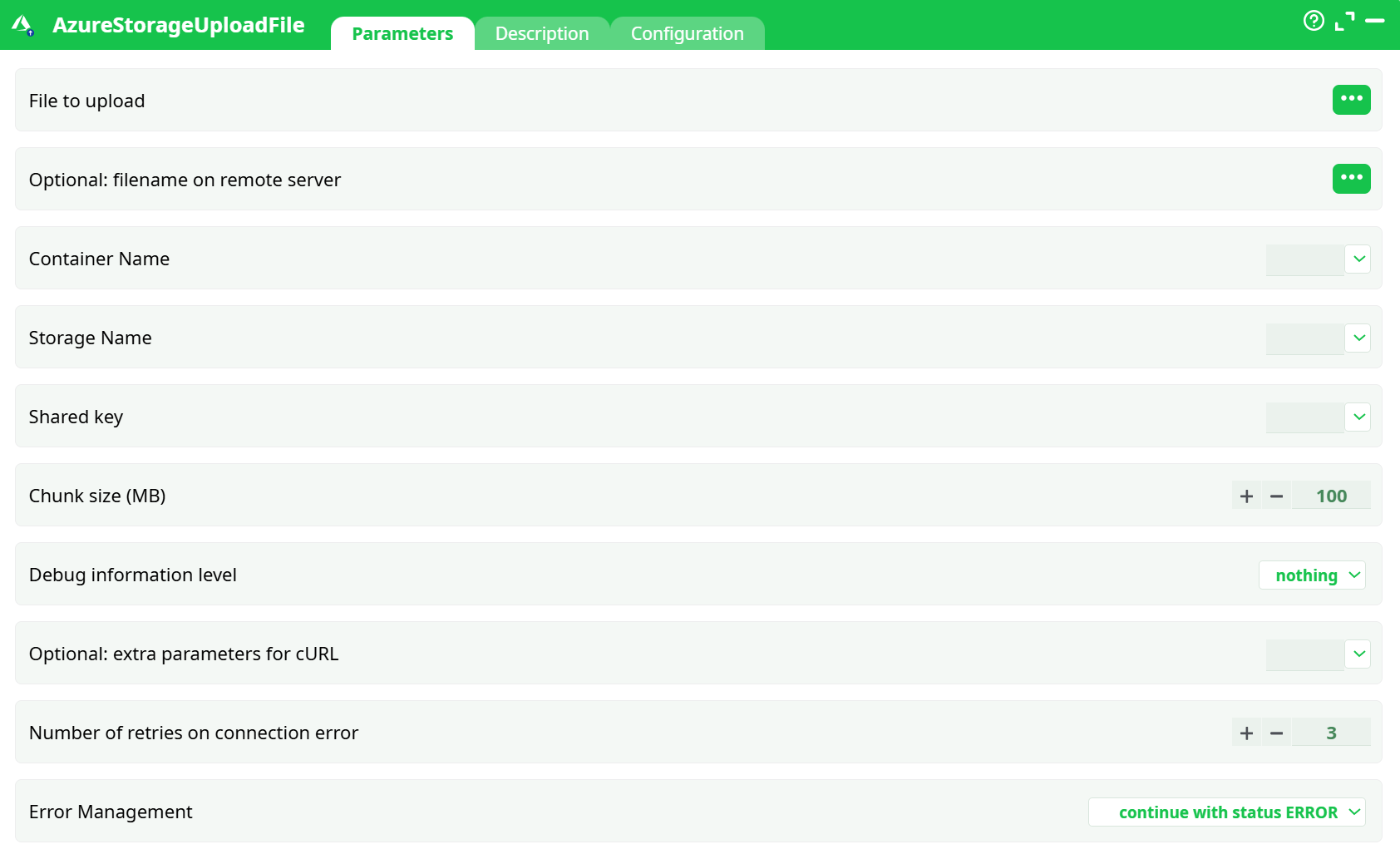
Parameters:
-
File to upload (
idFile)
Local path to the file (e.g.,records/customer_1.json).
Tip: Use the pin (…) to bind a column from an upstream table. -
Remote file path (
idFileRemote)
Target blob name inside the container. Examples:
Customer_Orders.csv,inbox/2025/Customer_Orders.csv.
Do not start with/and do not include the container name. -
Container Name (
containerName)
Your Azure container (e.g.,my-container-etl). -
Storage Name (
storageName)
Your Azure storage account name (e.g.,myetlazstorage). -
Shared key (
key)
The account Access key (Key1 or Key2) from Storage account → Access keys. -
Chunk size (MB) (
chunkSz)
Size of upload blocks used for large files. Bigger chunks = fewer requests.
Leave default unless you have specific constraints. -
Debug information level (
idDebug)
nothing/basic/verbose. Useverbosewhile testing. -
Optional: extra parameters for cURL (
idOptional)
Advanced use only (proxy flags, TLS switches, etc.). -
Number of retries (
nRetry)
Retries on transient connection errors. -
Error Management (
idErrorManagement)
Choose how the pipeline should behave on failure (abort, continue with error, etc.).
¶ Description tab
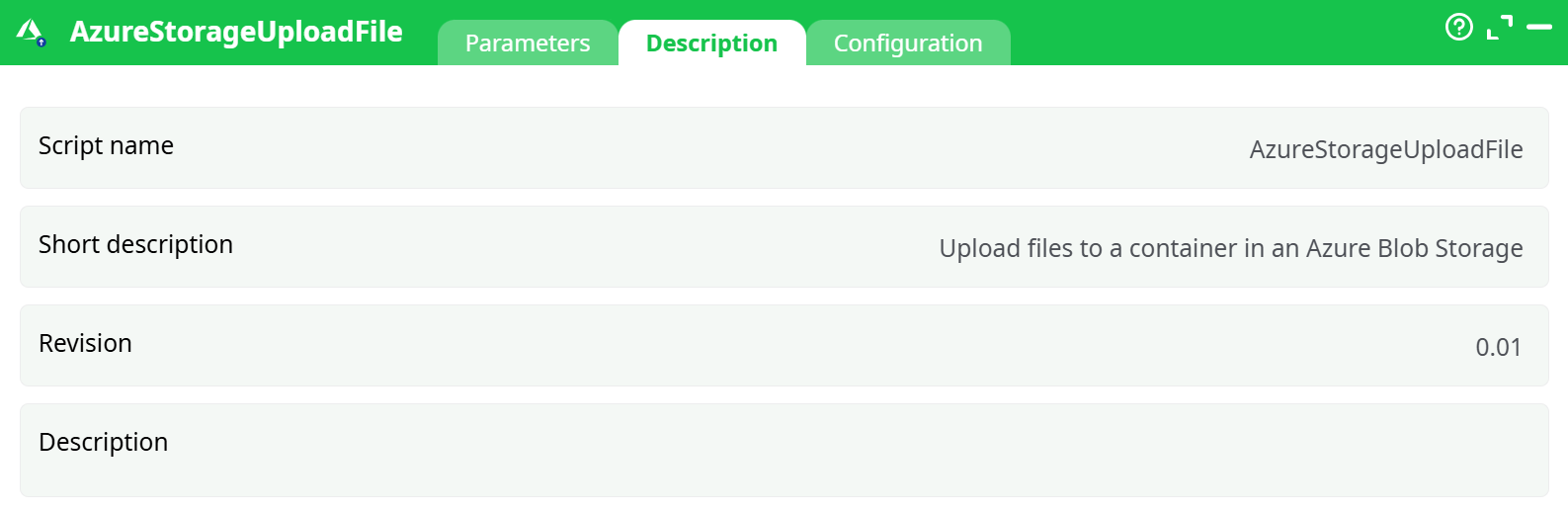
Parameters:
- Script name
- Short description
- Revision
- Decription
¶ Configuration tab
See dedicated page for more information.
¶ About
AzureStorageUploadFile uploads files from your ETL workspace (or any readable local path) into an Azure Blob Storage container using Shared Key authentication. Small files are sent as a single PUT; larger files are automatically chunked and committed as a Block Blob.
Prerequisite: For detailed instructions on how to configure the Azure service, see: AzureServiceConfiguration
¶ How it works
- Builds a signed request using your storageName and key.
- If the file exceeds the configured chunk size, it’s split into blocks and committed as a Block Blob.
- On success, Azure returns HTTP 201 Created,
ETag,Content-MD5, and other blob headers.
Example (trimmed) success log:
HTTP/1.1 201 Created
x-ms-blob-type: BlockBlob
Content-MD5: 71pBVvanakkCHu/zG1diiQ==
ETag: "0x8DDE655C54897E9"
¶ Quick start (example)
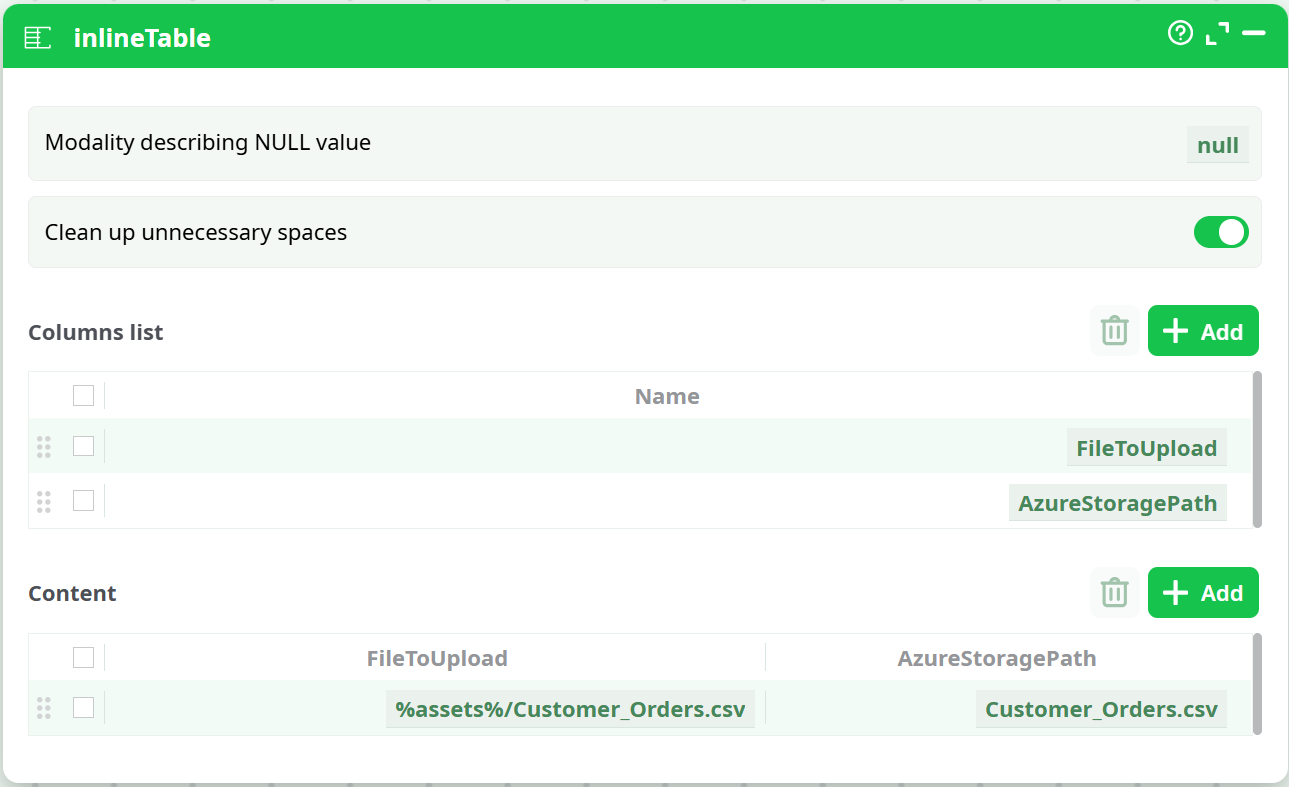
¶ 1) Prepare the input row(s)
Use an InlineTable (or any upstream table) with two columns:
FileToUpload– local path (e.g.,%assets%/Customer_Orders.csv)AzureStoragePath– target blob path (e.g.,Customer_Orders.csv)
¶ 2) Configure the action
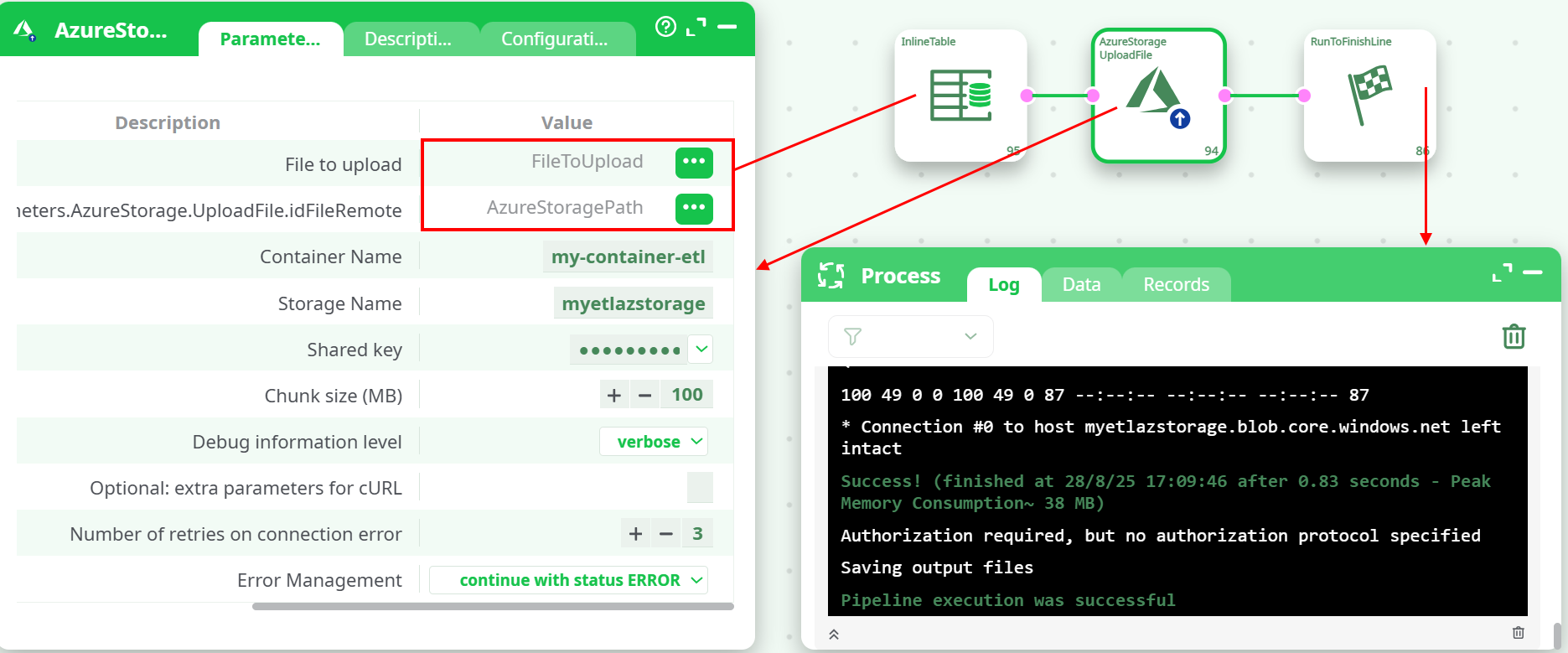
Bind pins:
- File to upload →
FileToUpload - Remote file path →
AzureStoragePath
Fill in containerName, storageName, and key.
¶ 3) Run and verify
- Process → Log should end with
HTTP/1.1 201 CreatedandSuccess!. - Process → Records lists the saved file(s) for download/debug.
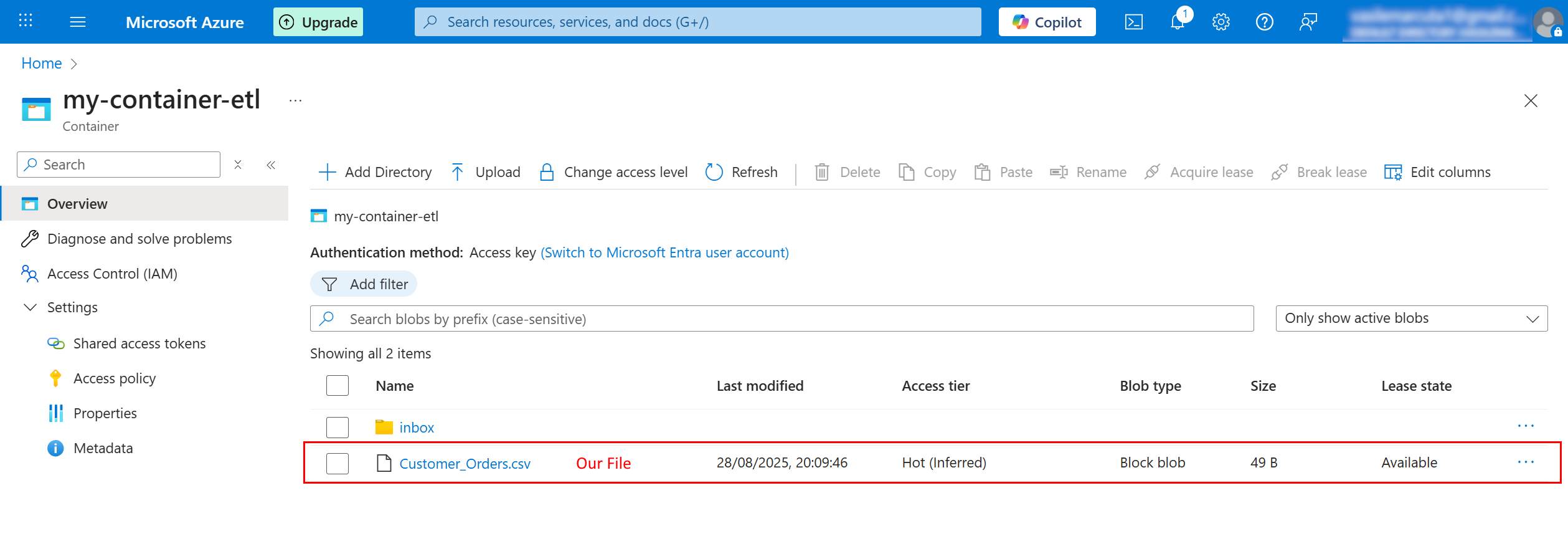
- In the Azure Portal, you should see the new blob:
¶ Outputs
The Data tab summarize each attempted upload, typically including:
- The local path uploaded
- The remote blob path (within the container)
- An OK / ERROR status

¶ Tips & best practices
- Overwrites: Uploading to an existing blob name will overwrite it. Use unique names (timestamps/folders) to keep versions.
- Folders: “Folders” are just prefixes in blob names, e.g.,
inbox/2025/file.csv. - Chunk size: Use larger chunks for large files to reduce request count.
¶ Troubleshooting
| Symptom / Log | What it means | What to check |
|---|---|---|
AuthenticationFailed (HTTP 403) |
Signature doesn’t validate | storageName matches the account name; key is correct (no spaces); system clock is accurate; firewall/network rules allow the ETL runner. |
ResourceNotFound (HTTP 404) |
Container or path doesn’t exist | Ensure containerName is correct and already created. |
RequestBodyTooLarge / stalls on huge files |
Chunking settings not suitable | Increase chunkSz and re-run; verify network stability. |
BlobAlreadyExists / conflicts |
Target name already used with a lease | Change idFileRemote or release the lease in Azure. |
| No file appears in portal | Wrong remote path | The remote path must be relative to the container (no leading /, don’t include container name). |
¶ Security notes
- Keys are sensitive. Restrict access to the ETL project and rotate keys periodically (use Key2 while rotating Key1, and vice-versa).
- If your organization requires network restriction, allow the ETL runner’s egress IP in Storage account → Networking.