¶ Description
Authenticates an Azure account for needed scopes.
¶ Parameters
¶ Parameters tab
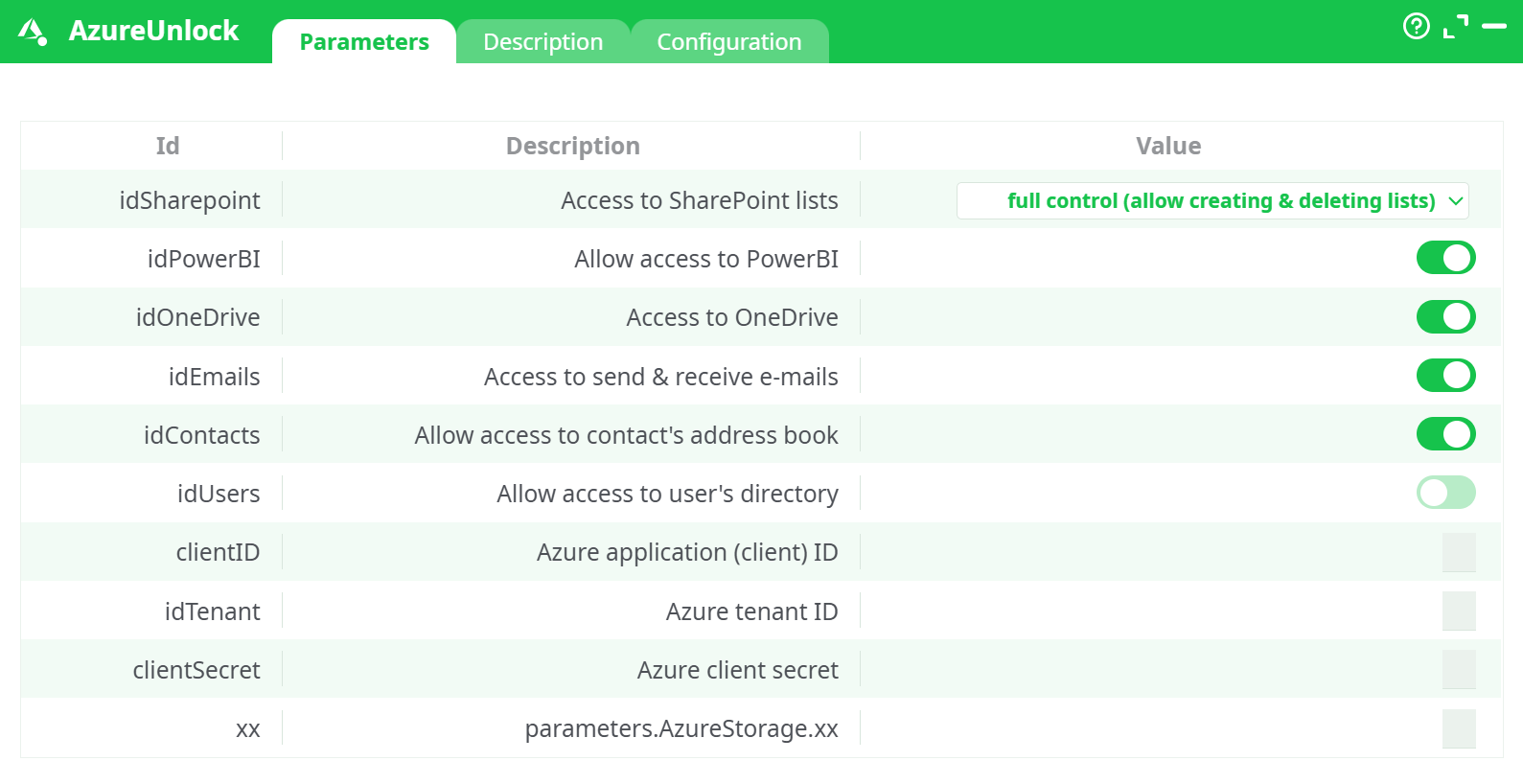
Parameters:
- Access to SharePoint lists
- Allow access to PowerBI
- Access to OneDrive
- Access to send & receive e-mails
- Allow access to contact's address book
- Allow access to user's directory
- Azure application (client) ID
- Azure Tenant ID
- Azure Client Secret
- Placeholder for notes (unused)
¶ Description tab
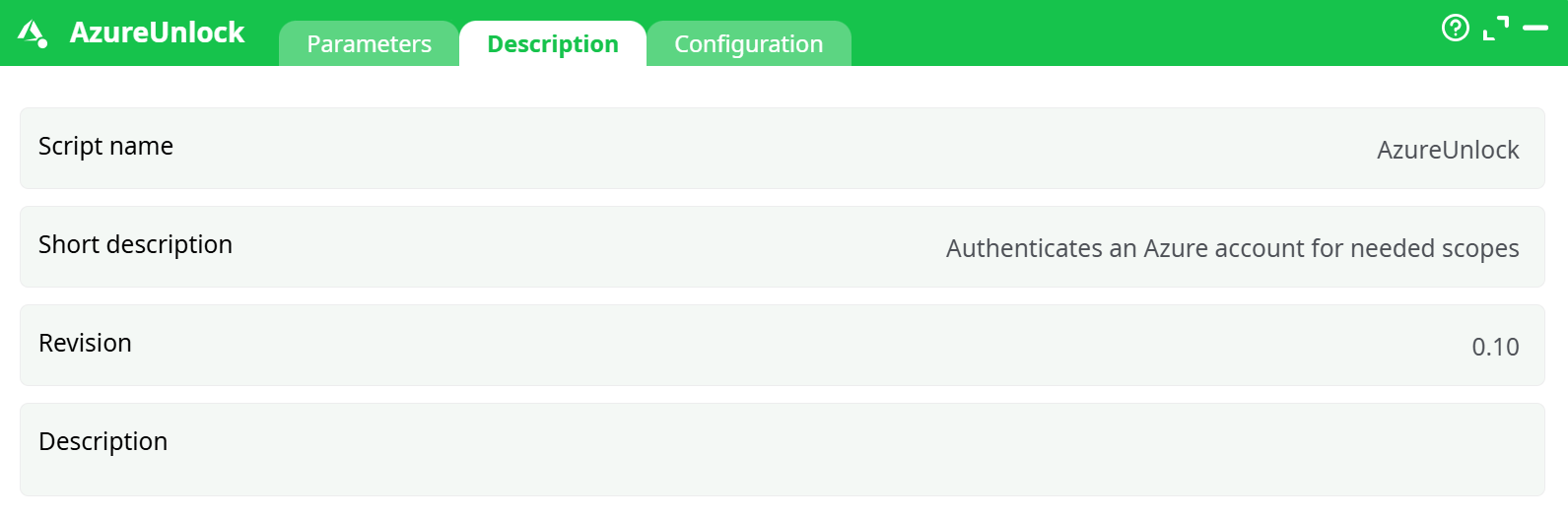
Parameters:
- Script name
- Short description
- Revision
- Decription
¶ Configuration tab
See dedicated page for more information.
¶ About
AzureUnlock authenticates the atrnatv runtime against Microsoft 365 services using an Azure AD service principal (App Registration). It exchanges your client ID/secret for OAuth tokens and unlocks access to:
- SharePoint (lists & files)
- OneDrive
- Outlook Mail
- Contacts
- Users/Directory (optional)
- Power BI (service principal)
Note: AzureUnlock is not required for Azure Blob Storage actions (they use the Storage account Access key). Use AzureUnlock for Microsoft Graph/Power BI–based actions only.
- For detailed instructions on how to configure the Azure service, see: AzureServiceConfiguration
¶ Prerequisites
-
An App Registration in Azure AD with a client secret (copy the Value, not the Secret ID).
-
Admin consent granted for the needed Application permissions:
- Microsoft Graph:
Files.ReadWrite.All,Mail.ReadWrite,Mail.Send,Contacts.ReadWrite, (optional)User.Read.All - SharePoint:
Sites.FullControl.All(orSites.ReadWrite.Allif you choose reduced SharePoint scope) - Power BI Service (if enabled):
Tenant.Read.All,Dataset.ReadWrite.All
- Microsoft Graph:
-
Power BI Admin Portal: “Allow service principals to use Power BI APIs” enabled and the app added to the target workspace with Admin role (if Power BI is ON).
-
Outbound HTTPS to
login.microsoftonline.com,graph.microsoft.com,api.powerbi.com.
¶ Input Requirements
This action does not take tabular input. It operates only on its parameters and returns status in Records/Data.
Values used in your successful run
Access to SharePoint lists = full control (allow creating & deleting lists)Allow access to PowerBI = ON,Access to OneDrive = ON,Access to send & receive e-mails = ON,Allow access to contact's address book = ON,Allow access to user's directory = OFFAzure application (client) ID = <your-app-client-id>,Azure tenant ID = <your-tenant-id>,Azure client secre = <REDACTED>
Parameter rules
- If
Allow access to PowerBI = ON→ You must also: enable SP usage in Power BI tenant settings and add the app to the workspace with Admin role. - If
Access to SharePoint lists = full control→ the app needsSites.FullControl.All(SharePoint). For the reduced mode, useSites.ReadWrite.All. - If
Allow access to user's directory = ON→ add GraphUser.Read.Alland grant admin consent.
¶ Example Workflow (step-by-step)
-
Create the App (one-time)
Azure AD → App registrations → New registration → nameatrnatv-etl-service→ Single-tenant → create client secret and copy the Value. -
Assign Application permissions & consent
Add Graph, SharePoint, and (optionally) Power BI permissions listed in Prerequisites → Grant admin consent. -
(If Power BI ON)
Power BI Admin portal → enable service principal → add the app to the target workspace with Admin role. -
Configure the box
Open AzureUnlock → Parameters and set:Access to SharePoint lists = full control (allow creating & deleting lists)Allow access to PowerBI = ON,Access to OneDrive = ON,Access to send & receive e-mails = ON,Allow access to contact's address book = ON,Allow access to user's directory = OFFAzure application (client) ID = <your-app-client-id>Azure tenant ID = <your-tenant-id>Azure client secret = <REDACTED>
-
Run → Run to this pin.
-
Validate output
- Log shows 200 responses from
login.microsoftonline.com. - Data/Records have a success row for each enabled service with a future
ExpiryUTC.
- Log shows 200 responses from
-
Smoke-test a downstream action (pick at least one):
- SharePoint list create/read, OneDrive list/upload, AzureAddContact
¶ Troubleshooting
| Symptom / Error | Likely Cause | Fix |
|---|---|---|
AADSTS700016 / invalid_client |
Wrong clientID or deleted app |
Re-copy Application (client) ID from App Registration. |
| Token fails after pasting secret | Pasted Secret ID (GUID) instead of Value | Create a new secret and paste the Value. |
insufficient privileges / Graph 403 |
Missing permission for selected service | Add the exact Application permission (e.g., Mail.Send), Grant admin consent, re-run. |
| SharePoint operations fail on reduced mode | idSharepoint too restrictive |
Switch to full control or grant Sites.FullControl.All. |
| Power BI “Service principal not allowed” | Tenant setting off / workspace role missing | Enable SP usage in Admin portal and add app to workspace (Admin). |
invalid_grant / consent required |
Admin consent not granted | Grant tenant-wide admin consent for the app. |
| Network timeouts | Firewall/proxy or transient 5xx | Allow outbound HTTPS; keep nRetry = 3; consider proxy config if required. |
| Clock skew / signature mismatch | System clock too far off | Sync host time with NTP. |
¶ Use Cases
- Unlock Microsoft 365 for pipelines: SharePoint list CRUD, OneDrive file ops, Outlook mail send/receive, Contacts management.
- Headless Power BI automation: refresh datasets, publish/update, export reports using a service principal.
- Centralized auth: fetch tokens once per run, reuse across multiple downstream boxes.