¶ Description
Mandatory. Each pipeline has to define a run to finish line to be executed.
¶ Parameters

Parameters:
- Number of entries: self explanatory
¶ Explanations
The RunToFinishLine action defines which part of the script will be executed when you click on the execute button inside the main toolbar of ETL. Let’s give more details, using another small example;
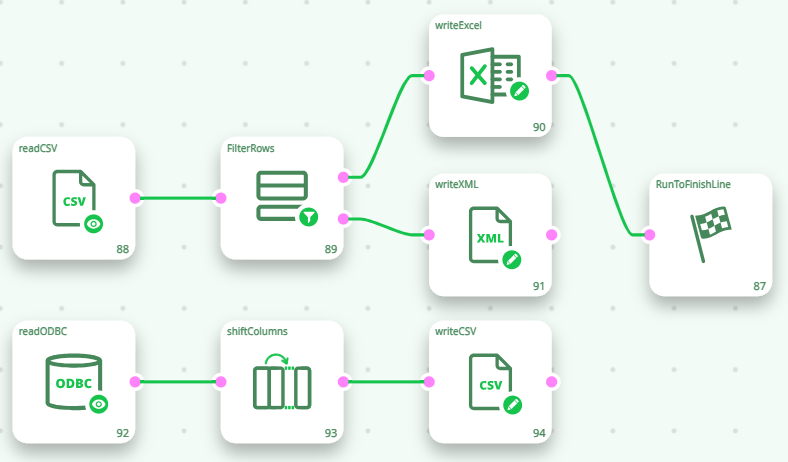
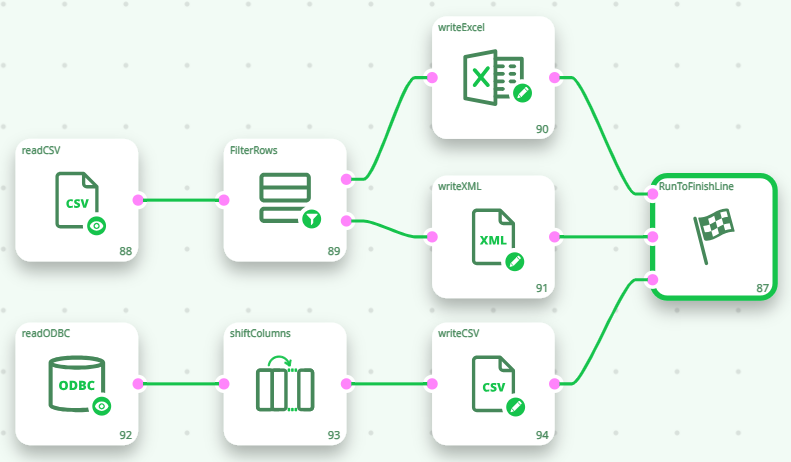
In order to run all the Actions of the above ETL pipeline, each final node must be connected to the Global Run Flag, as detailed below;
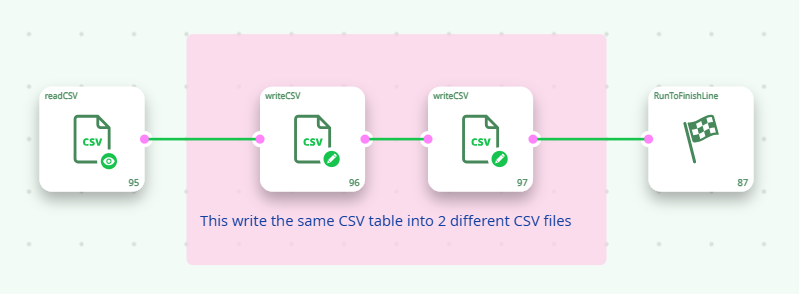
One final remark about the optimization of the execution-speed of ETL pipeline. Let’s compare these 2 scripts;
| Script1 | Script2 |
|---|---|
 |
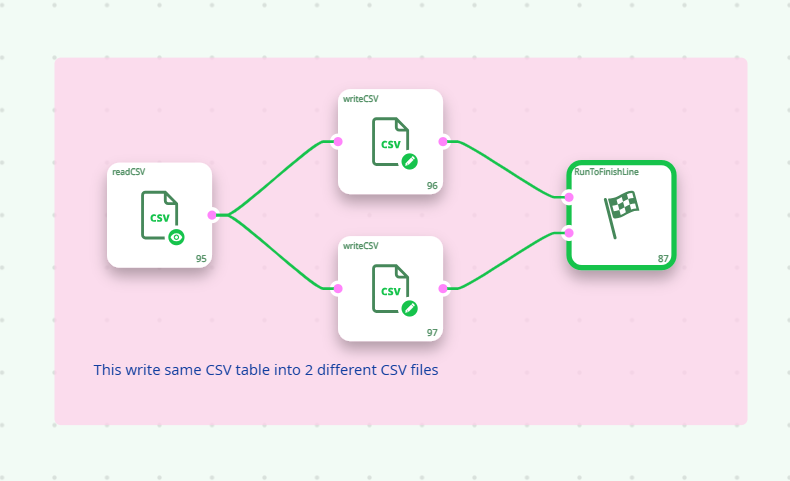 |
Inside “script 2”, the table available on the output pin of the readCSV action needs to be buffered on the hard drive (because this table must be “sent” into several different Actions) before executing any of the other actions. This extra disk I/O (hard drive buffering/“Gel file” creation) is not performed in “script 1” and thus “script 1” is significantly faster than “script 2”.